Description
TIPS:
1.Micro SD card /tripod does not come with standard package and you need to purchase it separately.
2.Normally we suggest Micro class 10 SD card.
3.Please format the SD card before using.
Description:
Image Resolution: 5600x4200(24MP); 5200x3900(20MP); 4000x3000(12MP); 3264x2448(8MP); 2592x1944(5MP); 2048x1536(3M); FHD: 1920x1080 HD, Format JPG
Video Resolution:2.7K,1080FHD; VGA: FHD 30FPS 720P @30fps; Format:MOV
Face Detect: Support (on/off)
Beauty Face: Support (on/off)
Shooting mode: Single Shooting; Delay Shot(2s, 10s); Continuous Shooting
Scene Mode: Auto, Sport, Night, Portrait, Landscape, Backlight, Party, Beach, High Sensitivity
Anti-Shake: On/Off, Electronic Stablizer
Rechargeable Lithium ion battery: 800mAh capacity
USB port for charge & data transfer: Micro USB 2.0
Weight: 264.8g/9.3oz
How to connect WIFI:
1.Insert the SD card, turn on the camera, press WIFI key to open Wifi, and then the display screen of the camera would display relevant information about WIFI.
2.Open the Wifi on the phone or tablet, find the wireless network signal with the same SSID displayed on the camera screen, and then click Connect until the system displays the success of the connection. For the connection for the first time, it is necessary to input the password, which would be displayed on the screen of the camera.
3.Click to open the "PPSHOW" application icon on your Android/IOS phone or tablet, and click Connect. After such operations, users could see the preview screen delivered by the camera directly on your phone or tablet, and then perform related operation.
Package
Digital camera x 1
Lithium ion battery x1
UV lens x1
USB cable x1
Adapter x1
Strap x1
English manual
1.Micro SD card /tripod does not come with standard package and you need to purchase it separately.
2.Normally we suggest Micro class 10 SD card.
3.Please format the SD card before using.
Description:
Image Resolution: 5600x4200(24MP); 5200x3900(20MP); 4000x3000(12MP); 3264x2448(8MP); 2592x1944(5MP); 2048x1536(3M); FHD: 1920x1080 HD, Format JPG
Video Resolution:2.7K,1080FHD; VGA: FHD 30FPS 720P @30fps; Format:MOV
Face Detect: Support (on/off)
Beauty Face: Support (on/off)
Shooting mode: Single Shooting; Delay Shot(2s, 10s); Continuous Shooting
Scene Mode: Auto, Sport, Night, Portrait, Landscape, Backlight, Party, Beach, High Sensitivity
Anti-Shake: On/Off, Electronic Stablizer
Rechargeable Lithium ion battery: 800mAh capacity
USB port for charge & data transfer: Micro USB 2.0
Weight: 264.8g/9.3oz
How to connect WIFI:
1.Insert the SD card, turn on the camera, press WIFI key to open Wifi, and then the display screen of the camera would display relevant information about WIFI.
2.Open the Wifi on the phone or tablet, find the wireless network signal with the same SSID displayed on the camera screen, and then click Connect until the system displays the success of the connection. For the connection for the first time, it is necessary to input the password, which would be displayed on the screen of the camera.
3.Click to open the "PPSHOW" application icon on your Android/IOS phone or tablet, and click Connect. After such operations, users could see the preview screen delivered by the camera directly on your phone or tablet, and then perform related operation.
Package
Digital camera x 1
Lithium ion battery x1
UV lens x1
USB cable x1
Adapter x1
Strap x1
English manual
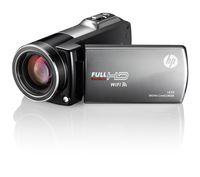
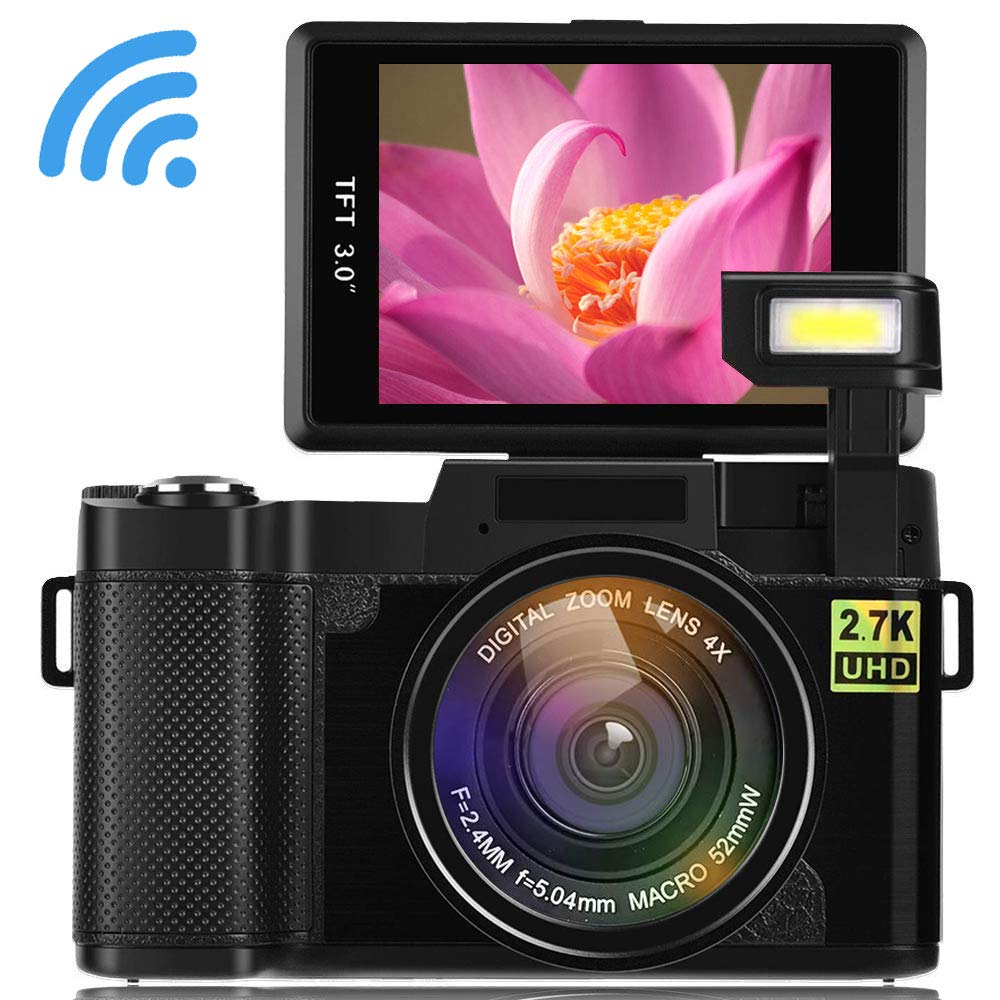
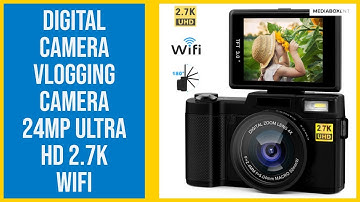
Digital Camera Camcorder WiFi Vlogging Camera 2.7K Ultra HD 24MP Video Camcorders Vlogging Camera with Retractable Flash Light and UV Lens
Price is below average
Current Price
$82.8
Average
$84.39
Min Price
$76.25
Max Price
$92.99
Price dynamics
2%
Description
TIPS:
1.Micro SD card /tripod does not come with standard package and you need to purchase it separately.
2.Normally we suggest Micro class 10 SD card.
3.Please format the SD card before using.
Description:
Image Resolution: 5600x4200(24MP); 5200x3900(20MP); 4000x3000(12MP); 3264x2448(8MP); 2592x1944(5MP); 2048x1536(3M); FHD: 1920x1080 HD, Format JPG
Video Resolution:2.7K,1080FHD; VGA: FHD 30FPS 720P @30fps; Format:MOV
Face Detect: Support (on/off)
Beauty Face: Support (on/off)
Shooting mode: Single Shooting; Delay Shot(2s, 10s); Continuous Shooting
Scene Mode: Auto, Sport, Night, Portrait, Landscape, Backlight, Party, Beach, High Sensitivity
Anti-Shake: On/Off, Electronic Stablizer
Rechargeable Lithium ion battery: 800mAh capacity
USB port for charge & data transfer: Micro USB 2.0
Weight: 264.8g/9.3oz
How to connect WIFI:
1.Insert the SD card, turn on the camera, press WIFI key to open Wifi, and then the display screen of the camera would display relevant information about WIFI.
2.Open the Wifi on the phone or tablet, find the wireless network signal with the same SSID displayed on the camera screen, and then click Connect until the system displays the success of the connection. For the connection for the first time, it is necessary to input the password, which would be displayed on the screen of the camera.
3.Click to open the "PPSHOW" application icon on your Android/IOS phone or tablet, and click Connect. After such operations, users could see the preview screen delivered by the camera directly on your phone or tablet, and then perform related operation.
Package
Digital camera x 1
Lithium ion battery x1
UV lens x1
USB cable x1
Adapter x1
Strap x1
English manual
1.Micro SD card /tripod does not come with standard package and you need to purchase it separately.
2.Normally we suggest Micro class 10 SD card.
3.Please format the SD card before using.
Description:
Image Resolution: 5600x4200(24MP); 5200x3900(20MP); 4000x3000(12MP); 3264x2448(8MP); 2592x1944(5MP); 2048x1536(3M); FHD: 1920x1080 HD, Format JPG
Video Resolution:2.7K,1080FHD; VGA: FHD 30FPS 720P @30fps; Format:MOV
Face Detect: Support (on/off)
Beauty Face: Support (on/off)
Shooting mode: Single Shooting; Delay Shot(2s, 10s); Continuous Shooting
Scene Mode: Auto, Sport, Night, Portrait, Landscape, Backlight, Party, Beach, High Sensitivity
Anti-Shake: On/Off, Electronic Stablizer
Rechargeable Lithium ion battery: 800mAh capacity
USB port for charge & data transfer: Micro USB 2.0
Weight: 264.8g/9.3oz
How to connect WIFI:
1.Insert the SD card, turn on the camera, press WIFI key to open Wifi, and then the display screen of the camera would display relevant information about WIFI.
2.Open the Wifi on the phone or tablet, find the wireless network signal with the same SSID displayed on the camera screen, and then click Connect until the system displays the success of the connection. For the connection for the first time, it is necessary to input the password, which would be displayed on the screen of the camera.
3.Click to open the "PPSHOW" application icon on your Android/IOS phone or tablet, and click Connect. After such operations, users could see the preview screen delivered by the camera directly on your phone or tablet, and then perform related operation.
Package
Digital camera x 1
Lithium ion battery x1
UV lens x1
USB cable x1
Adapter x1
Strap x1
English manual
Price will be lower
in next 2 weeks
in next 2 weeks
According to the data, price will be lower in next two weeks, so not waste your money and track better price!
Product review & video
so today I'm in a box ent we have a great digital camera this is a 2.7 k + HD 24 mega pixel and also has a flipper scream so if you love selfies have a good replacement or natural beside you pho is another thing you can do a nice selfies as well let's begin now [Applause] [Music] happy do it everyone this is dr. Flaminia box ent and today I want to show you this 24 megapixel flipper screen Full HD 2.7 K so the camera to start off I feel pretty good the way you hold it simple to hold it with one hand as you see a grabber here and it's feel real good let's look at it from so we here we have the land and also the land comes and I should decide what we get we get two batteries one is installed we get a UV filter only structions and manual and if you want to use this for safety you can just wrap it up if you don't get it takes pictures up door I recommend you to use the UV filter so that's t

Similar products