Description
Overview
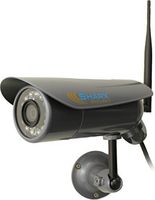
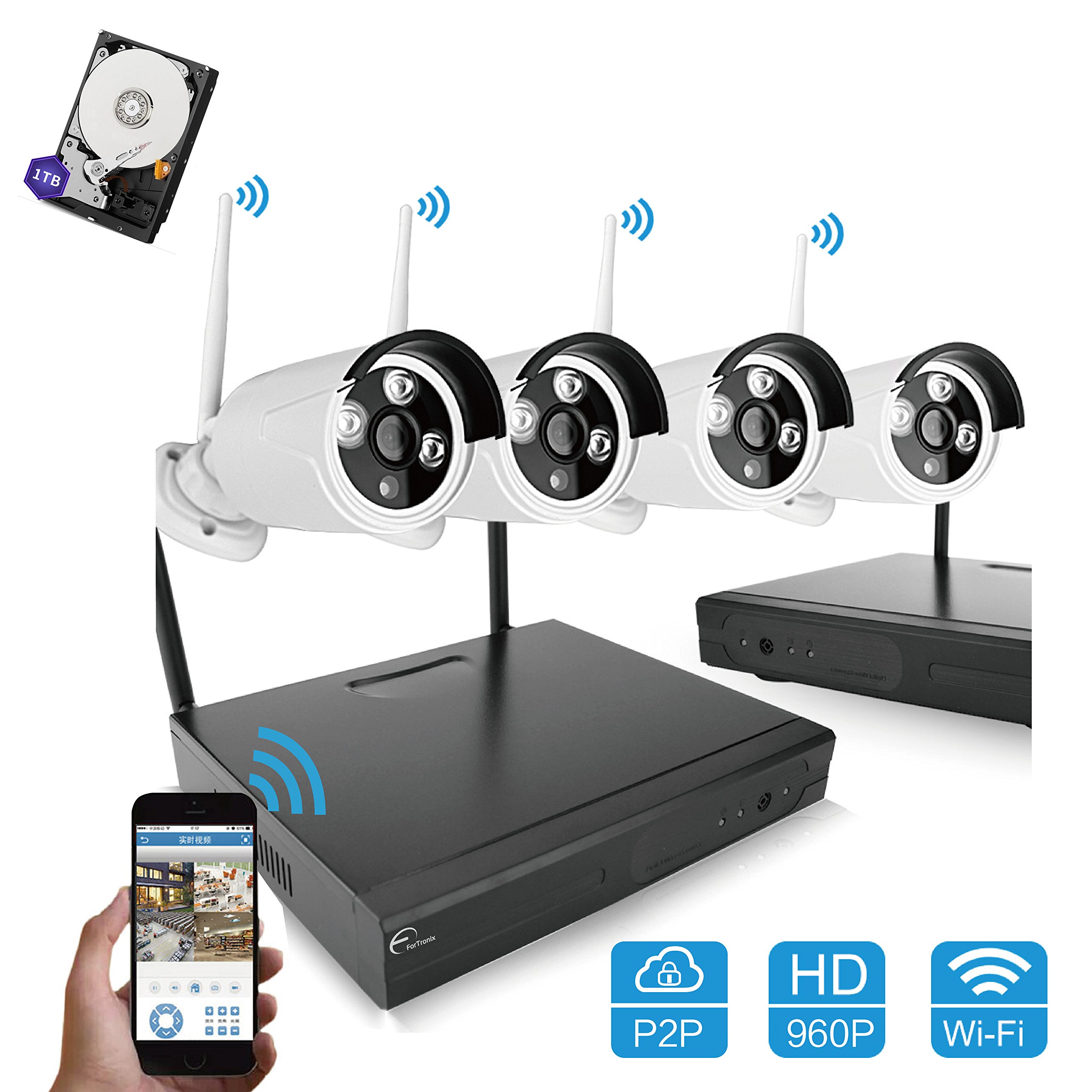
ForTronix High definition Wireless camera system is applied to home and small business. It's very easy to install and setup no need professional skills.
2 minutes quick setup, remote view via smartphone, iPad or PC anytime anywhere, keep notified with motion detection. Enjoy peace of mind wherever you are.
How to remote view by Smartphone?
1. Power on the NVR & cameras, connect NVR with Network(must make sure NVR cloud ID is shown online)
2. Scan the QR code to download app
3. Register an account and Login
4. Add device & View the videos
Kindly Note:
If you connected devices with Internet successfully, NVR shows camera video normally but mobile APP still can not see any images. Don't worry, pls check whether your NVR Cloud ID is ONLINE(it's shown in the bottom right corner of NVR interface).
If it's shown OFFLINE, just a simple click on NVR Network Setting to fix it. Or you can contact with us for detailed installation VIDEO and Quick Guide, we will reply to you by email within 12hrs.
Many customers can not distinguish between WiFi NVR Kit & PoE NVR Kit:
Wifi System- Transmit via Wifi Signal, no need network cable, but Power Supply is necessary.
PoE System- Power Over Ethernet, only need network cable, no need Power Supply.
NVR Specifications:
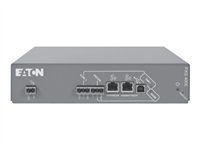
4ch 960P wireless NVR with built-in WIFI Module
Auto connection between NVR and IPC.
Support video preview/recording/playback/USB backup .
Support Android/IOS/PC Remote view.
Support 1 SATA port, up to 4TB each, 2 USB 2.0 port.
IPC Specifications:
Resolution : HDMI,1280*960
Lens: 3.6mm fixed lens
IR LEDs: 3*Array LEDs with IR-CUT, night vision 100ft(30m)
Weatherproof: IP66
WIFI NVR KIT Includes
1 x 4CH 960P WIFI NVR
4 x 960P HD WIFI IP cameres
5 x power supply
1 x USB Mouse
1 x 1M Network cable
1 x 1TB HDD
ForTronix High definition Wireless camera system is applied to home and small business. It's very easy to install and setup no need professional skills.
2 minutes quick setup, remote view via smartphone, iPad or PC anytime anywhere, keep notified with motion detection. Enjoy peace of mind wherever you are.
How to remote view by Smartphone?
1. Power on the NVR & cameras, connect NVR with Network(must make sure NVR cloud ID is shown online)
2. Scan the QR code to download app
3. Register an account and Login
4. Add device & View the videos
Kindly Note:
If you connected devices with Internet successfully, NVR shows camera video normally but mobile APP still can not see any images. Don't worry, pls check whether your NVR Cloud ID is ONLINE(it's shown in the bottom right corner of NVR interface).
If it's shown OFFLINE, just a simple click on NVR Network Setting to fix it. Or you can contact with us for detailed installation VIDEO and Quick Guide, we will reply to you by email within 12hrs.
Many customers can not distinguish between WiFi NVR Kit & PoE NVR Kit:
Wifi System- Transmit via Wifi Signal, no need network cable, but Power Supply is necessary.
PoE System- Power Over Ethernet, only need network cable, no need Power Supply.
NVR Specifications:
4ch 960P wireless NVR with built-in WIFI Module
Auto connection between NVR and IPC.
Support video preview/recording/playback/USB backup .
Support Android/IOS/PC Remote view.
Support 1 SATA port, up to 4TB each, 2 USB 2.0 port.
IPC Specifications:
Resolution : HDMI,1280*960
Lens: 3.6mm fixed lens
IR LEDs: 3*Array LEDs with IR-CUT, night vision 100ft(30m)
Weatherproof: IP66
WIFI NVR KIT Includes
1 x 4CH 960P WIFI NVR
4 x 960P HD WIFI IP cameres
5 x power supply
1 x USB Mouse
1 x 1M Network cable
1 x 1TB HDD
ForTronix 960P Home Security Wireless WiFi 4ch 1.3MP NVR Kit Indoor Outdoor Smartphone Remote View Weatherproof Night Vision 100ft 30m CCTV Surveillance Camera System Plug and Play 1TB Hard Disk
Price is below average
Current Price
$195
Average
$203.12
Min Price
$136.79
Max Price
$259
Price dynamics
4%
Description
Overview
ForTronix High definition Wireless camera system is applied to home and small business. It's very easy to install and setup no need professional skills.
2 minutes quick setup, remote view via smartphone, iPad or PC anytime anywhere, keep notified with motion detection. Enjoy peace of mind wherever you are.
How to remote view by Smartphone?
1. Power on the NVR & cameras, connect NVR with Network(must make sure NVR cloud ID is shown online)
2. Scan the QR code to download app
3. Register an account and Login
4. Add device & View the videos
Kindly Note:
If you connected devices with Internet successfully, NVR shows camera video normally but mobile APP still can not see any images. Don't worry, pls check whether your NVR Cloud ID is ONLINE(it's shown in the bottom right corner of NVR interface).
If it's shown OFFLINE, just a simple click on NVR Network Setting to fix it. Or you can contact with us for detailed installation VIDEO and Quick Guide, we will reply to you by email within 12hrs.
Many customers can not distinguish between WiFi NVR Kit & PoE NVR Kit:
Wifi System- Transmit via Wifi Signal, no need network cable, but Power Supply is necessary.
PoE System- Power Over Ethernet, only need network cable, no need Power Supply.
NVR Specifications:
4ch 960P wireless NVR with built-in WIFI Module
Auto connection between NVR and IPC.
Support video preview/recording/playback/USB backup .
Support Android/IOS/PC Remote view.
Support 1 SATA port, up to 4TB each, 2 USB 2.0 port.
IPC Specifications:
Resolution : HDMI,1280*960
Lens: 3.6mm fixed lens
IR LEDs: 3*Array LEDs with IR-CUT, night vision 100ft(30m)
Weatherproof: IP66
WIFI NVR KIT Includes
1 x 4CH 960P WIFI NVR
4 x 960P HD WIFI IP cameres
5 x power supply
1 x USB Mouse
1 x 1M Network cable
1 x 1TB HDD
ForTronix High definition Wireless camera system is applied to home and small business. It's very easy to install and setup no need professional skills.
2 minutes quick setup, remote view via smartphone, iPad or PC anytime anywhere, keep notified with motion detection. Enjoy peace of mind wherever you are.
How to remote view by Smartphone?
1. Power on the NVR & cameras, connect NVR with Network(must make sure NVR cloud ID is shown online)
2. Scan the QR code to download app
3. Register an account and Login
4. Add device & View the videos
Kindly Note:
If you connected devices with Internet successfully, NVR shows camera video normally but mobile APP still can not see any images. Don't worry, pls check whether your NVR Cloud ID is ONLINE(it's shown in the bottom right corner of NVR interface).
If it's shown OFFLINE, just a simple click on NVR Network Setting to fix it. Or you can contact with us for detailed installation VIDEO and Quick Guide, we will reply to you by email within 12hrs.
Many customers can not distinguish between WiFi NVR Kit & PoE NVR Kit:
Wifi System- Transmit via Wifi Signal, no need network cable, but Power Supply is necessary.
PoE System- Power Over Ethernet, only need network cable, no need Power Supply.
NVR Specifications:
4ch 960P wireless NVR with built-in WIFI Module
Auto connection between NVR and IPC.
Support video preview/recording/playback/USB backup .
Support Android/IOS/PC Remote view.
Support 1 SATA port, up to 4TB each, 2 USB 2.0 port.
IPC Specifications:
Resolution : HDMI,1280*960
Lens: 3.6mm fixed lens
IR LEDs: 3*Array LEDs with IR-CUT, night vision 100ft(30m)
Weatherproof: IP66
WIFI NVR KIT Includes
1 x 4CH 960P WIFI NVR
4 x 960P HD WIFI IP cameres
5 x power supply
1 x USB Mouse
1 x 1M Network cable
1 x 1TB HDD
Price will be lower
in next 2 weeks
in next 2 weeks
According to the data, price will be lower in next two weeks, so not waste your money and track better price!

Similar products