Description
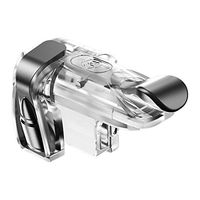
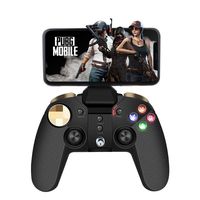
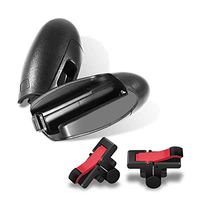
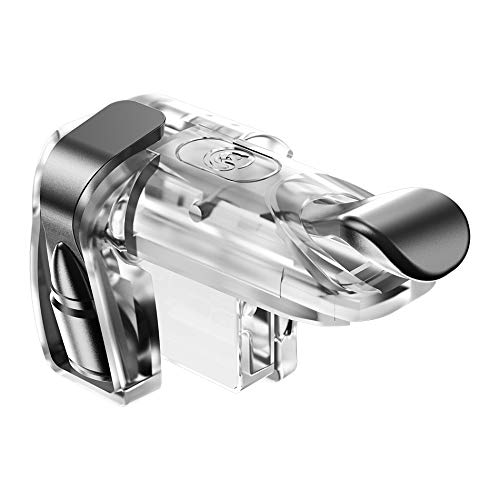
Winner Winner Chicken Dinner! With GameSir L1R1 Game Tigger, you are more possible to be the winner.
How to Setup:
1.Enter Game Settings→ Control→ Customize; Adjust relative buttons to complete connect the pad of triggers.
2.Move the "FIRE" button to the top of left corner
3.Move the "AIM" button to the top of right corner
4.Cover the touchable bottons with trigger pad
5.Save settings.
Tips:
1.It may have position deviation shown in the picture among different phone models,
please adjust your button in a comfortable way to fit your smartphone.
2.It can be used even with a slim case on your phone. But to improve your gaming
experience, it is highly suggested that you remove the case when using the controller.
CUSTOMER SATISFACTION GUARANTEE
AS the professional brand seller, GameSir want to provide you the best shopping experience.
If you have any questions or needs, just feel free to contact us. We will try our best to you.
How to Setup:
1.Enter Game Settings→ Control→ Customize; Adjust relative buttons to complete connect the pad of triggers.
2.Move the "FIRE" button to the top of left corner
3.Move the "AIM" button to the top of right corner
4.Cover the touchable bottons with trigger pad
5.Save settings.
Tips:
1.It may have position deviation shown in the picture among different phone models,
please adjust your button in a comfortable way to fit your smartphone.
2.It can be used even with a slim case on your phone. But to improve your gaming
experience, it is highly suggested that you remove the case when using the controller.
CUSTOMER SATISFACTION GUARANTEE
AS the professional brand seller, GameSir want to provide you the best shopping experience.
If you have any questions or needs, just feel free to contact us. We will try our best to you.
GameSir Mobile Game Controller, Metal L1R1 Triggers,Sensitive Shoot and Aim Buttons Shooter,Suitable for PUBG/Fortnite
Current Price
$9.99
Average
$9.95
Min Price
$6.99
Max Price
$12.99
Price dynamics
0%
Description
Winner Winner Chicken Dinner! With GameSir L1R1 Game Tigger, you are more possible to be the winner.
How to Setup:
1.Enter Game Settings→ Control→ Customize; Adjust relative buttons to complete connect the pad of triggers.
2.Move the "FIRE" button to the top of left corner
3.Move the "AIM" button to the top of right corner
4.Cover the touchable bottons with trigger pad
5.Save settings.
Tips:
1.It may have position deviation shown in the picture among different phone models,
please adjust your button in a comfortable way to fit your smartphone.
2.It can be used even with a slim case on your phone. But to improve your gaming
experience, it is highly suggested that you remove the case when using the controller.
CUSTOMER SATISFACTION GUARANTEE
AS the professional brand seller, GameSir want to provide you the best shopping experience.
If you have any questions or needs, just feel free to contact us. We will try our best to you.
How to Setup:
1.Enter Game Settings→ Control→ Customize; Adjust relative buttons to complete connect the pad of triggers.
2.Move the "FIRE" button to the top of left corner
3.Move the "AIM" button to the top of right corner
4.Cover the touchable bottons with trigger pad
5.Save settings.
Tips:
1.It may have position deviation shown in the picture among different phone models,
please adjust your button in a comfortable way to fit your smartphone.
2.It can be used even with a slim case on your phone. But to improve your gaming
experience, it is highly suggested that you remove the case when using the controller.
CUSTOMER SATISFACTION GUARANTEE
AS the professional brand seller, GameSir want to provide you the best shopping experience.
If you have any questions or needs, just feel free to contact us. We will try our best to you.
Price will be lower
in next 2 weeks
in next 2 weeks
According to the data, price will be lower in next two weeks, so not waste your money and track better price!
Similar products