Description
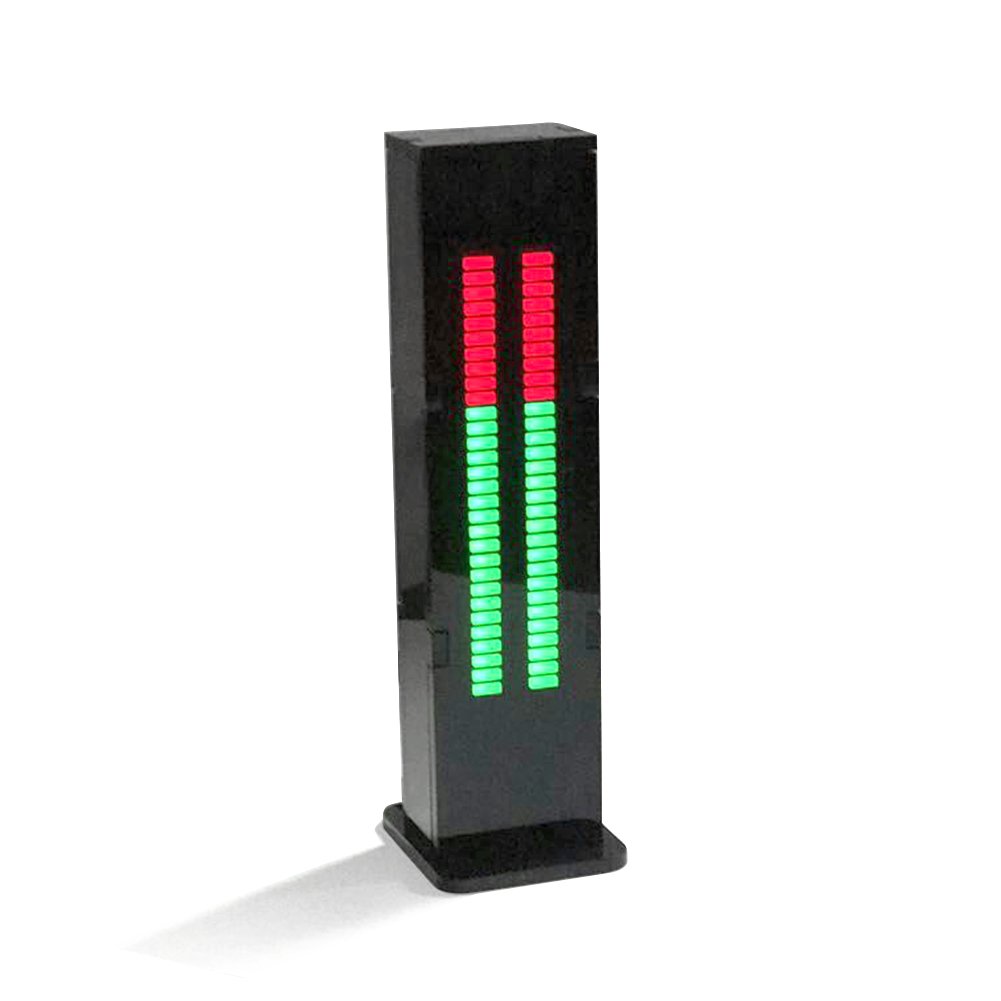
Product Size:With case( length * width * thick ):126 mm * 31mm * 19.5mm
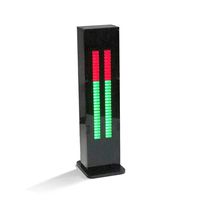
LED display part size( length * width * thickness):76mm *20mm * 8mm
Input voltage: DC 5V Audio Dual-channel input
AS30 has 5 kinds of classic display mode. Through the button settings, set with memory function.
Long press 1 second:10 speed adjustment
Long press 3 seconds:7 level gain adjustment
Long press 6 seconds:1, the left side of the middle of 10 green LED light --- L left channel; 2, the right side of the middle of 10 green LED light --- R right channel, 3, about 10 middle green LED light --- stereo;
Speed and gain Description:
According to personal preferences to adjust the drop speed, the general DJ fast song with speed, slow song with slow speed; generally by adjusting the input volume size to control the display amplitude, gain adjustment in the case of inconvenient adjustment of the volume.
Instructions:
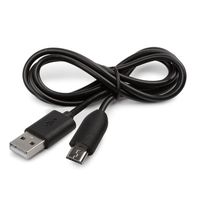
1, please connect the cable USB into the computer USB interface, 3.5mm headphone head through the audio one Split the two branches into the computer or other equipment headphone output port, another branch connected to the audio equipment;
2, by adjusting the input volume with the gain adjustment will display the amplitude control to the appropriate range, the gain of the special, In the case of small volume, set it to level 4;
3, the product must use the front signal, the signal amplitude can not exceed 5V, can not directly connected to the amplifier output and the speaker (to be connected with the potentiometer must be attenuated), this will cause damage to the product.
4, please do not use the cottage phone charger or other ripple is too large, unstable voltage power supply, will cause the end of noise or cause damage to the product.
LED display part size( length * width * thickness):76mm *20mm * 8mm
Input voltage: DC 5V Audio Dual-channel input
AS30 has 5 kinds of classic display mode. Through the button settings, set with memory function.
Long press 1 second:10 speed adjustment
Long press 3 seconds:7 level gain adjustment
Long press 6 seconds:1, the left side of the middle of 10 green LED light --- L left channel; 2, the right side of the middle of 10 green LED light --- R right channel, 3, about 10 middle green LED light --- stereo;
Speed and gain Description:
According to personal preferences to adjust the drop speed, the general DJ fast song with speed, slow song with slow speed; generally by adjusting the input volume size to control the display amplitude, gain adjustment in the case of inconvenient adjustment of the volume.
Instructions:
1, please connect the cable USB into the computer USB interface, 3.5mm headphone head through the audio one Split the two branches into the computer or other equipment headphone output port, another branch connected to the audio equipment;
2, by adjusting the input volume with the gain adjustment will display the amplitude control to the appropriate range, the gain of the special, In the case of small volume, set it to level 4;
3, the product must use the front signal, the signal amplitude can not exceed 5V, can not directly connected to the amplifier output and the speaker (to be connected with the potentiometer must be attenuated), this will cause damage to the product.
4, please do not use the cottage phone charger or other ripple is too large, unstable voltage power supply, will cause the end of noise or cause damage to the product.
Package included: 1 pc AS30 Music Spectrum VU Meter
AOSHIKE AS30 LED Music Audio Spectrum indicator Amplifier Board SCM Stereo Level indicator VU Meter Speed Adjustable With Case (Audio Spectrum)
Current Price
$39.99
Average
$32.13
Min Price
$25.6
Max Price
$39.99
Price dynamics
20%
Description
Product Size:With case( length * width * thick ):126 mm * 31mm * 19.5mm
LED display part size( length * width * thickness):76mm *20mm * 8mm
Input voltage: DC 5V Audio Dual-channel input
AS30 has 5 kinds of classic display mode. Through the button settings, set with memory function.
Long press 1 second:10 speed adjustment
Long press 3 seconds:7 level gain adjustment
Long press 6 seconds:1, the left side of the middle of 10 green LED light --- L left channel; 2, the right side of the middle of 10 green LED light --- R right channel, 3, about 10 middle green LED light --- stereo;
Speed and gain Description:
According to personal preferences to adjust the drop speed, the general DJ fast song with speed, slow song with slow speed; generally by adjusting the input volume size to control the display amplitude, gain adjustment in the case of inconvenient adjustment of the volume.
Instructions:
1, please connect the cable USB into the computer USB interface, 3.5mm headphone head through the audio one Split the two branches into the computer or other equipment headphone output port, another branch connected to the audio equipment;
2, by adjusting the input volume with the gain adjustment will display the amplitude control to the appropriate range, the gain of the special, In the case of small volume, set it to level 4;
3, the product must use the front signal, the signal amplitude can not exceed 5V, can not directly connected to the amplifier output and the speaker (to be connected with the potentiometer must be attenuated), this will cause damage to the product.
4, please do not use the cottage phone charger or other ripple is too large, unstable voltage power supply, will cause the end of noise or cause damage to the product.
LED display part size( length * width * thickness):76mm *20mm * 8mm
Input voltage: DC 5V Audio Dual-channel input
AS30 has 5 kinds of classic display mode. Through the button settings, set with memory function.
Long press 1 second:10 speed adjustment
Long press 3 seconds:7 level gain adjustment
Long press 6 seconds:1, the left side of the middle of 10 green LED light --- L left channel; 2, the right side of the middle of 10 green LED light --- R right channel, 3, about 10 middle green LED light --- stereo;
Speed and gain Description:
According to personal preferences to adjust the drop speed, the general DJ fast song with speed, slow song with slow speed; generally by adjusting the input volume size to control the display amplitude, gain adjustment in the case of inconvenient adjustment of the volume.
Instructions:
1, please connect the cable USB into the computer USB interface, 3.5mm headphone head through the audio one Split the two branches into the computer or other equipment headphone output port, another branch connected to the audio equipment;
2, by adjusting the input volume with the gain adjustment will display the amplitude control to the appropriate range, the gain of the special, In the case of small volume, set it to level 4;
3, the product must use the front signal, the signal amplitude can not exceed 5V, can not directly connected to the amplifier output and the speaker (to be connected with the potentiometer must be attenuated), this will cause damage to the product.
4, please do not use the cottage phone charger or other ripple is too large, unstable voltage power supply, will cause the end of noise or cause damage to the product.
Package included: 1 pc AS30 Music Spectrum VU Meter
Price will be lower
in next 2 weeks
in next 2 weeks
According to the data, price will be lower in next two weeks, so not waste your money and track better price!
Similar products