Description
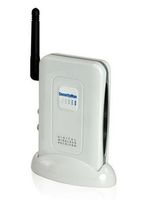
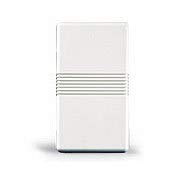
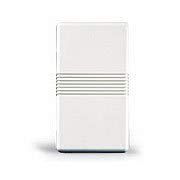
The Honeywell 5843 is a wireless switch module that is designed to be used with Honeywell wireless key fobs. The 5843 enables you to use a button on your wireless key fob to operate any relay activated device. The wireless switch module has terminals for either a normally open relay or a normally closed relay so it will work with nearly anything that can be triggered by a relay activation. The 5843 uses latching relays which retain their position (open or closed) even when power is disconnected. The yellow LED indicates the relay state. If the yellow LED is off, it indicates a normally closed contact is connected to the common terminal and the relay is in the reset state. If the yellow LED is on, a normally open contact is connected to the common terminal and the relay is in the set state. To program a wireless key fob button to activate the switch module's relay, you need to set all DIP switches to off except for DIP switch 2. With DIP switch 2 on, enrollment mode is enabled. You can then press the button on your keyfob to enroll it with the 5843. Once all buttons have been enrolled, change DIP switch 2 to the off position to exit enrollment mode. When a programmed key fob button is pressed, the relay state of the 5843 will momentarily change. When power is applied, the relay is forced back to the reset state. The relay contact rating is 2A at 28VDC.
Honeywell 5843
Current Price
$74.99
Average
$68.21
Min Price
$41.99
Max Price
$74.99
Price dynamics
9%
Description
The Honeywell 5843 is a wireless switch module that is designed to be used with Honeywell wireless key fobs. The 5843 enables you to use a button on your wireless key fob to operate any relay activated device. The wireless switch module has terminals for either a normally open relay or a normally closed relay so it will work with nearly anything that can be triggered by a relay activation. The 5843 uses latching relays which retain their position (open or closed) even when power is disconnected. The yellow LED indicates the relay state. If the yellow LED is off, it indicates a normally closed contact is connected to the common terminal and the relay is in the reset state. If the yellow LED is on, a normally open contact is connected to the common terminal and the relay is in the set state. To program a wireless key fob button to activate the switch module's relay, you need to set all DIP switches to off except for DIP switch 2. With DIP switch 2 on, enrollment mode is enabled. You can then press the button on your keyfob to enroll it with the 5843. Once all buttons have been enrolled, change DIP switch 2 to the off position to exit enrollment mode. When a programmed key fob button is pressed, the relay state of the 5843 will momentarily change. When power is applied, the relay is forced back to the reset state. The relay contact rating is 2A at 28VDC.
Price will be lower
in next 2 weeks
in next 2 weeks
According to the data, price will be lower in next two weeks, so not waste your money and track better price!
Product review & video
all right you guys you got this outdoor sensor needs added information a lot of times outdoor temperature sensor which is on the condenser might have an issue the easiest way to do that is if you plug it in and out and reset the equipment it doesn't work you're gonna upgrade the homeowner to one of these guys this is going to be a remote temperature sensor and this is the way you install it so you go to menu you go down to do an information 733 in this case is gonna be your password so let's remember that and they're gonna installer options you can put in that number obviously that numbers not the same for every thermostat so let me tell you hey are you sure an AC guy home full of yours you press yes and you see where it says wireless device manager pick that I'm going to add a device there we go so it's going to prepare to have device you see right here that's 50 minutes he'll about 15



Similar products