Description
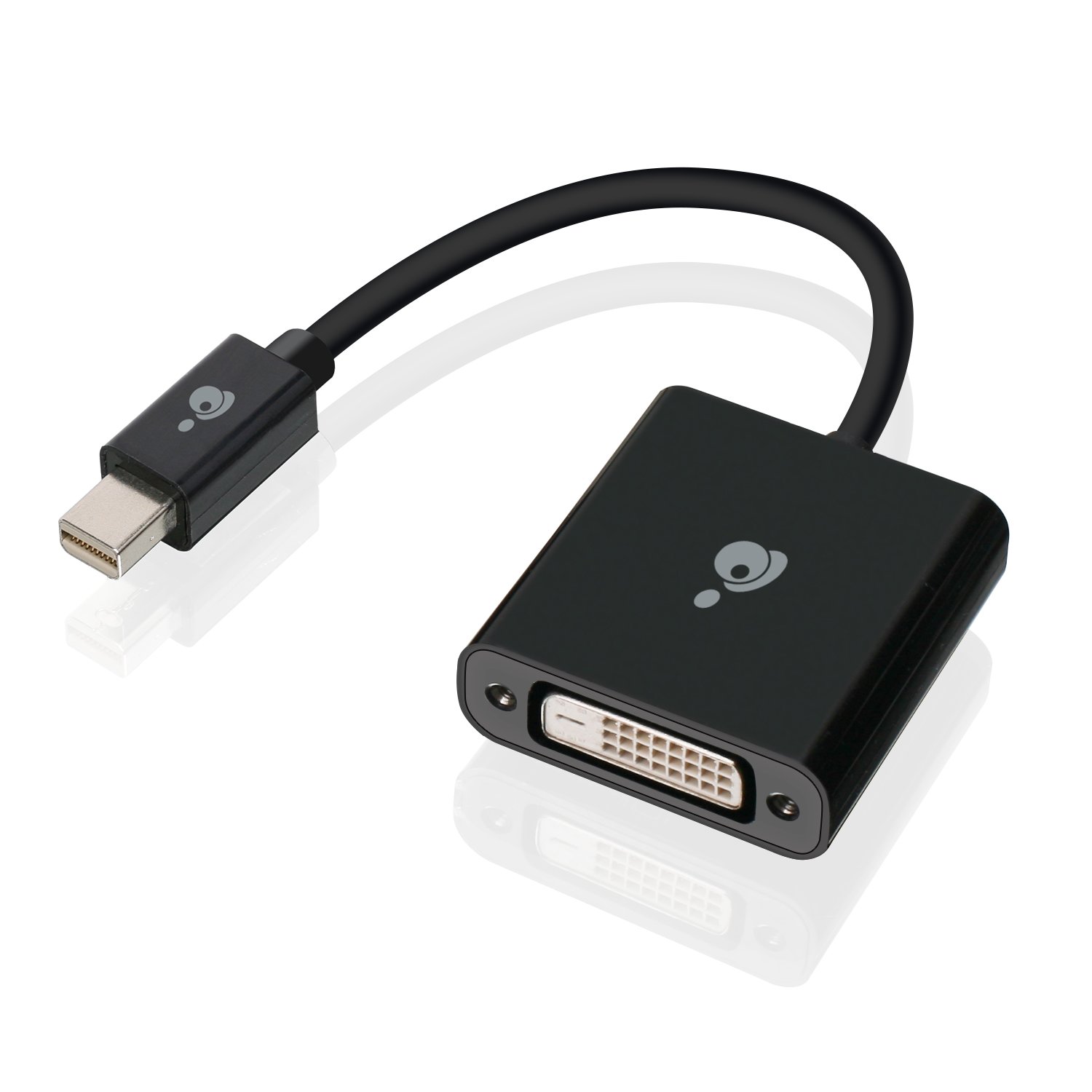
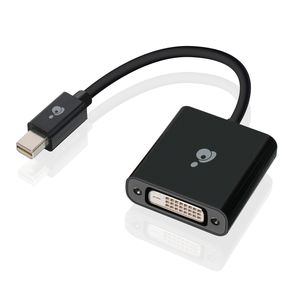
IOGEAR active Mini DisplayPort to DVI adapter is the ideal hardware solution to convert any Mini DisplayPort output to an DVI output. This allows you to connect your Mini DisplayPort equipped video source (I.e. Computer, laptop or Mini DisplayPort graphics card) to a DVI based monitor, projector or HDTV. The built-in chipset actively communicates with the GPU for a synchronized display working in Harmony with your computer. The IOGEAR active Mini DisplayPort to DVI adapter supports the latest Mini DisplayPort 1.2 standard for the best video playback, with resolutions of up to 3840x2160. This results in High levels of visual fidelity giving you the ability to display crisp content from your Mini DisplayPort equipped device on the latest DVI equipped displays. IOGEAR Mini DisplayPort to DVI adapter features an extremely easy to use, plug-n-play design which requires no external power, software or drivers to be installed. Simply connect the adapter to the Mini DisplayPort video out on your computer or laptop and connect a DVI cable to your monitor and you are ready to go! IOGEAR offers a wide selection of DisplayPort and Mini DisplayPort adapters, providing cost-effective solutions to integrate the latest technology into your existing equipment setup. A passive adapter is the most basic Type of Mini DisplayPort to DVI adapter that is available. A passive Mini DisplayPort video adapter allows the graphics processing unit (GPU) to communicate with any DVI monitor that does not support the Mini DisplayPort video output on the computer. In contrast, IOGEAR active Mini DisplayPort to DVI adapter will actively convert the display's DVI signal into a Mini DisplayPort signal for your GPU to interpret. These active adapters are required when connecting more than 2 displays to a video card such as an AMD Radeon GPU that supports Eyefinity technology. The native Mini DisplayPort signals are able to be recognized and controlled by the GPU, ensuring all the connected monitors are s
IOGEAR Active Mini Displayport to DVI Adapter, 4K 30Hz, GMDPDVI4KA
Current Price
$34.67
Average
$23.08
Min Price
$14.36
Max Price
$34.73
Price dynamics
33%
Description
IOGEAR active Mini DisplayPort to DVI adapter is the ideal hardware solution to convert any Mini DisplayPort output to an DVI output. This allows you to connect your Mini DisplayPort equipped video source (I.e. Computer, laptop or Mini DisplayPort graphics card) to a DVI based monitor, projector or HDTV. The built-in chipset actively communicates with the GPU for a synchronized display working in Harmony with your computer. The IOGEAR active Mini DisplayPort to DVI adapter supports the latest Mini DisplayPort 1.2 standard for the best video playback, with resolutions of up to 3840x2160. This results in High levels of visual fidelity giving you the ability to display crisp content from your Mini DisplayPort equipped device on the latest DVI equipped displays. IOGEAR Mini DisplayPort to DVI adapter features an extremely easy to use, plug-n-play design which requires no external power, software or drivers to be installed. Simply connect the adapter to the Mini DisplayPort video out on your computer or laptop and connect a DVI cable to your monitor and you are ready to go! IOGEAR offers a wide selection of DisplayPort and Mini DisplayPort adapters, providing cost-effective solutions to integrate the latest technology into your existing equipment setup. A passive adapter is the most basic Type of Mini DisplayPort to DVI adapter that is available. A passive Mini DisplayPort video adapter allows the graphics processing unit (GPU) to communicate with any DVI monitor that does not support the Mini DisplayPort video output on the computer. In contrast, IOGEAR active Mini DisplayPort to DVI adapter will actively convert the display's DVI signal into a Mini DisplayPort signal for your GPU to interpret. These active adapters are required when connecting more than 2 displays to a video card such as an AMD Radeon GPU that supports Eyefinity technology. The native Mini DisplayPort signals are able to be recognized and controlled by the GPU, ensuring all the connected monitors are s
Price will be lower
in next 2 weeks
in next 2 weeks
According to the data, price will be lower in next two weeks, so not waste your money and track better price!
Product review & video
everybody in this video I'm gonna show you how to get 4k resolution at 60 Hertz from your monitor maybe it's not a problem if you just bought a new laptop or desktop computer but if it's a relatively old stuff there might be some compatibility issues so before invest money and any monitor cables or adapters check the specs of your HDMI here is BC and display ports in order to get 4k at 60 Hertz you need at least HDMI 2.0 or DisplayPort 1.2 version you can also use Thunderbolt 3 or USB 3.0 ports which combine the feature of DisplayPort technology and of course you need a cpu and the graphics card that can handle 4k resolution so in my case I got 2019 they´ll 4k monitor which has one HDMI 2.0 port and two DisplayPort 1.2 version and I'm gonna connect that monitor to this 2016 Dell Inspiron which has Intel Core i5 6 a generation CPU and integrated intelligence which is capable of deliverin