Description
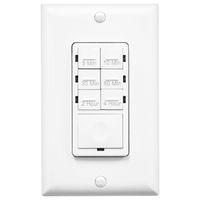
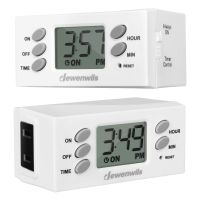
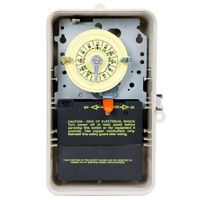
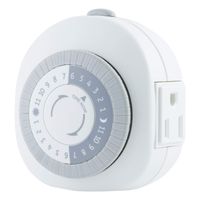
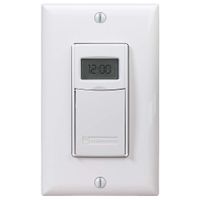
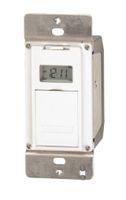
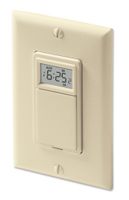
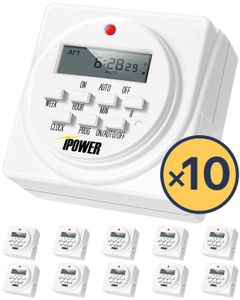
Product description: power 7-Day Programmable Digital Timer with dual outlets can be easily used indoor only as digital kitchen timer, garden timer and more. The LCD screen is largely displayed with multi-functions and user-friendly. The light timer can control up to 8 groups of ON/OFF switch, random timing mode is available. Several timing combinations can be set such as hourly, daily, weekly and group of the weeks. Settings Automatically Repeat Weekly & Backed up in Case of Power Failure Specifications: Length: 3 inches Width: 2. 8 inches Height: 3 inches Weight: 8 ounces Rated Voltage: 125VAC, 15A, 60 Hz, 1/2HP, 1725W Random ON/OFF for Security: Press HOUR and WEEK simultaneously to activate or deactivate Random feature Randomly turn on and off the lights to make it appears as if you're still home Daylight Savings Time (DST) Switch: Press HOUR and MINUTE simultaneously to activate or deactivate to standard time 2 Grounded Outlets are Controlled by Same Program Small Red Led light is Output Indicator Programming Example: Assume it is 08: 05 AM, Monday, and you want to set timer at 8: 20AM ~10: 40AM on Mondays 1. Reset the timer 2. Hold CLOCK and press WEEK until Mo shows on the top of the LCD 3. Hold CLOCK and press HOUR until 8: 00 AM shows on the LCD 4. Hold CLOCK and press MIN until 8: 05 AM shows on the LCD The clock is now correctly set 5. Press PROG and the LCD displays 1 On 6. Press WEEK until Mo displays on the upper position of the LCD 7. Press HOUR until 8: 00 displays in the middle and AM displays on the left side 8. Press MIN until 8: 20 displays in the middle and AM displays on the left side 9. Press RROG and LCD displays 1 Off 10. Press WEEK until Mo displays on the upper position of the LCD 11. Press HOUR until 10: 00 displays in the middle and AM displays on the left side 12. Press MIN until 10: 40 displays in the middle and AM displays on the left side 13. Press CLOCK to quit programming and return to clock display 14. Press ON/OFF/AUTO until Auto
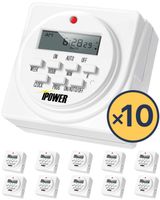
iPower 7 Day Heavy Duty Digital Programmable Electric Timer, Indoor Dual Outlet Switch for Lights, Appliance, Pool Pump, 125VAC, 15A, 60 Hz, 1725W, ETL Listed, White, 10 Pack
Price is below average
Current Price
$74.51
Average
$98.96
Min Price
$74.51
Max Price
$148.04
Price dynamics
25%
Description
Product description: power 7-Day Programmable Digital Timer with dual outlets can be easily used indoor only as digital kitchen timer, garden timer and more. The LCD screen is largely displayed with multi-functions and user-friendly. The light timer can control up to 8 groups of ON/OFF switch, random timing mode is available. Several timing combinations can be set such as hourly, daily, weekly and group of the weeks. Settings Automatically Repeat Weekly & Backed up in Case of Power Failure Specifications: Length: 3 inches Width: 2. 8 inches Height: 3 inches Weight: 8 ounces Rated Voltage: 125VAC, 15A, 60 Hz, 1/2HP, 1725W Random ON/OFF for Security: Press HOUR and WEEK simultaneously to activate or deactivate Random feature Randomly turn on and off the lights to make it appears as if you're still home Daylight Savings Time (DST) Switch: Press HOUR and MINUTE simultaneously to activate or deactivate to standard time 2 Grounded Outlets are Controlled by Same Program Small Red Led light is Output Indicator Programming Example: Assume it is 08: 05 AM, Monday, and you want to set timer at 8: 20AM ~10: 40AM on Mondays 1. Reset the timer 2. Hold CLOCK and press WEEK until Mo shows on the top of the LCD 3. Hold CLOCK and press HOUR until 8: 00 AM shows on the LCD 4. Hold CLOCK and press MIN until 8: 05 AM shows on the LCD The clock is now correctly set 5. Press PROG and the LCD displays 1 On 6. Press WEEK until Mo displays on the upper position of the LCD 7. Press HOUR until 8: 00 displays in the middle and AM displays on the left side 8. Press MIN until 8: 20 displays in the middle and AM displays on the left side 9. Press RROG and LCD displays 1 Off 10. Press WEEK until Mo displays on the upper position of the LCD 11. Press HOUR until 10: 00 displays in the middle and AM displays on the left side 12. Press MIN until 10: 40 displays in the middle and AM displays on the left side 13. Press CLOCK to quit programming and return to clock display 14. Press ON/OFF/AUTO until Auto
Price will be lower
in next 2 weeks
in next 2 weeks
According to the data, price will be lower in next two weeks, so not waste your money and track better price!
Similar products