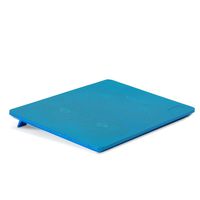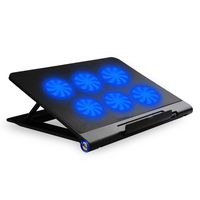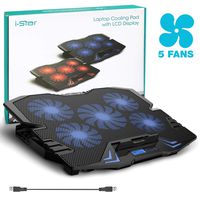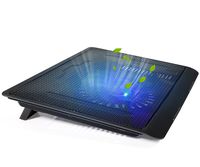
Description
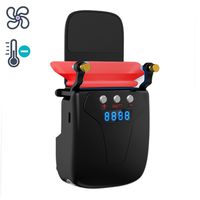
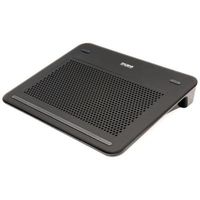
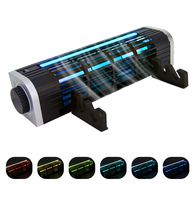
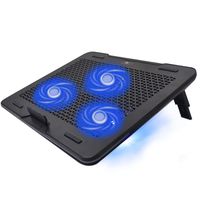
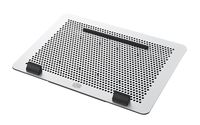
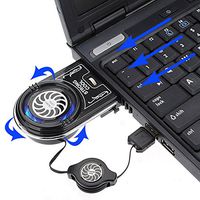
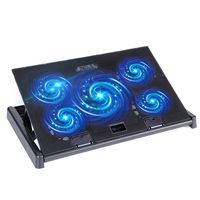
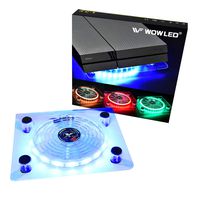
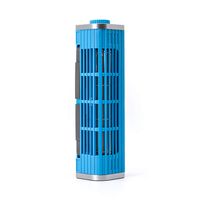
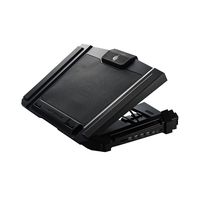
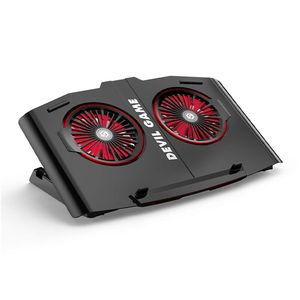
This is a exhaust Laptop Cooler, active cooling, let your laptop say goodbye to high heat, crash situation. Features:
1.Smart Temperature Control
laptop cooler intelligent control temperature, active cooling cooling fast.
2.Strong Heat Dissipation
Our laptop cooling pad(2000-5000RPM) is designed to effectively cool up to 40 degrees.
Working hours are more than 50,000 hours.
3.Continuously variable
You can clockwise switch to increase the wind speed, counterclockwise switch to reduce the wind speed.
4.Without noise
Laptop cooler runs at high speed without noise.
5.Build for the game
Meet all your daily office games and entertainment needs. Play games without hindrance.
6.Multi-dimensional compatibility
We are giving you three free silicone shrouds, Suitable for different size laptop.
7.Easy to carry
You can carry this light laptop cooler with you. Easy to use :
1. Take out the silicone shrouds and choose one suitable for your laptop.
2.Tear off the 3M protective fixing glue from supporting plate.
3. Gently pick up the laptop, then point supporting plate to the bottom of the laptop (the silicone shrouds should be closed to the outlet)
4. Check if the silicone shrouds are connected properly, and then gently press 3mm protective fixing glue of the supporting plate.
Make sure that the protective fixing glue stick right to the bottom of the laptop.
5. Connect the power cord, turn the rotation switch button ( turn the switch clockwise to increase wind speed,
turn the switch counterclockwise to reduce wind speed), turn on the laptop cooler, and then you can start work normally.
1.Smart Temperature Control
laptop cooler intelligent control temperature, active cooling cooling fast.
2.Strong Heat Dissipation
Our laptop cooling pad(2000-5000RPM) is designed to effectively cool up to 40 degrees.
Working hours are more than 50,000 hours.
3.Continuously variable
You can clockwise switch to increase the wind speed, counterclockwise switch to reduce the wind speed.
4.Without noise
Laptop cooler runs at high speed without noise.
5.Build for the game
Meet all your daily office games and entertainment needs. Play games without hindrance.
6.Multi-dimensional compatibility
We are giving you three free silicone shrouds, Suitable for different size laptop.
7.Easy to carry
You can carry this light laptop cooler with you. Easy to use :
1. Take out the silicone shrouds and choose one suitable for your laptop.
2.Tear off the 3M protective fixing glue from supporting plate.
3. Gently pick up the laptop, then point supporting plate to the bottom of the laptop (the silicone shrouds should be closed to the outlet)
4. Check if the silicone shrouds are connected properly, and then gently press 3mm protective fixing glue of the supporting plate.
Make sure that the protective fixing glue stick right to the bottom of the laptop.
5. Connect the power cord, turn the rotation switch button ( turn the switch clockwise to increase wind speed,
turn the switch counterclockwise to reduce wind speed), turn on the laptop cooler, and then you can start work normally.
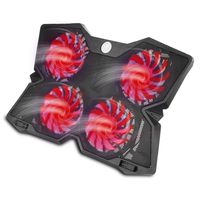
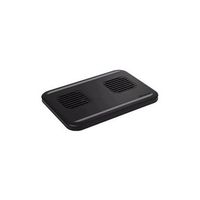
Laptop Cooling Pad, with Two Big Quiet Fans, Compatible for 14-20 inch Laptops
Price is below average
Current Price
$32.99
Average
$33.74
Min Price
$32.99
Max Price
$35.99
Price dynamics
2%
Description
This is a exhaust Laptop Cooler, active cooling, let your laptop say goodbye to high heat, crash situation. Features:
1.Smart Temperature Control
laptop cooler intelligent control temperature, active cooling cooling fast.
2.Strong Heat Dissipation
Our laptop cooling pad(2000-5000RPM) is designed to effectively cool up to 40 degrees.
Working hours are more than 50,000 hours.
3.Continuously variable
You can clockwise switch to increase the wind speed, counterclockwise switch to reduce the wind speed.
4.Without noise
Laptop cooler runs at high speed without noise.
5.Build for the game
Meet all your daily office games and entertainment needs. Play games without hindrance.
6.Multi-dimensional compatibility
We are giving you three free silicone shrouds, Suitable for different size laptop.
7.Easy to carry
You can carry this light laptop cooler with you. Easy to use :
1. Take out the silicone shrouds and choose one suitable for your laptop.
2.Tear off the 3M protective fixing glue from supporting plate.
3. Gently pick up the laptop, then point supporting plate to the bottom of the laptop (the silicone shrouds should be closed to the outlet)
4. Check if the silicone shrouds are connected properly, and then gently press 3mm protective fixing glue of the supporting plate.
Make sure that the protective fixing glue stick right to the bottom of the laptop.
5. Connect the power cord, turn the rotation switch button ( turn the switch clockwise to increase wind speed,
turn the switch counterclockwise to reduce wind speed), turn on the laptop cooler, and then you can start work normally.
1.Smart Temperature Control
laptop cooler intelligent control temperature, active cooling cooling fast.
2.Strong Heat Dissipation
Our laptop cooling pad(2000-5000RPM) is designed to effectively cool up to 40 degrees.
Working hours are more than 50,000 hours.
3.Continuously variable
You can clockwise switch to increase the wind speed, counterclockwise switch to reduce the wind speed.
4.Without noise
Laptop cooler runs at high speed without noise.
5.Build for the game
Meet all your daily office games and entertainment needs. Play games without hindrance.
6.Multi-dimensional compatibility
We are giving you three free silicone shrouds, Suitable for different size laptop.
7.Easy to carry
You can carry this light laptop cooler with you. Easy to use :
1. Take out the silicone shrouds and choose one suitable for your laptop.
2.Tear off the 3M protective fixing glue from supporting plate.
3. Gently pick up the laptop, then point supporting plate to the bottom of the laptop (the silicone shrouds should be closed to the outlet)
4. Check if the silicone shrouds are connected properly, and then gently press 3mm protective fixing glue of the supporting plate.
Make sure that the protective fixing glue stick right to the bottom of the laptop.
5. Connect the power cord, turn the rotation switch button ( turn the switch clockwise to increase wind speed,
turn the switch counterclockwise to reduce wind speed), turn on the laptop cooler, and then you can start work normally.
Price will be lower
in next 2 weeks
in next 2 weeks
According to the data, price will be lower in next two weeks, so not waste your money and track better price!
Product review & video
hello guys in today's video we're going to check out the best laptop cooling pads in 2020. i made this list based on my personal opinion and are trying to list them based on their price quality durability and more if you want to see their price and find out more information about them you can check out the links in the description below if you'd like to win one of these products make sure you watch the whole video click the like button and comment the hidden word found in this video number 5. klim wind laptop cooling pad supporting laptops from 11 inches to 19 inches the klim wind laptop cooling pad is a great gaming laptop cooling pad for all powered by four large fans that run at a nice 1400 rpm you can rest assured that your laptop will remain cool this very large model is suitable for all laptop sizes and cools them down in less than one minute thanks to its four powerful fans they


Similar products