Step 1: Download ''Yoose'e' APP and Connect the camera to the power source.
For Mobile Phone: Download APP 'Yoosee' from Apple APP Store or Android Google Play.

For PC: Go to www.yoosee.co to download & install 'yoosee'.
Step 2: Finish registration according to the instructions and log in . Add IP Camera and connect WIFI by clicking 'add new devices' via wire or wireless method.
Step 3: Follow the step by step to configure WIFI
Step 4: Done!
No Privacy Disclosure
All the records will be only store in the TF Card. You are the only owner of the records.
2 Ways to Install
Wireless IP cameras comes with a mount, you can choose to install it on the wall or just place it on the desk.
Wide Compatibility
The video camera is fully compatible with Android and iOS, you can use your phone, tablet, computer to control it at anywhere.


Automatic Override Loop Video
16GB TF card(included) for 3-4 days recording. The record will be automatically overridden when the storage is full.
Specification:
Image Motion Detecting: Support
Screenshot Function: Support
Video Mode: Manual/Motion Detecting/Timing/Alarm
Record On: TF Card(16G TF Card included)
Alarm Trigger: Speaker/Video/Screenshot/Email
WIFI: 802.11b/g/n
PTZ monitoring: Inbuilt horizontal vertical control motor
Power Supply: DC 5V 2A
Power Dissipation: 1.5W
Work Temperature: 0±55 ℃
Work Humidity: 10%-90%
Size:95*130*135mm
Package Contents:
1* Wireless IP Camera
1*Wall Mount
1* Power Adapter
1*User Manual
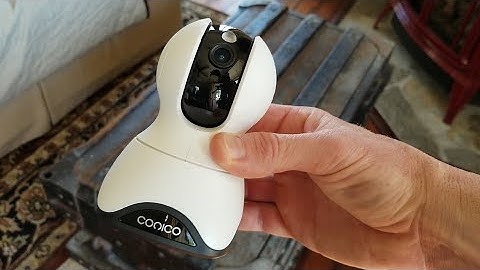
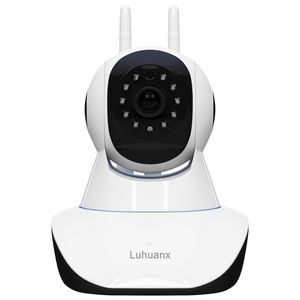
Luhuanx 960P HD WiFi IP Camera with 16G TF Card Wireless Indoor Camera Night Vision Home Security Surveillance Camera Motion Detection Two-Way Audio Pan/Tilt/Zoom Monitor for Baby/Elder/Pet
Step 1: Download ''Yoose'e' APP and Connect the camera to the power source.
For Mobile Phone: Download APP 'Yoosee' from Apple APP Store or Android Google Play.
For PC: Go to www.yoosee.co to download & install 'yoosee'.
Step 2: Finish registration according to the instructions and log in . Add IP Camera and connect WIFI by clicking 'add new devices' via wire or wireless method.
Step 3: Follow the step by step to configure WIFI
Step 4: Done!
No Privacy Disclosure
All the records will be only store in the TF Card. You are the only owner of the records.
2 Ways to Install
Wireless IP cameras comes with a mount, you can choose to install it on the wall or just place it on the desk.
Wide Compatibility
The video camera is fully compatible with Android and iOS, you can use your phone, tablet, computer to control it at anywhere.
Automatic Override Loop Video
16GB TF card(included) for 3-4 days recording. The record will be automatically overridden when the storage is full.
Specification:
Image Motion Detecting: Support
Screenshot Function: Support
Video Mode: Manual/Motion Detecting/Timing/Alarm
Record On: TF Card(16G TF Card included)
Alarm Trigger: Speaker/Video/Screenshot/Email
WIFI: 802.11b/g/n
PTZ monitoring: Inbuilt horizontal vertical control motor
Power Supply: DC 5V 2A
Power Dissipation: 1.5W
Work Temperature: 0±55 ℃
Work Humidity: 10%-90%
Size:95*130*135mm
Package Contents:
1* Wireless IP Camera
1*Wall Mount
1* Power Adapter
1*User Manual
in next 2 weeks