Package Content:
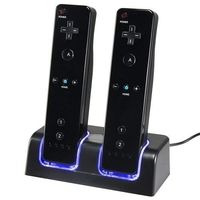
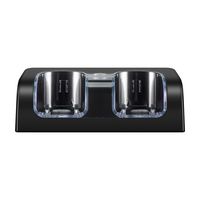
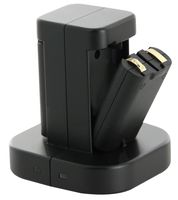
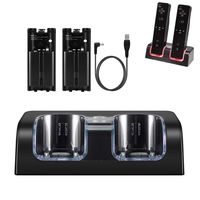
1* Wii Charger Station
4* Rechargeable Battery
1* USB Charging Cord
User Guide:
1. Install the battery on your Wii Remote controller.
2. Connect the charger dock with power source.
3. Turn on the power switch at the back of the charger dock
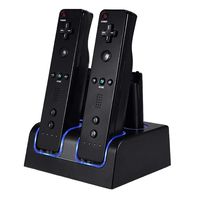
4. Place Wii Remote & batteries on the dock, and make sure they connect properly.
Features:
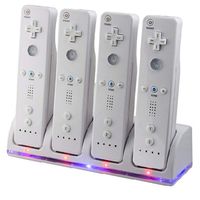
Charging 2 remotes and 2 batteries at the same time
Come with 4 high capacity rechargeable batteries
USB port charging cord is convenient to connect with power
LED light indicator let you know the charging status
Never be out of battery when you play games with families & friends
Specifications:
Demention: 4.92*3.85*1.77 inches
Total Weight: 11.4 ounces
Color: Black
Battery Type: Ni-MH battery
Output: DC 5V(Dock)
Material: Plastic & Metal
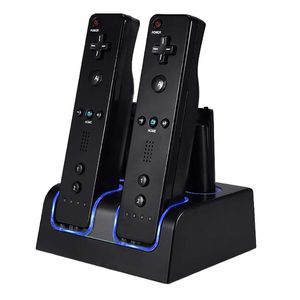
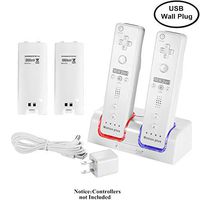
NIFERY Wii Remote Charging Station for Wii Controllers, Wii Controller Charger Dock with 4 Rechargeable Batteries USB Charging Cord (Black)
Package Content:
1* Wii Charger Station
4* Rechargeable Battery
1* USB Charging Cord
User Guide:
1. Install the battery on your Wii Remote controller.
2. Connect the charger dock with power source.
3. Turn on the power switch at the back of the charger dock
4. Place Wii Remote & batteries on the dock, and make sure they connect properly.
Features:
Charging 2 remotes and 2 batteries at the same time
Come with 4 high capacity rechargeable batteries
USB port charging cord is convenient to connect with power
LED light indicator let you know the charging status
Never be out of battery when you play games with families & friends
Specifications:
Demention: 4.92*3.85*1.77 inches
Total Weight: 11.4 ounces
Color: Black
Battery Type: Ni-MH battery
Output: DC 5V(Dock)
Material: Plastic & Metal
in next 2 weeks