Description
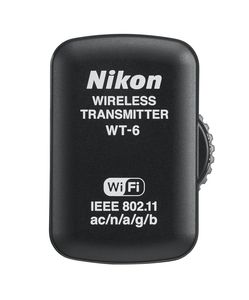
The WT-6A Wireless Transmitter is designed to transfer or view files and take control of the Nikon D5 camera functions using Wi-Fi technology. The D5 supports FTP and HTTP modes to transfer images or videos using an existing Wireless LAN network or directly to a computer or smart device. For maximum D5 control, optional Camera Control Pro 2 software can be purchased. When transmitting image data wirelessly using the WT-6A, the D5 has a blazing fast 130 Mbps speed. Faster communication means no more bottleneck of data transfer. The WT-6A supports the IEEE802.11ac standard for faster transmission speeds; with a distance of 656 ft. (200m). The WT-6A also supports IEEE802.11a/b/g/n. HTTP Server Mode: Use the web browser on your computer or iPhone, iPad or iPad mini or Android powered smart devices to remotely operate camera controls, take pictures and download images or videos. New features in the D5, allows users to edit image comments, copyright or IPTC information stored on the camera wirelessly with a smart device. Continuous shooting is also supported in HTTP Server Mode. PC Mode: Operate the D5 via the optional Camera Control Pro 2 software. Image Transfer Mode: Transfer images or video from the media card in the camera to a computer, or save photos to a computer as they are taken. The D5 and WT-6A is 1.5x faster than the WT-5. The D5 and WT-6A offer a wireless LAN speed of 130 Mbps vs. the D4S and WT-5 speed of only 30
Nikon WT-6 Wireless Transmitter
Price is below average
Current Price
$623.44
Average
$638.37
Min Price
$596.63
Max Price
$749.95
Price dynamics
2%
Description
The WT-6A Wireless Transmitter is designed to transfer or view files and take control of the Nikon D5 camera functions using Wi-Fi technology. The D5 supports FTP and HTTP modes to transfer images or videos using an existing Wireless LAN network or directly to a computer or smart device. For maximum D5 control, optional Camera Control Pro 2 software can be purchased. When transmitting image data wirelessly using the WT-6A, the D5 has a blazing fast 130 Mbps speed. Faster communication means no more bottleneck of data transfer. The WT-6A supports the IEEE802.11ac standard for faster transmission speeds; with a distance of 656 ft. (200m). The WT-6A also supports IEEE802.11a/b/g/n. HTTP Server Mode: Use the web browser on your computer or iPhone, iPad or iPad mini or Android powered smart devices to remotely operate camera controls, take pictures and download images or videos. New features in the D5, allows users to edit image comments, copyright or IPTC information stored on the camera wirelessly with a smart device. Continuous shooting is also supported in HTTP Server Mode. PC Mode: Operate the D5 via the optional Camera Control Pro 2 software. Image Transfer Mode: Transfer images or video from the media card in the camera to a computer, or save photos to a computer as they are taken. The D5 and WT-6A is 1.5x faster than the WT-5. The D5 and WT-6A offer a wireless LAN speed of 130 Mbps vs. the D4S and WT-5 speed of only 30
Price will be lower
in next 2 weeks
in next 2 weeks
According to the data, price will be lower in next two weeks, so not waste your money and track better price!
Product review & video
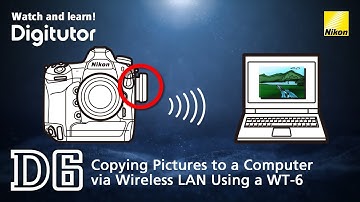
This video shows how you can copy pictures to a computer. There are three main techniques for copying pictures to a computer. This video shows how you can use a WT-6 wireless transmitter to copy pictures to a computer via wireless LAN. The WT-6 provides a more reliable wireless connection than does the camera’s built-in Wi-Fi. There are four steps to this process. The first step is to establish a wireless connection between the camera and the computer. We’ll start by configuring the camera for connection. First, attach the WT-6 to the camera. Rotate the camera’s peripheral connector cover up and out of the way and fully insert the connectors on the WT-6 into the camera peripheral connector. Rotate the locking wheel to lock the WT-6 in place. Press the “MENU” button to display the camera menus Go to the setup menu, select “Wired LAN/WT”, “Wired LAN/WT functions” and choose “Enable”. Next


Similar products