COMPATIBLE PHONES
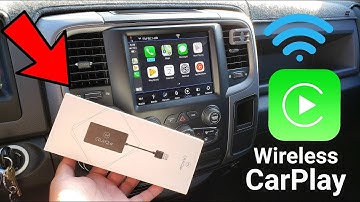
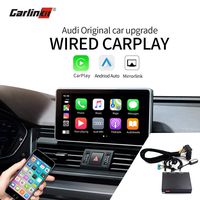
This USB carplay dongle supports iPhone5 and above mobiles(iPhoneXS/X/8/8Plus 7 / 7 Plus / 6s /6s plus/6/6 plus/5s)&Android mobile phones.Plug & Play with both iOS and Android phone.
PLEASE NOTE:For Android smartphones, make sure that your Android phone can download and install "Android Auto" app from Google Play Store,so that you can use this feature on the android phone.
COMPATIBLE CAR RADIO(ONLY compatible with Android Radio)
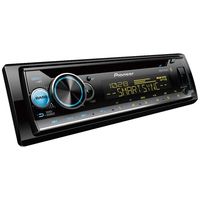
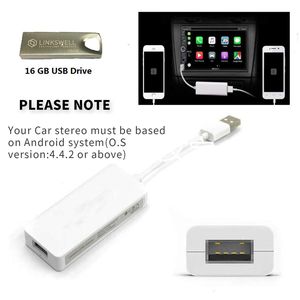
This USB carplay dongle is ONLY compatible with Android Radio (O.S version:4.4.2 or above), doesn't support original radio with non-android system.It does not work with non-Android car stereo and factory car stereo!
INSTRUCTION
1.Install a dedicated APP "Autokit" on your Android Radio
PLEASE NOTE:Autokit APK file included with purchase on a USB flash drive or you could ask us for the latest APK file.
HOW TO INSTALL THE AUTOKIT APP ON YOUR ANDROID HEAD UNIT?
- Plug USB Flash Drive to USB Port of your car radio
- Go to file management and install the apk
2.Connect carplay dongle to the USB port of your car head unit
3.Connect your mobile phone to carplay dongle with USB cable.
4.Run the app "Autokit" on your car head unit and you will experience the Apple CarPlay / Android Auto feature on your car head unit.
Please note:Make sure you are using original/factroy phone cable for connection, low quality aftermarket phone cable may lead to unstable connection or failure for connection.
Package
1 x Linkswell Carplay Dongle Box
1 x USB Drive (With Installation APK)
1 x User Manual
Linkswell Carplay Dongle USB Adapter Smartphone Link Receiver Charger for Android Radio,Navigation System Support Touch and Voice Control Fit for Android and Apple Phone Siri Sintegrate
COMPATIBLE PHONES
This USB carplay dongle supports iPhone5 and above mobiles(iPhoneXS/X/8/8Plus 7 / 7 Plus / 6s /6s plus/6/6 plus/5s)&Android mobile phones.Plug & Play with both iOS and Android phone.
PLEASE NOTE:For Android smartphones, make sure that your Android phone can download and install "Android Auto" app from Google Play Store,so that you can use this feature on the android phone.
COMPATIBLE CAR RADIO(ONLY compatible with Android Radio)
This USB carplay dongle is ONLY compatible with Android Radio (O.S version:4.4.2 or above), doesn't support original radio with non-android system.It does not work with non-Android car stereo and factory car stereo!
INSTRUCTION
1.Install a dedicated APP "Autokit" on your Android Radio
PLEASE NOTE:Autokit APK file included with purchase on a USB flash drive or you could ask us for the latest APK file.
HOW TO INSTALL THE AUTOKIT APP ON YOUR ANDROID HEAD UNIT?
- Plug USB Flash Drive to USB Port of your car radio
- Go to file management and install the apk
2.Connect carplay dongle to the USB port of your car head unit
3.Connect your mobile phone to carplay dongle with USB cable.
4.Run the app "Autokit" on your car head unit and you will experience the Apple CarPlay / Android Auto feature on your car head unit.
Please note:Make sure you are using original/factroy phone cable for connection, low quality aftermarket phone cable may lead to unstable connection or failure for connection.
Package
1 x Linkswell Carplay Dongle Box
1 x USB Drive (With Installation APK)
1 x User Manual
in next 2 weeks