Description
Item Contains:
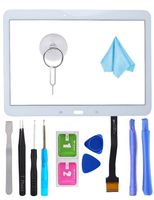
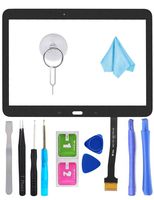
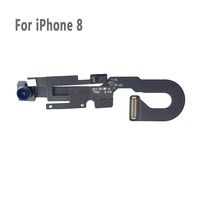
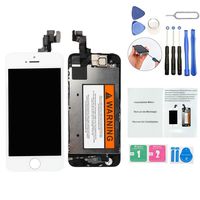
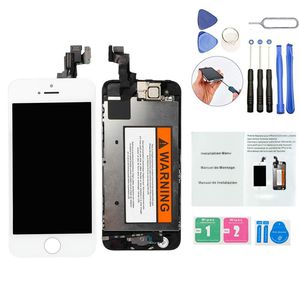
- 1x Brand New Replacement LCD with Home Button,Front Camera,Earpieces Speaker
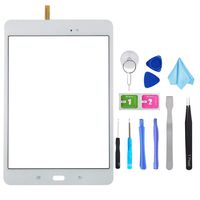
- 1x Set of installation tools+Alcohol Wipe+Dust Clean Sticker+Installation Manual+Sim Tray Pin
Warranties:
To ensure that all products that are sold by our business are of a high quality nature, OriwhizStore supports your purchase with a warranty that will cover any defects with an item that are not negligent in nature.
Please note that warranty does not cover installation faults.
Happy Shopping!
Installing the flex cable:
1. Ensure that the phone is turned off before starting installation.
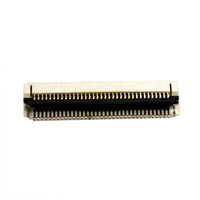
2. When connecting the flex cable, ensure that the flex cable is exactly above the connector before pressing. You will feel the connectors click into place.
3. Test the phone and ensure that everything is lighting up, and the touch is working.
4. Put phone back together.
Common issues:
- If the screen is FLICKERING, it is due to a loose flex cable connection
- If the screen has LINES going through it, it is due to a loose flex cable connection.
- If the screen is showing only HALF THE SCREEN, it is due to a loose flex connection.
- If the TOUCH SCREEN is not working, it is due to a loose connection.
- If the screen has a DEAD PIXEL, please inbox me for a warranty claim.
- 1x Brand New Replacement LCD with Home Button,Front Camera,Earpieces Speaker
- 1x Set of installation tools+Alcohol Wipe+Dust Clean Sticker+Installation Manual+Sim Tray Pin
Warranties:
To ensure that all products that are sold by our business are of a high quality nature, OriwhizStore supports your purchase with a warranty that will cover any defects with an item that are not negligent in nature.
Please note that warranty does not cover installation faults.
Happy Shopping!
Installing the flex cable:
1. Ensure that the phone is turned off before starting installation.
2. When connecting the flex cable, ensure that the flex cable is exactly above the connector before pressing. You will feel the connectors click into place.
3. Test the phone and ensure that everything is lighting up, and the touch is working.
4. Put phone back together.
Common issues:
- If the screen is FLICKERING, it is due to a loose flex cable connection
- If the screen has LINES going through it, it is due to a loose flex cable connection.
- If the screen is showing only HALF THE SCREEN, it is due to a loose flex connection.
- If the TOUCH SCREEN is not working, it is due to a loose connection.
- If the screen has a DEAD PIXEL, please inbox me for a warranty claim.
ORIWHIZ Top Grade LCD for iPhone 5S Replacement Screen with Home Button, Front Camera,Earpieces Speaker Pre Assembled Full Set Digitizer Assembly LCD Display and Repair Tool Kits and Manual White
Price is below average
Current Price
$21.99
Average
$25.66
Min Price
$21.99
Max Price
$28.99
Price dynamics
14%
Description
Item Contains:
- 1x Brand New Replacement LCD with Home Button,Front Camera,Earpieces Speaker
- 1x Set of installation tools+Alcohol Wipe+Dust Clean Sticker+Installation Manual+Sim Tray Pin
Warranties:
To ensure that all products that are sold by our business are of a high quality nature, OriwhizStore supports your purchase with a warranty that will cover any defects with an item that are not negligent in nature.
Please note that warranty does not cover installation faults.
Happy Shopping!
Installing the flex cable:
1. Ensure that the phone is turned off before starting installation.
2. When connecting the flex cable, ensure that the flex cable is exactly above the connector before pressing. You will feel the connectors click into place.
3. Test the phone and ensure that everything is lighting up, and the touch is working.
4. Put phone back together.
Common issues:
- If the screen is FLICKERING, it is due to a loose flex cable connection
- If the screen has LINES going through it, it is due to a loose flex cable connection.
- If the screen is showing only HALF THE SCREEN, it is due to a loose flex connection.
- If the TOUCH SCREEN is not working, it is due to a loose connection.
- If the screen has a DEAD PIXEL, please inbox me for a warranty claim.
- 1x Brand New Replacement LCD with Home Button,Front Camera,Earpieces Speaker
- 1x Set of installation tools+Alcohol Wipe+Dust Clean Sticker+Installation Manual+Sim Tray Pin
Warranties:
To ensure that all products that are sold by our business are of a high quality nature, OriwhizStore supports your purchase with a warranty that will cover any defects with an item that are not negligent in nature.
Please note that warranty does not cover installation faults.
Happy Shopping!
Installing the flex cable:
1. Ensure that the phone is turned off before starting installation.
2. When connecting the flex cable, ensure that the flex cable is exactly above the connector before pressing. You will feel the connectors click into place.
3. Test the phone and ensure that everything is lighting up, and the touch is working.
4. Put phone back together.
Common issues:
- If the screen is FLICKERING, it is due to a loose flex cable connection
- If the screen has LINES going through it, it is due to a loose flex cable connection.
- If the screen is showing only HALF THE SCREEN, it is due to a loose flex connection.
- If the TOUCH SCREEN is not working, it is due to a loose connection.
- If the screen has a DEAD PIXEL, please inbox me for a warranty claim.
Price will be lower
in next 2 weeks
in next 2 weeks
According to the data, price will be lower in next two weeks, so not waste your money and track better price!