- HomeElectronicsComputers & AccessoriesComputer Accessories & PeripheralsCleaning & RepairRepair Kits
Description
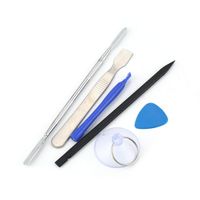
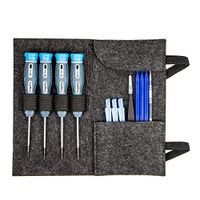
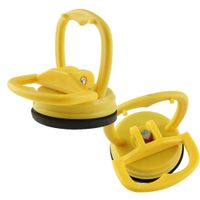
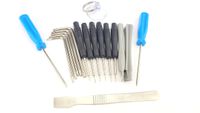
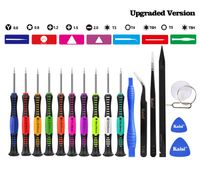
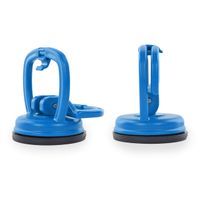
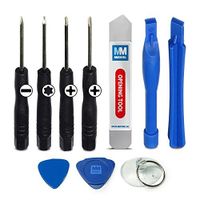
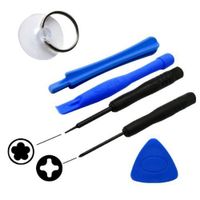
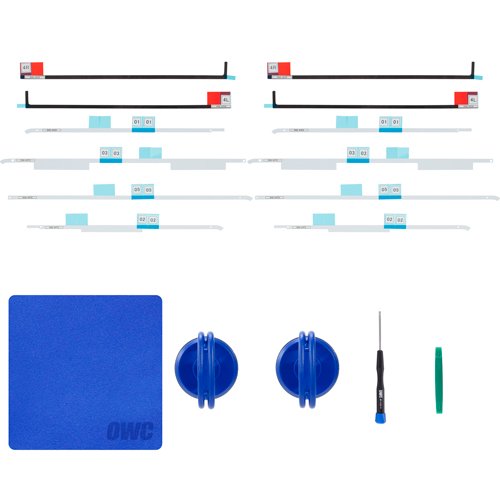
Kit with installation tools to service all Apple 21.5" iMac models released since 2012 . Upgrade or service your iMac with confidence. This convenient package from OWC allows you to update your 2012 or later 21.5" iMac. Replace your RAM or hard drive for larger capacity units or upgrade to the latest solid-state option from OWC, this kit allows you to open and reseal your iMac up to two times. Please note. Before attempting to perform this installation, please watch the install video below to determine your ability to perform this complex upgrade. Professional installation is highly recommended. OWC assumes no responsibility for damage that may occur during the install. Technical support for this DIY product consists only of the OWC Install Video. Includes: (2) 21.5" iMac Adhesive tape set for proper display resealing, (1) OWC Blue Microfiber Screen Cleaning Cloth, (2) OWC 2-1/4" Suction Cup, (1) OWC Screen Removal Tool, (1) Torx T10 Driver, (1) Nylon Pry Tool (Spudger). Compatible with 2012 and later 21.5 inch models: iMac13,1 iMac14,1 iMac14,3 iMac14,4 iMac16,1 iMac16,2 iMac18,1 iMac18,2
OWC General Servicing Kit For 21.5inch iMac, 2012-Later
Current Price
$25.99
Average
$25.99
Min Price
$25.99
Max Price
$25.99
Price dynamics
0%
Description
Kit with installation tools to service all Apple 21.5" iMac models released since 2012 . Upgrade or service your iMac with confidence. This convenient package from OWC allows you to update your 2012 or later 21.5" iMac. Replace your RAM or hard drive for larger capacity units or upgrade to the latest solid-state option from OWC, this kit allows you to open and reseal your iMac up to two times. Please note. Before attempting to perform this installation, please watch the install video below to determine your ability to perform this complex upgrade. Professional installation is highly recommended. OWC assumes no responsibility for damage that may occur during the install. Technical support for this DIY product consists only of the OWC Install Video. Includes: (2) 21.5" iMac Adhesive tape set for proper display resealing, (1) OWC Blue Microfiber Screen Cleaning Cloth, (2) OWC 2-1/4" Suction Cup, (1) OWC Screen Removal Tool, (1) Torx T10 Driver, (1) Nylon Pry Tool (Spudger). Compatible with 2012 and later 21.5 inch models: iMac13,1 iMac14,1 iMac14,3 iMac14,4 iMac16,1 iMac16,2 iMac18,1 iMac18,2
Price will be lower
in next 2 weeks
in next 2 weeks
According to the data, price will be lower in next two weeks, so not waste your money and track better price!
Product review & video
[Music] hello and welcome to our instructional series of videos in this installment we're going to show you how to upgrade the memory in the late 2012 through mid 2014 model 21.5 inch imac this is a rather involved process requiring you to disassemble much of your imac it is recommended that you watch this video in its entirety before attempting this installation we've already gathered our materials shut down and unplugged the imac and are working on a soft static-free surface we're now ready to begin the display on the imac is held in place with an adhesive around the edges which you'll have to cut apart this is a tricky process which runs the risk of cracking the display so you need to be very careful starting on one of the lower corners insert the screen removal tool between the glass and the chassis work along all the edges of the imac taking care not to push out on the glass all we


Similar products