- HomeOffice ProductsOffice ElectronicsElectronic Dictionaries, Thesauri & TranslatorsForeign Language Translators
Description
HOW TO USE
Step 1: Download the APP. Scan the QR code or Search "utranslate" in Apple store or Google play to find and install the APP.
Step 2: Bluetooth connection. Turn on the translator, Open the Bluetooth of your cellphone, find and pair the "Translator_" device. Then open the APP, find the device and connect to it.
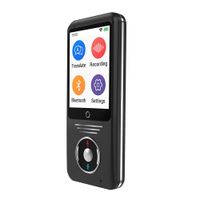
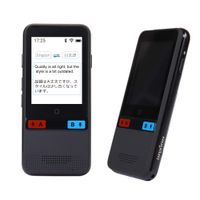
Step 3: Setting language and start to use. Click the flag to choose your native language and target language. Hold the record button A or B to speak, release to hear the translation.
Other Functions:
a.Type Translation: Click the keyboard in APP, input the words or sentence, it will translate to target language.
b.Photo Translation: Click the ellipsis on the right top of the APP, choose "PHOTO TRANSLATION",click the set button to set languages, then take a photo, it will translate the words of the photo.
c.Session Translation: This mode need 2 translators.Click the ellipsis on the right top of the APP, choose "SESSION TRANSLATION", enter the pair number of other translator then dial for pair. In this mode, you just need set your native language.
Parameters:
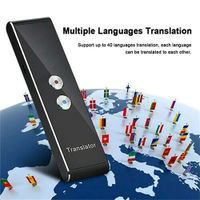
*Support languages: English, Mandarin, Traditional Chinese, Korean, Japanese, French, German, Spanish, Thai,
Italian, Dutch, Greek, Portuguese, Russian, Arabic, Hungarian, Romanian, Swedish, Czech, Finnish, Danish, Polish, Hindi, Turkey, Vietnamese, Ukraine, Slovakia, Norway, Catalonia, Croatia, Indonesia.
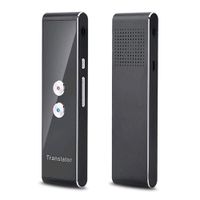
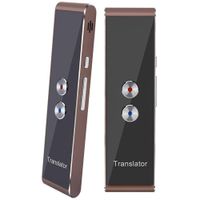
*Translator Size: 5.2*1.4*0.4in
*Bluetooth Version: V4.0
*Wireless Distance: 10 meters
*Speech recognition distance: 1 meter
*Battery: 3.7V/800 mAh
*Smartphone Platform: Android 4.3 or IOS 7.0
*Dual Mic: adapterization + denoising.
*Text Display: The App will show the words of the 2 languages in real time.
What You Get:
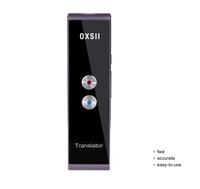
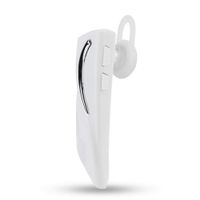
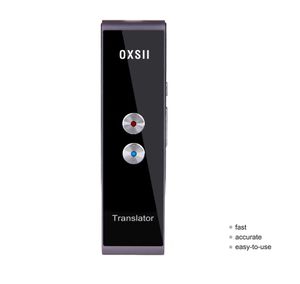
*OXSII speech translator x1
*User manual x1
*Charge Cable x1
*24 months warranty and our friendly customer service.
Step 1: Download the APP. Scan the QR code or Search "utranslate" in Apple store or Google play to find and install the APP.
Step 2: Bluetooth connection. Turn on the translator, Open the Bluetooth of your cellphone, find and pair the "Translator_" device. Then open the APP, find the device and connect to it.
Step 3: Setting language and start to use. Click the flag to choose your native language and target language. Hold the record button A or B to speak, release to hear the translation.
Other Functions:
a.Type Translation: Click the keyboard in APP, input the words or sentence, it will translate to target language.
b.Photo Translation: Click the ellipsis on the right top of the APP, choose "PHOTO TRANSLATION",click the set button to set languages, then take a photo, it will translate the words of the photo.
c.Session Translation: This mode need 2 translators.Click the ellipsis on the right top of the APP, choose "SESSION TRANSLATION", enter the pair number of other translator then dial for pair. In this mode, you just need set your native language.
Parameters:
*Support languages: English, Mandarin, Traditional Chinese, Korean, Japanese, French, German, Spanish, Thai,
Italian, Dutch, Greek, Portuguese, Russian, Arabic, Hungarian, Romanian, Swedish, Czech, Finnish, Danish, Polish, Hindi, Turkey, Vietnamese, Ukraine, Slovakia, Norway, Catalonia, Croatia, Indonesia.
*Translator Size: 5.2*1.4*0.4in
*Bluetooth Version: V4.0
*Wireless Distance: 10 meters
*Speech recognition distance: 1 meter
*Battery: 3.7V/800 mAh
*Smartphone Platform: Android 4.3 or IOS 7.0
*Dual Mic: adapterization + denoising.
*Text Display: The App will show the words of the 2 languages in real time.
What You Get:
*OXSII speech translator x1
*User manual x1
*Charge Cable x1
*24 months warranty and our friendly customer service.
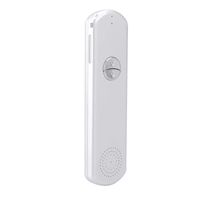
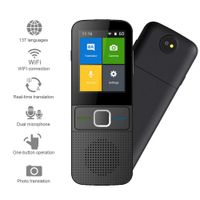
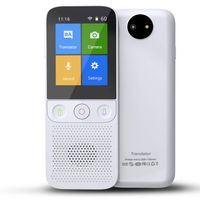
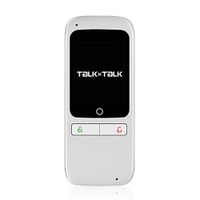
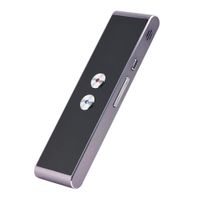
OXSII T1 Handheld Pocket Smart Voice Translator Real Time Speech Translation English Chinese Arabic Portuguese French German Spanish Russian Japanese 40+ Languages for Travel Business Shopping Meeting
Price is below average
Current Price
$48.99
Average
$110.67
Min Price
$42.99
Max Price
$499
Price dynamics
56%
Description
HOW TO USE
Step 1: Download the APP. Scan the QR code or Search "utranslate" in Apple store or Google play to find and install the APP.
Step 2: Bluetooth connection. Turn on the translator, Open the Bluetooth of your cellphone, find and pair the "Translator_" device. Then open the APP, find the device and connect to it.
Step 3: Setting language and start to use. Click the flag to choose your native language and target language. Hold the record button A or B to speak, release to hear the translation.
Other Functions:
a.Type Translation: Click the keyboard in APP, input the words or sentence, it will translate to target language.
b.Photo Translation: Click the ellipsis on the right top of the APP, choose "PHOTO TRANSLATION",click the set button to set languages, then take a photo, it will translate the words of the photo.
c.Session Translation: This mode need 2 translators.Click the ellipsis on the right top of the APP, choose "SESSION TRANSLATION", enter the pair number of other translator then dial for pair. In this mode, you just need set your native language.
Parameters:
*Support languages: English, Mandarin, Traditional Chinese, Korean, Japanese, French, German, Spanish, Thai,
Italian, Dutch, Greek, Portuguese, Russian, Arabic, Hungarian, Romanian, Swedish, Czech, Finnish, Danish, Polish, Hindi, Turkey, Vietnamese, Ukraine, Slovakia, Norway, Catalonia, Croatia, Indonesia.
*Translator Size: 5.2*1.4*0.4in
*Bluetooth Version: V4.0
*Wireless Distance: 10 meters
*Speech recognition distance: 1 meter
*Battery: 3.7V/800 mAh
*Smartphone Platform: Android 4.3 or IOS 7.0
*Dual Mic: adapterization + denoising.
*Text Display: The App will show the words of the 2 languages in real time.
What You Get:
*OXSII speech translator x1
*User manual x1
*Charge Cable x1
*24 months warranty and our friendly customer service.
Step 1: Download the APP. Scan the QR code or Search "utranslate" in Apple store or Google play to find and install the APP.
Step 2: Bluetooth connection. Turn on the translator, Open the Bluetooth of your cellphone, find and pair the "Translator_" device. Then open the APP, find the device and connect to it.
Step 3: Setting language and start to use. Click the flag to choose your native language and target language. Hold the record button A or B to speak, release to hear the translation.
Other Functions:
a.Type Translation: Click the keyboard in APP, input the words or sentence, it will translate to target language.
b.Photo Translation: Click the ellipsis on the right top of the APP, choose "PHOTO TRANSLATION",click the set button to set languages, then take a photo, it will translate the words of the photo.
c.Session Translation: This mode need 2 translators.Click the ellipsis on the right top of the APP, choose "SESSION TRANSLATION", enter the pair number of other translator then dial for pair. In this mode, you just need set your native language.
Parameters:
*Support languages: English, Mandarin, Traditional Chinese, Korean, Japanese, French, German, Spanish, Thai,
Italian, Dutch, Greek, Portuguese, Russian, Arabic, Hungarian, Romanian, Swedish, Czech, Finnish, Danish, Polish, Hindi, Turkey, Vietnamese, Ukraine, Slovakia, Norway, Catalonia, Croatia, Indonesia.
*Translator Size: 5.2*1.4*0.4in
*Bluetooth Version: V4.0
*Wireless Distance: 10 meters
*Speech recognition distance: 1 meter
*Battery: 3.7V/800 mAh
*Smartphone Platform: Android 4.3 or IOS 7.0
*Dual Mic: adapterization + denoising.
*Text Display: The App will show the words of the 2 languages in real time.
What You Get:
*OXSII speech translator x1
*User manual x1
*Charge Cable x1
*24 months warranty and our friendly customer service.
Price will be lower
in next 2 weeks
in next 2 weeks
According to the data, price will be lower in next two weeks, so not waste your money and track better price!
Similar products