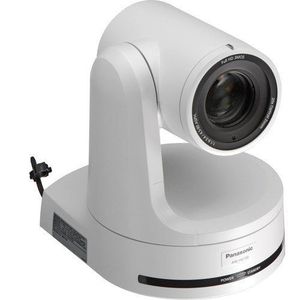
Description
The Panasonic AW-HE130 HD Integrated PTZ Camera is capable of transmitting up to four channels over IP and at the same time a single channel over SDI or HDMI. IP channel 1 supports up to 1080p60 H. 264 transmission, IP channel 2 up to 1080p30, and IP channels 3 and 4 up to 720p30. The SDI and HDMI outputs support up to 1080p60. In a multicast setup, the four IP channels can be sent simultaneously to a total of up to 14 devices (including one Android device). The AW-HE130 features a high-sensitivity, low-noise 1/2. 86" 3MOS sensor, an advanced digital signal processor (that's used in Panasonic broadcast camcorders such as the AJ-PX270), and a motorized 20x zoom lens. It's designed to capture high-image quality even in low-light conditions in sports, news, corporate, and other professional applications. The camera also offers Power-over-Ethernet+ (Poe+), which delivers more power than standard Poe and also allows for quicker and less expensive installation. Other features include 12-axis color correction, built-in neutral density filters, and optical image stabilization. 4-Channel IP Transmission The AW-HE130 is capable of transmitting 4 channels of video over IP plus over a 3G-SDI or HDMI output at the same time. IP channel 1 and the 3G-SDI/HDMI outputs deliver up to 1080p60 video, IP channel 2 up to 1080p30, and IP channels 3 and 4 up to 720p30. 1/2. 86" 3MOS Sensor Equipped with three advanced 1/2. 86" Full HD MOS sensors and DSP (Digital Signal Processor), the AW-HE130 achieves high sensitivity, a high S/N ratio, and high resolution through the use of advanced video processing.
Panasonic AW-HE130 HD Integrated PTZ Camera (White)
Price is below average
Current Price
$6 795
Average
$6 901.88
Min Price
$6 628.79
Max Price
$8 520
Price dynamics
2%
Description
The Panasonic AW-HE130 HD Integrated PTZ Camera is capable of transmitting up to four channels over IP and at the same time a single channel over SDI or HDMI. IP channel 1 supports up to 1080p60 H. 264 transmission, IP channel 2 up to 1080p30, and IP channels 3 and 4 up to 720p30. The SDI and HDMI outputs support up to 1080p60. In a multicast setup, the four IP channels can be sent simultaneously to a total of up to 14 devices (including one Android device). The AW-HE130 features a high-sensitivity, low-noise 1/2. 86" 3MOS sensor, an advanced digital signal processor (that's used in Panasonic broadcast camcorders such as the AJ-PX270), and a motorized 20x zoom lens. It's designed to capture high-image quality even in low-light conditions in sports, news, corporate, and other professional applications. The camera also offers Power-over-Ethernet+ (Poe+), which delivers more power than standard Poe and also allows for quicker and less expensive installation. Other features include 12-axis color correction, built-in neutral density filters, and optical image stabilization. 4-Channel IP Transmission The AW-HE130 is capable of transmitting 4 channels of video over IP plus over a 3G-SDI or HDMI output at the same time. IP channel 1 and the 3G-SDI/HDMI outputs deliver up to 1080p60 video, IP channel 2 up to 1080p30, and IP channels 3 and 4 up to 720p30. 1/2. 86" 3MOS Sensor Equipped with three advanced 1/2. 86" Full HD MOS sensors and DSP (Digital Signal Processor), the AW-HE130 achieves high sensitivity, a high S/N ratio, and high resolution through the use of advanced video processing.
Price will be lower
in next 2 weeks
in next 2 weeks
According to the data, price will be lower in next two weeks, so not waste your money and track better price!
Product review & video
(peaceful instrumental music) - [Tim] Hi this is Tim Kuschel with the Evolve Academy. Today we're gonna talk about setting up the Panasonic PTZ camera system. Our camera's gonna consist
of an HE130 camera head and a remote controller, the RP120. The first setup we're
gonna run you through is serial control. On the back of the HE130 there's a dedicated RS422 port. You have to be sure to never
plug in ethernet with power or PoE into this port
as it will cause damage. Then connect the other end to one of the five serial ports on the back of the controller. You can use up to 1,000 meters of cable to connect with the serial protocol. However you must power
each camera individually. Using menu 36 on the controller you can change the
control type for a camera. Using knob F2 select the type of control and press knob F2 to confirm. If the camera's are connected prior to starting the controller,



Similar products







































