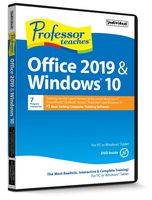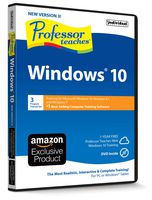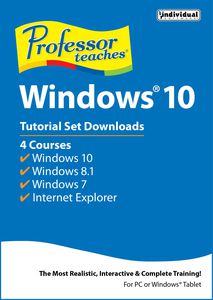
Professor Teaches Windows 10 is a 4-program Tutorial Set designed by experts with over 200 lessons for Windows 10, Internet Explorer, Windows 8.1, and Windows 7. Build your skills quickly and easily with interactive tutorials and lessons for beginning to advanced users. With this computer training software, you'll be able to learn the new Windows 10 operating system and Internet Explorer at your own pace by practicing in a realistic simulation of the software.
What You Will Learn from Professor Teaches Microsoft Windows 10
Learn to use the features of Microsoft Windows 10, the completely redesigned version of Microsoft's popular operating system. Build your skills quickly and easily with interactive tutorials and lessons for beginning to advanced users. Find out how to take advantage of the new features with Professor Teaches Windows 10, including How to use the personal assistant Cortana, Navigate Edge, the new world of internet browsing, use virtual desktops, and more
What Are the Benefits of Learning Microsoft Windows 10?
- Learn how to use the new Windows 10 operating system quickly and effectively
- Learn how to personalize the Start Menu
- Learn to use the many features of Microsoft Internet Explorer 11
Windows 10 Tutorial Set – Over 250 Lessons!
What You Will Learn in Professor Teaches Windows 10
Our extensive computer training course will cover the following topics:- Learn how to work with Files and Folders
- Explore the new Print Features
- Organizing your workspace with Multiple Desktops
- Adding and changing User Accounts
- Using Windows 10 on Touch Devices
- Understanding Gestures
- Managing Multiple Windows
- Exploring the Control Panel
- Getting to Know the Calendar App
- Using the Pictures Library
- Using the Video App
- Getting to Know the Windows Store
- Utilizing
Professor Teaches Windows 10 Tutorial Set Downloads [Download]
Professor Teaches Windows 10 is a 4-program Tutorial Set designed by experts with over 200 lessons for Windows 10, Internet Explorer, Windows 8.1, and Windows 7. Build your skills quickly and easily with interactive tutorials and lessons for beginning to advanced users. With this computer training software, you'll be able to learn the new Windows 10 operating system and Internet Explorer at your own pace by practicing in a realistic simulation of the software.
What You Will Learn from Professor Teaches Microsoft Windows 10
Learn to use the features of Microsoft Windows 10, the completely redesigned version of Microsoft's popular operating system. Build your skills quickly and easily with interactive tutorials and lessons for beginning to advanced users. Find out how to take advantage of the new features with Professor Teaches Windows 10, including How to use the personal assistant Cortana, Navigate Edge, the new world of internet browsing, use virtual desktops, and more
What Are the Benefits of Learning Microsoft Windows 10?
- Learn how to use the new Windows 10 operating system quickly and effectively
- Learn how to personalize the Start Menu
- Learn to use the many features of Microsoft Internet Explorer 11
Windows 10 Tutorial Set – Over 250 Lessons!
What You Will Learn in Professor Teaches Windows 10
Our extensive computer training course will cover the following topics:- Learn how to work with Files and Folders
- Explore the new Print Features
- Organizing your workspace with Multiple Desktops
- Adding and changing User Accounts
- Using Windows 10 on Touch Devices
- Understanding Gestures
- Managing Multiple Windows
- Exploring the Control Panel
- Getting to Know the Calendar App
- Using the Pictures Library
- Using the Video App
- Getting to Know the Windows Store
- Utilizing
in next 2 weeks
By clicking "Accept All", you consent to our use of cookies.