Description
How Do You Sync with PS3?
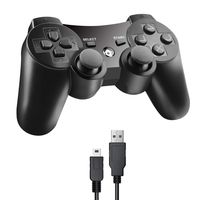
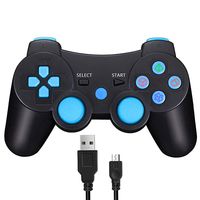
You can use the USB cable to activate the PS3 controller when it is put into use for the first time. Connect the controller with your console, press the PS3 remote button and pull out the cable. Then you can use it wirelessly. If it still does not work, you restart it or charge it. If the above methods failed, put a needle into the mini hole at the back of the controller and press the button to reset it.
How to turn on/off?
The wireless PS3 controller will start when you press the round button or connect with computer by data cable. It will turn off when it takes 5 minutes after it is disconnected. If it cannot stop working after a long time, please plug the data cable in the computer then pull it out, thus it will be powered off.
How To Charge the PS3 Controller?
Connect the console to the PS3 by the USB cable. When charging, the red light will be flashing; when fully charged, the red light turns off.
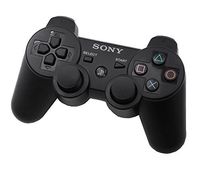
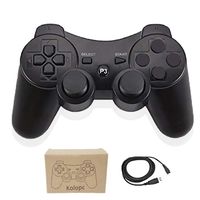
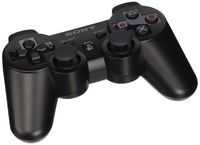
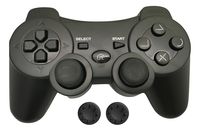
Please Note: WIRELESS PS3 controller is the best replacement for the original Sony Controller. Attention Buyers this is Not an original Sony Controller. This is a third party product.
Package Included:
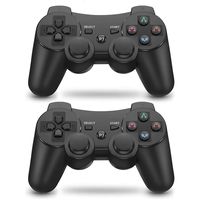
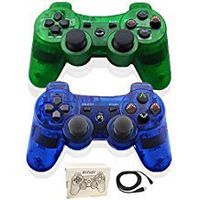
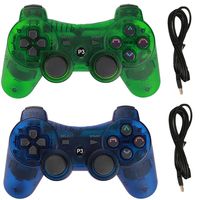
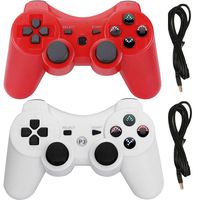
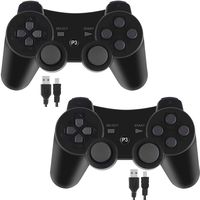
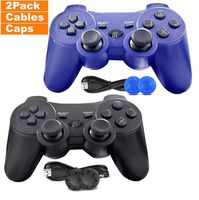
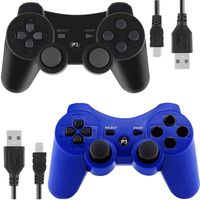
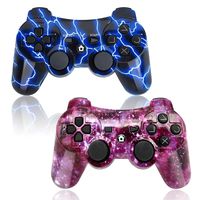
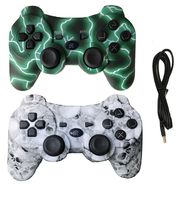
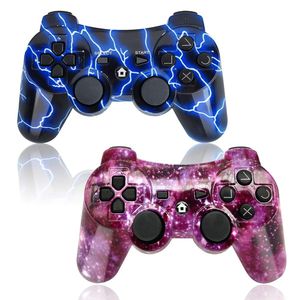
2 x Wireless PS3 Controller
2 x cable
You can use the USB cable to activate the PS3 controller when it is put into use for the first time. Connect the controller with your console, press the PS3 remote button and pull out the cable. Then you can use it wirelessly. If it still does not work, you restart it or charge it. If the above methods failed, put a needle into the mini hole at the back of the controller and press the button to reset it.
How to turn on/off?
The wireless PS3 controller will start when you press the round button or connect with computer by data cable. It will turn off when it takes 5 minutes after it is disconnected. If it cannot stop working after a long time, please plug the data cable in the computer then pull it out, thus it will be powered off.
How To Charge the PS3 Controller?
Connect the console to the PS3 by the USB cable. When charging, the red light will be flashing; when fully charged, the red light turns off.
Please Note: WIRELESS PS3 controller is the best replacement for the original Sony Controller. Attention Buyers this is Not an original Sony Controller. This is a third party product.
Package Included:
2 x Wireless PS3 Controller
2 x cable
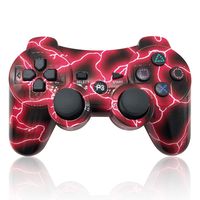
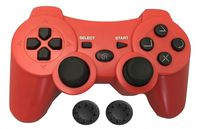
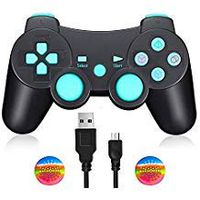
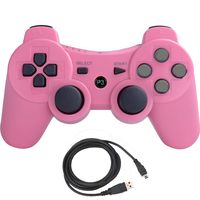
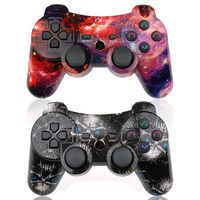
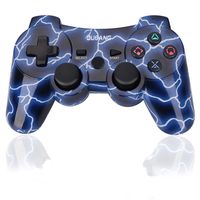
PS3 Controller Wireless 2 Pack Double Shock Gamepad for Playstation 3 Remotes, Sixaxis Wireless PS3 Controller with Charging Cable (Purple and Blue)
Current Price
$24
Average
$23.99
Min Price
$19.99
Max Price
$26.59
Price dynamics
0%
Description
How Do You Sync with PS3?
You can use the USB cable to activate the PS3 controller when it is put into use for the first time. Connect the controller with your console, press the PS3 remote button and pull out the cable. Then you can use it wirelessly. If it still does not work, you restart it or charge it. If the above methods failed, put a needle into the mini hole at the back of the controller and press the button to reset it.
How to turn on/off?
The wireless PS3 controller will start when you press the round button or connect with computer by data cable. It will turn off when it takes 5 minutes after it is disconnected. If it cannot stop working after a long time, please plug the data cable in the computer then pull it out, thus it will be powered off.
How To Charge the PS3 Controller?
Connect the console to the PS3 by the USB cable. When charging, the red light will be flashing; when fully charged, the red light turns off.
Please Note: WIRELESS PS3 controller is the best replacement for the original Sony Controller. Attention Buyers this is Not an original Sony Controller. This is a third party product.
Package Included:
2 x Wireless PS3 Controller
2 x cable
You can use the USB cable to activate the PS3 controller when it is put into use for the first time. Connect the controller with your console, press the PS3 remote button and pull out the cable. Then you can use it wirelessly. If it still does not work, you restart it or charge it. If the above methods failed, put a needle into the mini hole at the back of the controller and press the button to reset it.
How to turn on/off?
The wireless PS3 controller will start when you press the round button or connect with computer by data cable. It will turn off when it takes 5 minutes after it is disconnected. If it cannot stop working after a long time, please plug the data cable in the computer then pull it out, thus it will be powered off.
How To Charge the PS3 Controller?
Connect the console to the PS3 by the USB cable. When charging, the red light will be flashing; when fully charged, the red light turns off.
Please Note: WIRELESS PS3 controller is the best replacement for the original Sony Controller. Attention Buyers this is Not an original Sony Controller. This is a third party product.
Package Included:
2 x Wireless PS3 Controller
2 x cable
Price will be lower
in next 2 weeks
in next 2 weeks
According to the data, price will be lower in next two weeks, so not waste your money and track better price!