- HomeHome & KitchenKitchen & DiningSmall Appliance Parts & AccessoriesCoffee & Espresso Machine Parts & AccessoriesCoffee Machine AccessoriesCoffee FiltersReusable Filters
Description
Usage Instructions
1. Remove cap by turning it counter-clockwise, until the UNLOCK icon reaches the middle of the handle.
Caution: Turning it too far may case the cap to break.
If you grind your own beans: Start with a coarser grind similar to a French press. Avoid a fine espresso grind setting that may clog the screen or result in poor extraction.
2. Wash the cap and main chamber with warm soapy water prior to first use. Rinse and dry thoroughly.
3. Fill main chamber with your desired amount of ground coffee. Do not fill past the MAX indicator.
4. Replace cap by aligning the UNLOCK icon with the handle and turn the cap clockwise. The cap is properly closed when you feel the cap click into place and the LOCK icon aligns with the handle.
Caution: Turning it too far may case the cap to break.
5. Open brewer handle and insert the reusable filter into the cup holder.
a. Ensure handle is facing the front of the cup holder (pointing down) and press down firmly, as far as it will go.
b. Lower the brewer handle until it is completely closed.
6. Select your brew size and press the brew button.
a. If the Main Menu coms up, select #4 for the optimal beverage experience.
b. Once the brew is complete, you may remove the reusable filter for cleaning.
CAUTION: the filter and its contents will be VERY HOT after use. Please use caution and wait until cool before handling. Do not touch metal filter.
For use with Keurig plus series brewers only.
NOT for use with:
Keurig classic series brewers
Vue brewers
Rivo brewers
Keurig Commercial brewers
1. Remove cap by turning it counter-clockwise, until the UNLOCK icon reaches the middle of the handle.
Caution: Turning it too far may case the cap to break.
If you grind your own beans: Start with a coarser grind similar to a French press. Avoid a fine espresso grind setting that may clog the screen or result in poor extraction.
2. Wash the cap and main chamber with warm soapy water prior to first use. Rinse and dry thoroughly.
3. Fill main chamber with your desired amount of ground coffee. Do not fill past the MAX indicator.
4. Replace cap by aligning the UNLOCK icon with the handle and turn the cap clockwise. The cap is properly closed when you feel the cap click into place and the LOCK icon aligns with the handle.
Caution: Turning it too far may case the cap to break.
5. Open brewer handle and insert the reusable filter into the cup holder.
a. Ensure handle is facing the front of the cup holder (pointing down) and press down firmly, as far as it will go.
b. Lower the brewer handle until it is completely closed.
6. Select your brew size and press the brew button.
a. If the Main Menu coms up, select #4 for the optimal beverage experience.
b. Once the brew is complete, you may remove the reusable filter for cleaning.
CAUTION: the filter and its contents will be VERY HOT after use. Please use caution and wait until cool before handling. Do not touch metal filter.
For use with Keurig plus series brewers only.
NOT for use with:
Keurig classic series brewers
Vue brewers
Rivo brewers
Keurig Commercial brewers
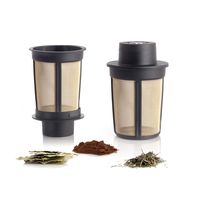
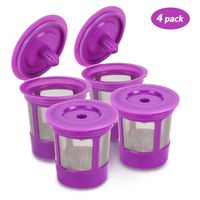
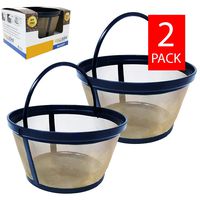
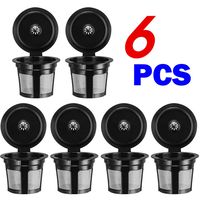
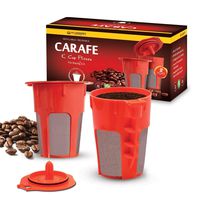
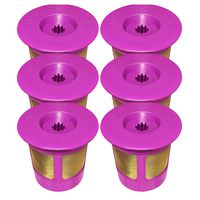
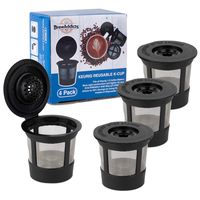
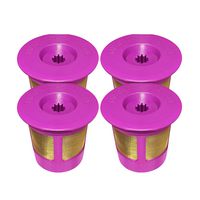
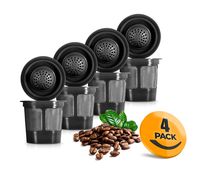
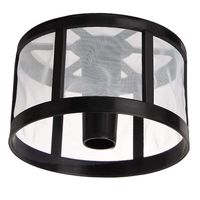
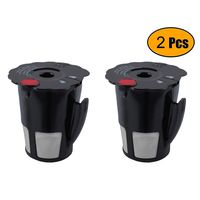
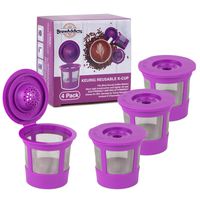
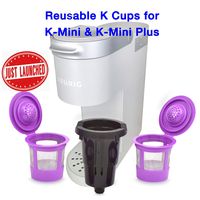
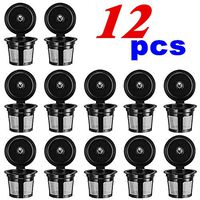
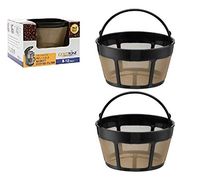
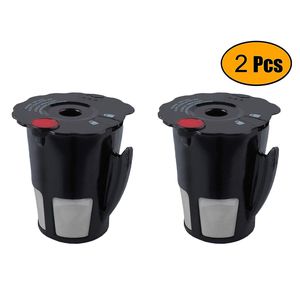
Podoy Reusable Coffee Filter for Compatible with Keurig K-Cup My 119367 2.0 Updated Model Black Small Coffee Filter K200 K250 K300 K350 K400 K450 K460 K475 K460 K500 K550 K560 K575(Pack of 2)
Current Price
$14.99
Average
$13.22
Min Price
$6.59
Max Price
$39.99
Price dynamics
12%
Description
Usage Instructions
1. Remove cap by turning it counter-clockwise, until the UNLOCK icon reaches the middle of the handle.
Caution: Turning it too far may case the cap to break.
If you grind your own beans: Start with a coarser grind similar to a French press. Avoid a fine espresso grind setting that may clog the screen or result in poor extraction.
2. Wash the cap and main chamber with warm soapy water prior to first use. Rinse and dry thoroughly.
3. Fill main chamber with your desired amount of ground coffee. Do not fill past the MAX indicator.
4. Replace cap by aligning the UNLOCK icon with the handle and turn the cap clockwise. The cap is properly closed when you feel the cap click into place and the LOCK icon aligns with the handle.
Caution: Turning it too far may case the cap to break.
5. Open brewer handle and insert the reusable filter into the cup holder.
a. Ensure handle is facing the front of the cup holder (pointing down) and press down firmly, as far as it will go.
b. Lower the brewer handle until it is completely closed.
6. Select your brew size and press the brew button.
a. If the Main Menu coms up, select #4 for the optimal beverage experience.
b. Once the brew is complete, you may remove the reusable filter for cleaning.
CAUTION: the filter and its contents will be VERY HOT after use. Please use caution and wait until cool before handling. Do not touch metal filter.
For use with Keurig plus series brewers only.
NOT for use with:
Keurig classic series brewers
Vue brewers
Rivo brewers
Keurig Commercial brewers
1. Remove cap by turning it counter-clockwise, until the UNLOCK icon reaches the middle of the handle.
Caution: Turning it too far may case the cap to break.
If you grind your own beans: Start with a coarser grind similar to a French press. Avoid a fine espresso grind setting that may clog the screen or result in poor extraction.
2. Wash the cap and main chamber with warm soapy water prior to first use. Rinse and dry thoroughly.
3. Fill main chamber with your desired amount of ground coffee. Do not fill past the MAX indicator.
4. Replace cap by aligning the UNLOCK icon with the handle and turn the cap clockwise. The cap is properly closed when you feel the cap click into place and the LOCK icon aligns with the handle.
Caution: Turning it too far may case the cap to break.
5. Open brewer handle and insert the reusable filter into the cup holder.
a. Ensure handle is facing the front of the cup holder (pointing down) and press down firmly, as far as it will go.
b. Lower the brewer handle until it is completely closed.
6. Select your brew size and press the brew button.
a. If the Main Menu coms up, select #4 for the optimal beverage experience.
b. Once the brew is complete, you may remove the reusable filter for cleaning.
CAUTION: the filter and its contents will be VERY HOT after use. Please use caution and wait until cool before handling. Do not touch metal filter.
For use with Keurig plus series brewers only.
NOT for use with:
Keurig classic series brewers
Vue brewers
Rivo brewers
Keurig Commercial brewers
Price will be lower
in next 2 weeks
in next 2 weeks
According to the data, price will be lower in next two weeks, so not waste your money and track better price!