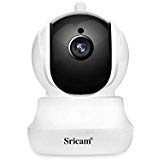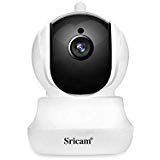
Description
Sricam committed to providing safe, stable and value for money home security camera.
Note, please read this before you order
1.The wifi camera only works with 2.4GHZ wifi, 5GHz WiFi is NOT supported.
2.It is WiFi wireless camera but must be plugged into a power source to work!
3.Your Wi-Fi name and Password should not contain special characters.
3.Please use SD-micro Class-10, UHS-1 or higher high speed memory card.
Stable:Camera can work and record without network, but can not be viewed on your phone remotely without network.
Wider view angle: Pan and tilt function with 4x digital zoom, keep eyes on the bigger space, you can set preset location for your reference. On mobile App, please use your two fingers to zoom in and out picture while you viewing the live video.
Preview mode: You could glance all the cameras at the same time
RTSP Protocol: rtsp://your camera IP:554/onvif1
ONVIF Protocol: 2.4 and above, can be worked with most of NVRs
http://your camera IP:5000/onvif/device_service
Installation video
https://youtu.be/l5a40h3cSEs
Common problem FAQ like
How to set up microSD card record and playback
How to Setup Motion Detection Alarm
How to watch live streams with ONVIF clients
How to watch live streams on BlueIris
How to setup Alarm Record
Camera's Wi-Fi is unstable and often offline
And so on
please visit http://www.sricam.com/faqs.html
If you have any issues about this wifi camera outdoor, please send email to support@sricam.com
Note, please read this before you order
1.The wifi camera only works with 2.4GHZ wifi, 5GHz WiFi is NOT supported.
2.It is WiFi wireless camera but must be plugged into a power source to work!
3.Your Wi-Fi name and Password should not contain special characters.
3.Please use SD-micro Class-10, UHS-1 or higher high speed memory card.
Stable:Camera can work and record without network, but can not be viewed on your phone remotely without network.
Wider view angle: Pan and tilt function with 4x digital zoom, keep eyes on the bigger space, you can set preset location for your reference. On mobile App, please use your two fingers to zoom in and out picture while you viewing the live video.
Preview mode: You could glance all the cameras at the same time
RTSP Protocol: rtsp://your camera IP:554/onvif1
ONVIF Protocol: 2.4 and above, can be worked with most of NVRs
http://your camera IP:5000/onvif/device_service
Installation video
https://youtu.be/l5a40h3cSEs
Common problem FAQ like
How to set up microSD card record and playback
How to Setup Motion Detection Alarm
How to watch live streams with ONVIF clients
How to watch live streams on BlueIris
How to setup Alarm Record
Camera's Wi-Fi is unstable and often offline
And so on
please visit http://www.sricam.com/faqs.html
If you have any issues about this wifi camera outdoor, please send email to support@sricam.com
Sricam Wireless Security Camera 1080p Pan/Tilt/Zoom Wifi Camera with Two Way Audio, Motion Detection, Night Verison, MicroSD Recording for iPhone/Android Phone/iPad/Windows Remote View
Current Price
$37.99
Average
$35.46
Min Price
$24
Max Price
$70.99
Price dynamics
7%
Description
Sricam committed to providing safe, stable and value for money home security camera.
Note, please read this before you order
1.The wifi camera only works with 2.4GHZ wifi, 5GHz WiFi is NOT supported.
2.It is WiFi wireless camera but must be plugged into a power source to work!
3.Your Wi-Fi name and Password should not contain special characters.
3.Please use SD-micro Class-10, UHS-1 or higher high speed memory card.
Stable:Camera can work and record without network, but can not be viewed on your phone remotely without network.
Wider view angle: Pan and tilt function with 4x digital zoom, keep eyes on the bigger space, you can set preset location for your reference. On mobile App, please use your two fingers to zoom in and out picture while you viewing the live video.
Preview mode: You could glance all the cameras at the same time
RTSP Protocol: rtsp://your camera IP:554/onvif1
ONVIF Protocol: 2.4 and above, can be worked with most of NVRs
http://your camera IP:5000/onvif/device_service
Installation video
https://youtu.be/l5a40h3cSEs
Common problem FAQ like
How to set up microSD card record and playback
How to Setup Motion Detection Alarm
How to watch live streams with ONVIF clients
How to watch live streams on BlueIris
How to setup Alarm Record
Camera's Wi-Fi is unstable and often offline
And so on
please visit http://www.sricam.com/faqs.html
If you have any issues about this wifi camera outdoor, please send email to support@sricam.com
Note, please read this before you order
1.The wifi camera only works with 2.4GHZ wifi, 5GHz WiFi is NOT supported.
2.It is WiFi wireless camera but must be plugged into a power source to work!
3.Your Wi-Fi name and Password should not contain special characters.
3.Please use SD-micro Class-10, UHS-1 or higher high speed memory card.
Stable:Camera can work and record without network, but can not be viewed on your phone remotely without network.
Wider view angle: Pan and tilt function with 4x digital zoom, keep eyes on the bigger space, you can set preset location for your reference. On mobile App, please use your two fingers to zoom in and out picture while you viewing the live video.
Preview mode: You could glance all the cameras at the same time
RTSP Protocol: rtsp://your camera IP:554/onvif1
ONVIF Protocol: 2.4 and above, can be worked with most of NVRs
http://your camera IP:5000/onvif/device_service
Installation video
https://youtu.be/l5a40h3cSEs
Common problem FAQ like
How to set up microSD card record and playback
How to Setup Motion Detection Alarm
How to watch live streams with ONVIF clients
How to watch live streams on BlueIris
How to setup Alarm Record
Camera's Wi-Fi is unstable and often offline
And so on
please visit http://www.sricam.com/faqs.html
If you have any issues about this wifi camera outdoor, please send email to support@sricam.com
Price will be lower
in next 2 weeks
in next 2 weeks
According to the data, price will be lower in next two weeks, so not waste your money and track better price!
Product review & video
hi I'm my mine welcome back to another video in my series of home security and video surveillance systems now this video it might not make sense or much sense if you haven't watched the beginning of my series of the PTZ camera but today I want to show you how to set up the Wi-Fi the PTZ Wi-Fi smart camera - the app alright let's get started so of course the first thing you need to do is install the app now many different brands or cameras will use different apps in our case we have icc pro or icc there's some other ones like hi cam or this one we used IP pro but in this case we're using the icc pro so the first thing we need to do is login now my dad already registered registered for an account next up we're going to do we're gonna set this down for now they're going to plug it in now I think see here we already mounted it to simulate the mounting and we're gonna play it in alright so w



Similar products