- HomeElectronicsComputers & AccessoriesComputer Accessories & PeripheralsHard Drive AccessoriesHard Drive Enclosures
Description
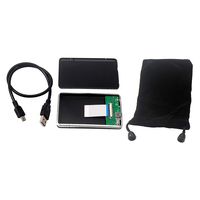
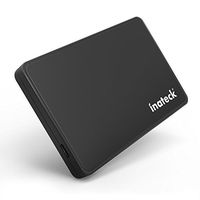
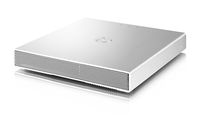
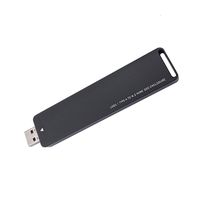
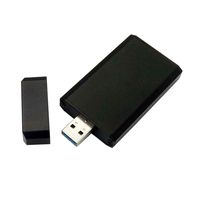
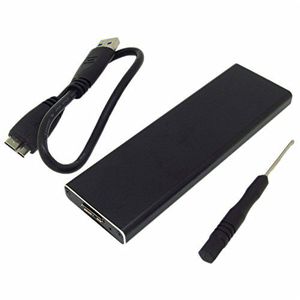
. Only support 6+12 PIN 2010 2011 Apple MacBook Air A1370 A1369 A1370 A1369 MC503 MC504 MC505 MC506 MC968 MC969 MC965 MC966 SSD to USB 3.0 interface 2. Supports more than Windows 2000 and Mac OS 10.7 operating system and don't require any software drives 3. The main body is sturdy aluminum alloy metal housing,it is very light 4. You can connect it to laptop or desktop 5. The original hard disk slot, the product is more stable and reliable 6. Power supply with a maximum output DC + 3.3V / 3A 7. Master control asmedia using ASM1153E IC bridge chip, the maximum speed of up to 6Gbps About MacBook Air SSD interface standard: 1.2010 and 2011 MacBook Air SSD is 6+12 pin, only one side have contact,size is 109 mm*24 mm. 2.2012 MacBook Air SSD is 7+17 pin, size is 109 mm*24 mm. 3.2013 and 2014 MacBook Air SSD is both side have contact,one sid is 16+12 pin,the other side is 11+14 pin,size is 89 mm*24 mm. Notice: 1. Please identify interface definition of your SSD. 2. Please note that the query rated current of SSD,compute maximum power supply current is 1A of USB 3.0 interface,if the USB port can't provide enough current to the ssd,the computer can't identify or work can't well because the power supply can't meet requirements. 3. Don't use USB extension and HUB,because it will lead to insufficient power supply. 4. Data lines connected to the computer's USB port after the home for desktop. 5. The SSD work will release heat,the shell fells hot,this is normal. 6. Mac OS and some digital camera system use disk format can't compatible with Microsoft system,new SSD if there is no partition,open the "my computer" can't see the ssd, please use the Disk Manager in Windows to delete the partitions or to create a new partition on the SSD. Package Included: 1 x SSD mobile hard disk box, Black 1 x USB 3.0 cable 1 x Protecting bag 4 x Screws. 5. Note that SSD must be formatted, not formatted, the new SSD is not normal use. make sure that the Enclosure has no damage .
SSD to USB3.0 Hard Disk Enclosure External Case 6+12 Pin for 2010 Apple MacBook Air A1370 A1369
Current Price
$25.59
Average
$25.59
Min Price
$25.58
Max Price
$25.59
Price dynamics
0%
Description
. Only support 6+12 PIN 2010 2011 Apple MacBook Air A1370 A1369 A1370 A1369 MC503 MC504 MC505 MC506 MC968 MC969 MC965 MC966 SSD to USB 3.0 interface 2. Supports more than Windows 2000 and Mac OS 10.7 operating system and don't require any software drives 3. The main body is sturdy aluminum alloy metal housing,it is very light 4. You can connect it to laptop or desktop 5. The original hard disk slot, the product is more stable and reliable 6. Power supply with a maximum output DC + 3.3V / 3A 7. Master control asmedia using ASM1153E IC bridge chip, the maximum speed of up to 6Gbps About MacBook Air SSD interface standard: 1.2010 and 2011 MacBook Air SSD is 6+12 pin, only one side have contact,size is 109 mm*24 mm. 2.2012 MacBook Air SSD is 7+17 pin, size is 109 mm*24 mm. 3.2013 and 2014 MacBook Air SSD is both side have contact,one sid is 16+12 pin,the other side is 11+14 pin,size is 89 mm*24 mm. Notice: 1. Please identify interface definition of your SSD. 2. Please note that the query rated current of SSD,compute maximum power supply current is 1A of USB 3.0 interface,if the USB port can't provide enough current to the ssd,the computer can't identify or work can't well because the power supply can't meet requirements. 3. Don't use USB extension and HUB,because it will lead to insufficient power supply. 4. Data lines connected to the computer's USB port after the home for desktop. 5. The SSD work will release heat,the shell fells hot,this is normal. 6. Mac OS and some digital camera system use disk format can't compatible with Microsoft system,new SSD if there is no partition,open the "my computer" can't see the ssd, please use the Disk Manager in Windows to delete the partitions or to create a new partition on the SSD. Package Included: 1 x SSD mobile hard disk box, Black 1 x USB 3.0 cable 1 x Protecting bag 4 x Screws. 5. Note that SSD must be formatted, not formatted, the new SSD is not normal use. make sure that the Enclosure has no damage .
Price will be lower
in next 2 weeks
in next 2 weeks
According to the data, price will be lower in next two weeks, so not waste your money and track better price!
Product review & video
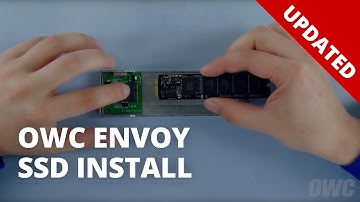
hello and welcome to our instructional series of videos in this guide will walk you through installing the SSD module from a 2010 to 2012 MacBook Air into an O WC envoy USB enclosure we've already gathered our materials and are working on the soft static free work surface we're now ready to begin the first thing to do is flip the Envoy over and remove these two torques t-50 you can then lift the bottom cover off depending on the model MacBook Air you have the connectors may look slightly different regardless all you need to do is line up the notch on the SSDs connector with a pin in the enclosures connector and slide the two pieces together line the retaining screw notch on the SSD up with the foam insert on the Envoy so that the SSD module sit straight then set the bottom cover back into place you can then replace the two Torx t5 screws with the longer screw on the thicker side and the

Similar products