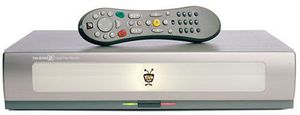
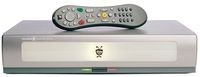
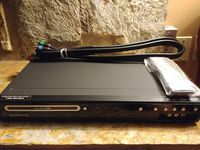
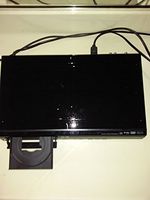
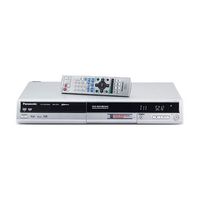
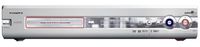
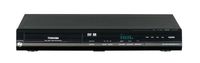
TiVo's Series2 DVR delivers plenty of recording capacity in addition to offering entertainment services like digital music, digital photos, remote scheduling, and hassle-free favorites recording. All this and the famed luxury of being able to pause and view instant replays of live television, too. TiVo DVRs record television programming directly to an onboard digital ATA/IDE hard drive, eliminating the hassles of videotape (imprecise tape searching, head cleaning, steadily degrading picture, fuzzy sound, etc.). This Series2 TiVo, model TDC540040, offers 40 GB storage for up to 40 hours of recording time in TiVo's best-looking chassis yet.
The Series2 has 2 USB ports, offering people with home networks the ability to stream photos and music to their TiVo, or send programs from one TiVo to another. This connectivity also lets TiVo subscribers access exciting entertainment services through the TiVo Home Media Features, which consists of the TiVo Digital Music Player, TiVo Digital Photo Viewer, and Multi-Room Viewing.
The TiVo Digital Music Player lets you enjoy your computer's MP3 collection through your home entertainment sound system. Access and control your entire digital music collection via your TV; shuffle your music library by artist, album, or type of music; and create a custom playlist on your computer or use third-party software to develop playlists for every mood.
The TiVo Digital Photo Viewer accesses digital photos stored on your computer and showcases them on your TV. View photo albums and slideshows on your TV screen, easily navigate, search, and view your computer's entire digital photo library, play and control slideshows of photo albums, and use the remote control to select and view individual photos.
TiVo TCD540040 Series2 40-Hour Digital Video Recorder
TiVo's Series2 DVR delivers plenty of recording capacity in addition to offering entertainment services like digital music, digital photos, remote scheduling, and hassle-free favorites recording. All this and the famed luxury of being able to pause and view instant replays of live television, too. TiVo DVRs record television programming directly to an onboard digital ATA/IDE hard drive, eliminating the hassles of videotape (imprecise tape searching, head cleaning, steadily degrading picture, fuzzy sound, etc.). This Series2 TiVo, model TDC540040, offers 40 GB storage for up to 40 hours of recording time in TiVo's best-looking chassis yet.
The Series2 has 2 USB ports, offering people with home networks the ability to stream photos and music to their TiVo, or send programs from one TiVo to another. This connectivity also lets TiVo subscribers access exciting entertainment services through the TiVo Home Media Features, which consists of the TiVo Digital Music Player, TiVo Digital Photo Viewer, and Multi-Room Viewing.
The TiVo Digital Music Player lets you enjoy your computer's MP3 collection through your home entertainment sound system. Access and control your entire digital music collection via your TV; shuffle your music library by artist, album, or type of music; and create a custom playlist on your computer or use third-party software to develop playlists for every mood.
The TiVo Digital Photo Viewer accesses digital photos stored on your computer and showcases them on your TV. View photo albums and slideshows on your TV screen, easily navigate, search, and view your computer's entire digital photo library, play and control slideshows of photo albums, and use the remote control to select and view individual photos.
Price will be lower in next 2 weeks
According to the data, price will be lower in next two weeks, so not waste your money and track better price!
Product review & video
[Music] so you just got this new TiVo box and you want to hook it up let's do it so for demonstration purposes I'm going to put the Box facing forward so you guys can see what's going on but normally you're going to want the back of the box facing the back of the TV first if you bought this box from a retailer you need to activate TiVo service just go to TiVo comm slash activate enter your 15 digit TiVo service number which you find here on the back of your DVR enter your email credit card info all that good stuff and you're ready to go so now we can connect the TiVo box to your TV setup grab the baguette connectors marked a the rest you're not going to need oh and this start here poster is a great reference to a good way to understand the setup process is this we're always going to go from out to end we're never going to connect out to out or into in starting with this cable your progr
We use cookies to enhance your browsing experience, serve personalized ads or content, and analyze our traffic. By clicking "Accept All", you consent to our use of cookies.