Description
CARRIER-GRADE SIGNAL PROCESSING | MOTION DETECTION | SMART TRACKING ➤ Upgrade Video Coding Technology - Smart H.264 video compression algorithm | Faster connection | Super long time recording ➤ Financial Standard Data Protection - 1024bit dynamic encryption | Guarantee the security of data flow transmission ➤ Discover More Interesting Features - Work with Alexa | Online firmware upgrades | Smart home linkage Wi-Fi Connection Step 1: Launch the "YI IOT" app, Click + to select the device mode Step 2: Scan the QR code on the bottom of the camera, add and Click the Wi-Fi Connection. Step 3: Press the camera RESET button, Hold for 3-5s to Enter the Wi-Fi configuration mode. Step 4: Input the wifi password. Turn up the phone volume and bring the phone closer to the camera. Step 5: After sevral personalized settings, connection should be successful! Notice before configuration: ✔ It only supports 2.4GHz band not 5GHz ✔Your Wi-Fi encryption is WPA2-PSK(AES) ✔Heard the sound of droplets after plugging in What's in the box? : 1 x Tovendor IP Camera. 1 x Power Adapter. 1 x Network cable. 1 x Bracket. 1 x Manual. 2 x Screw. Warm Tips: *Manufacturer's 1-year warranty *Works with 2.4GHz Wi-Fi networks only *Micro SD Card are are NOT included in the package. *SD card needs to be inserted when the camera is OFF *Currently only supports Alexa devices with screens(Echo Show)
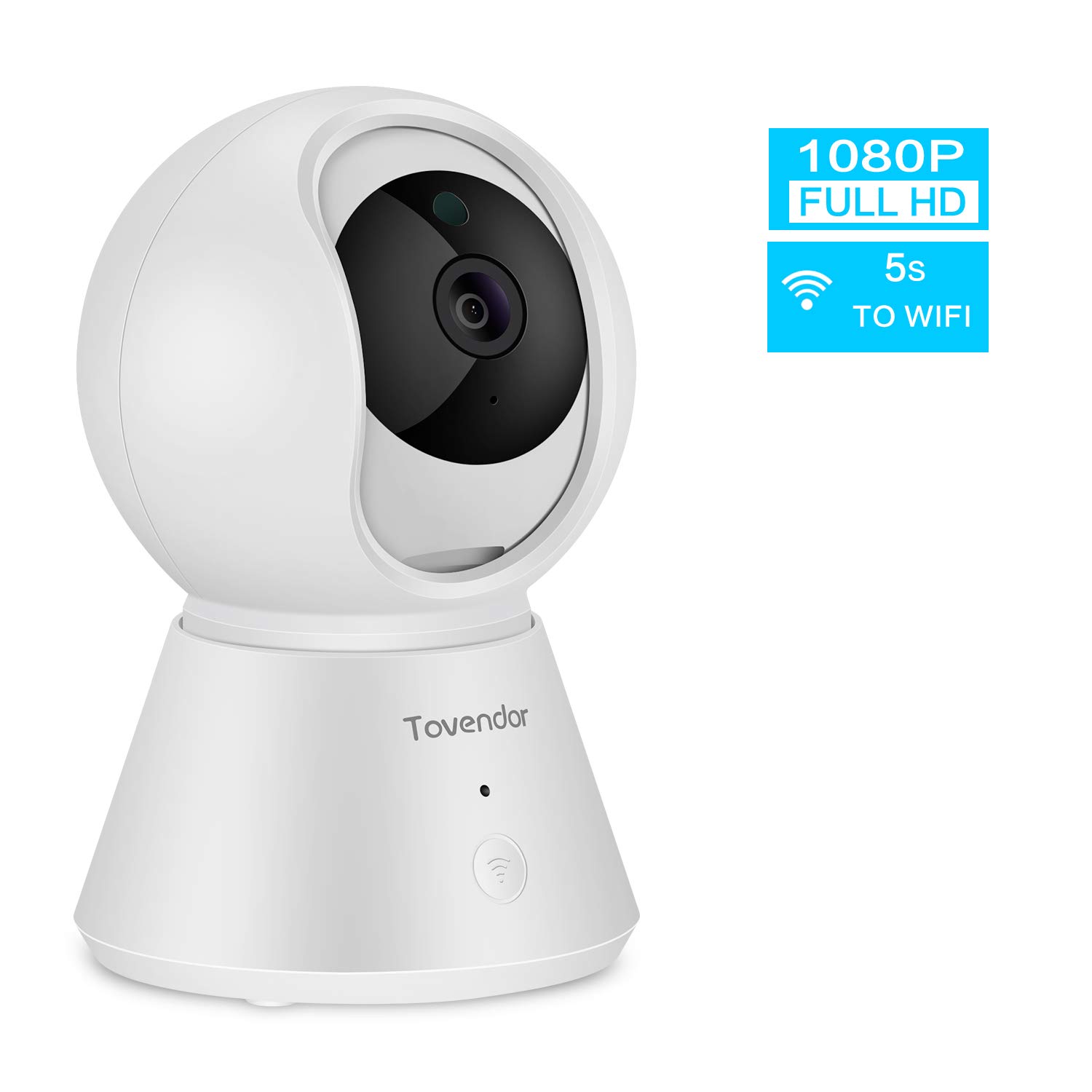
Tovendor 1080P IP Camera WiFi Pet Camera Baby Monitor with Clear IR Night Vision, Motion Tracking 2-Way Audio and Cloud Service, 5s to Connect
Price is below average
Current Price
$27.99
Average
$34.59
Min Price
$27.99
Max Price
$49.99
Price dynamics
19%
Description
CARRIER-GRADE SIGNAL PROCESSING | MOTION DETECTION | SMART TRACKING ➤ Upgrade Video Coding Technology - Smart H.264 video compression algorithm | Faster connection | Super long time recording ➤ Financial Standard Data Protection - 1024bit dynamic encryption | Guarantee the security of data flow transmission ➤ Discover More Interesting Features - Work with Alexa | Online firmware upgrades | Smart home linkage Wi-Fi Connection Step 1: Launch the "YI IOT" app, Click + to select the device mode Step 2: Scan the QR code on the bottom of the camera, add and Click the Wi-Fi Connection. Step 3: Press the camera RESET button, Hold for 3-5s to Enter the Wi-Fi configuration mode. Step 4: Input the wifi password. Turn up the phone volume and bring the phone closer to the camera. Step 5: After sevral personalized settings, connection should be successful! Notice before configuration: ✔ It only supports 2.4GHz band not 5GHz ✔Your Wi-Fi encryption is WPA2-PSK(AES) ✔Heard the sound of droplets after plugging in What's in the box? : 1 x Tovendor IP Camera. 1 x Power Adapter. 1 x Network cable. 1 x Bracket. 1 x Manual. 2 x Screw. Warm Tips: *Manufacturer's 1-year warranty *Works with 2.4GHz Wi-Fi networks only *Micro SD Card are are NOT included in the package. *SD card needs to be inserted when the camera is OFF *Currently only supports Alexa devices with screens(Echo Show)
Price will be lower
in next 2 weeks
in next 2 weeks
According to the data, price will be lower in next two weeks, so not waste your money and track better price!

Similar products