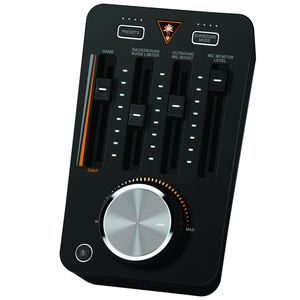
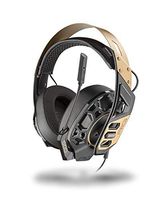
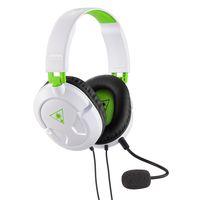
Dominate the competition with the most powerful gaming audio controller ever designed for eSports – the Turtle Beach Elite Pro T.A.C. Offering amplified audio and cutting-edge technologies like DTS Headphone:X 7.1 Surround Sound and Superhuman Hearing, plus Turtle Beach’s incredibly powerful chat and microphone tuning tools like the Background Noise Limiter, Outbound Mic Boost and Mic Monitoring, the Elite Pro T.A.C. gives eSports athletes and hardcore gamers everything they need to win. Combine the Elite Pro T.A.C. with the Elite Pro Tournament Gaming Headset and Elite Pro Tournament Noise-Cancelling Microphone to unlock the ultimate gaming audio setup designed to help you win!
Connections:
PS4 Pro: Optical & USB PS4 (without Optical): Optical from TV & USB PS4 (with Optical): Optical & USB PS3: Optical & USB Mobile Devices: 3.5mm Headset Power: Rechargeable Battery Transmitter Power: USB
The best initial settings starting from the left:
- Game/Chat Mix – Start with this slider in the middle. Adjust the slider upward toward “Game” to better hear game audio (in-game music, dialogue, explosions, etc.) over chat audio. Move the slider down toward “Chat” to better hear chat from teammates and/or other players over game audio.
- Background Noise Limiter – Start with this slider at the bottom. Slowly adjust the slider upward and the TAC will begin to remove background noise. You’ll need a friend or another player on the receiving end to tell you when to stop moving the slider, as you won’t hear any difference in your headset.