Tutorial Video From V380 Pro App&Amazon:
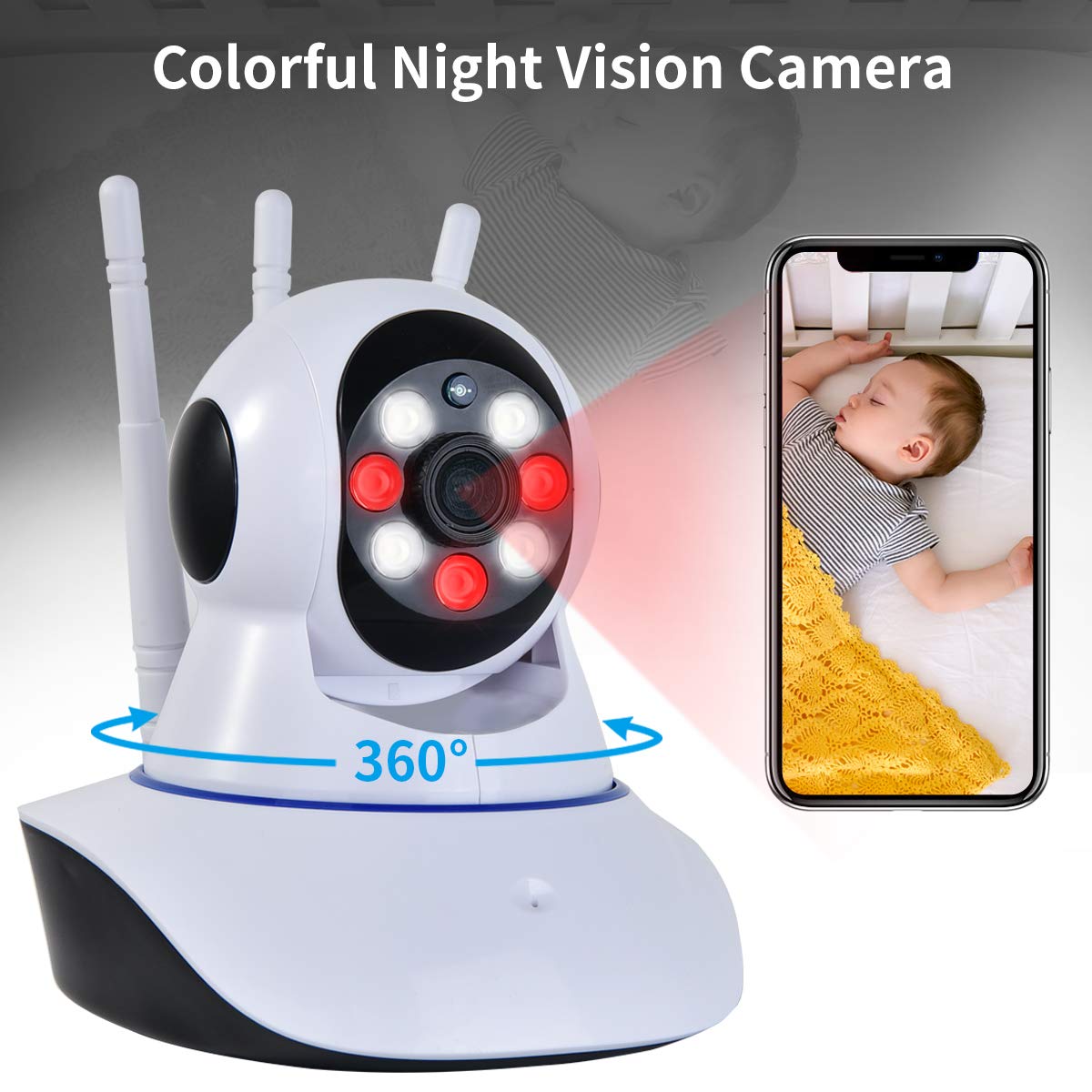
Watch your home/office/baby/pet/elder parents from your Remote Phone/PC App anytime&anywhere.
Tutorial Video--Get tutorial video from App V380 Pro&Amazon website to learn how to use.Contact us directly for any issues
Specs:
App:V380 Pro
Resolution:HD 1080P Videos
Night Vision:Led/IR Lights
Rotation:360°horizontal&100°vertical
Zoom:8x
Wireless:Wifi connect
Communicate:Two-way audio
Motion Detect:Cellphone Notify&Camera Alarm
Memory Card:MicroSD Card 128GB Max(No Card)
Powered:USB Cable&Wallout Charger,5V/2A
How to Connect Camera(please watch website video)
1.Download App-- Scan QR Code on user manual to download App or Search V380 Pro to download directly
2.Connect with device hot spot-- Plug in camera waiting power on,turn on cellphone Wifi and find a wifi name START FROM "MV....."
3.Open App-- Open App,click"Try without account"to enter in Apps directly; No Need to Register
4.Add Device to App-- Tap "+"to add a camera,select "Add network connected device",and then click"Add device ID",later use"Scan QR Code on the bottom of the camera"to Add camera
5.Revise Password before Using-- Click"Play" button to set password before using,or you can not use it. Put a new password and confirm it;then you can watch camera
6.Connect Wifi-- Click"Settings"button,then click"Network",later select "Change to WiFi station mode" to select one of your home wifi to connect
Package List:
1 x IP Camera
1 x US Power Adapter
1 x Bracket
WiFi Video Baby Monitor Camera with Colorful Night Vision,1080P WiFi Indoor Home Security Surveillance Cameras for Child Home Pet with Remote Control&2 Way Audio-(YouTube Set up Video)
Tutorial Video From V380 Pro App&Amazon:
Watch your home/office/baby/pet/elder parents from your Remote Phone/PC App anytime&anywhere.
Tutorial Video--Get tutorial video from App V380 Pro&Amazon website to learn how to use.Contact us directly for any issues
Specs:
App:V380 Pro
Resolution:HD 1080P Videos
Night Vision:Led/IR Lights
Rotation:360°horizontal&100°vertical
Zoom:8x
Wireless:Wifi connect
Communicate:Two-way audio
Motion Detect:Cellphone Notify&Camera Alarm
Memory Card:MicroSD Card 128GB Max(No Card)
Powered:USB Cable&Wallout Charger,5V/2A
How to Connect Camera(please watch website video)
1.Download App-- Scan QR Code on user manual to download App or Search V380 Pro to download directly
2.Connect with device hot spot-- Plug in camera waiting power on,turn on cellphone Wifi and find a wifi name START FROM "MV....."
3.Open App-- Open App,click"Try without account"to enter in Apps directly; No Need to Register
4.Add Device to App-- Tap "+"to add a camera,select "Add network connected device",and then click"Add device ID",later use"Scan QR Code on the bottom of the camera"to Add camera
5.Revise Password before Using-- Click"Play" button to set password before using,or you can not use it. Put a new password and confirm it;then you can watch camera
6.Connect Wifi-- Click"Settings"button,then click"Network",later select "Change to WiFi station mode" to select one of your home wifi to connect
Package List:
1 x IP Camera
1 x US Power Adapter
1 x Bracket
in next 2 weeks