Description
NOTE: For you safety, these headphones will not work from the front seat of the vehicle - you must be seated in the rear seat with a clear line-of-sight to the DVD screen.
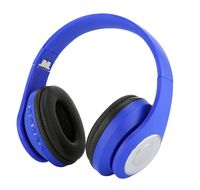
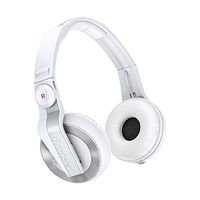
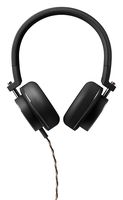
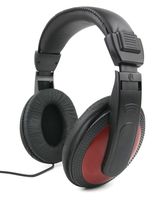
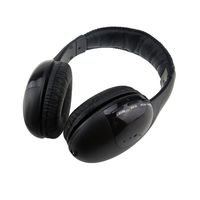
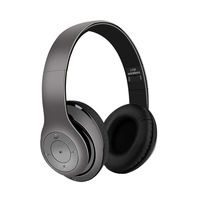
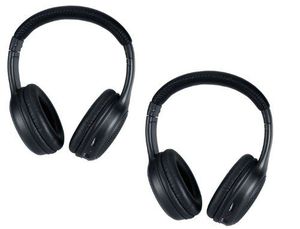
Lost your original Honda Odyssey Wireless Headphones? Don't worry! We've got you covered. These headphones by AudioVideo2go are a perfect replacement for your original folding Honda Odyssey rear seat entertainment system. They work on any model year and don't need programming or syncing. We have programmed them to work with your Honda Odyssey so you don't have to fiddle with codes or complicated instructions.
Compatible with:
Honda Odyssey and Odyssey Touring 2006 2007 2008 2009 2010 2011 2012 2013 2014 2015 2016 2017 2018
How to use your headphones:
* Please make sure that users of the headphones are sitting in the rear seat of the vehicle with a clear line-of-sight to the DVD player. For security reasons, the headphones will not work in the front seat, or while outside of the vehicle.
* Please make sure that you try both channels on the headphone (there is a Channel switch on the side of the headphone) as your vehicle may be transmitting on either channel 1 or 2. Using the wrong channel will cause intermittent sound issues.
* Please check to see that the batteries in the headphones are inserted properly, and that they are charged.
* Please make sure the headphones are being worn properly - there is an IR receiver on the headphone to receive the signal from the DVD player. If this receiver is on the wrong side of the head, it will point away from the DVD screen. Each side of the headphone has a letter to guide the wearer: "L" for left and "R" for right.
* Please check that the volume on your DVD player (and on the headphones) is not turned all the way down.
Wireless Headphones for the Honda Odyssey (Model Years: 2005 2006 2007 2008 2009 2010 2011 2012 2013 2014 2015 2016 2017 2018)
Price is below average
Current Price
$60
Average
$82.07
Min Price
$60
Max Price
$178.47
Price dynamics
27%
Description
NOTE: For you safety, these headphones will not work from the front seat of the vehicle - you must be seated in the rear seat with a clear line-of-sight to the DVD screen.
Lost your original Honda Odyssey Wireless Headphones? Don't worry! We've got you covered. These headphones by AudioVideo2go are a perfect replacement for your original folding Honda Odyssey rear seat entertainment system. They work on any model year and don't need programming or syncing. We have programmed them to work with your Honda Odyssey so you don't have to fiddle with codes or complicated instructions.
Compatible with:
Honda Odyssey and Odyssey Touring 2006 2007 2008 2009 2010 2011 2012 2013 2014 2015 2016 2017 2018
How to use your headphones:
* Please make sure that users of the headphones are sitting in the rear seat of the vehicle with a clear line-of-sight to the DVD player. For security reasons, the headphones will not work in the front seat, or while outside of the vehicle.
* Please make sure that you try both channels on the headphone (there is a Channel switch on the side of the headphone) as your vehicle may be transmitting on either channel 1 or 2. Using the wrong channel will cause intermittent sound issues.
* Please check to see that the batteries in the headphones are inserted properly, and that they are charged.
* Please make sure the headphones are being worn properly - there is an IR receiver on the headphone to receive the signal from the DVD player. If this receiver is on the wrong side of the head, it will point away from the DVD screen. Each side of the headphone has a letter to guide the wearer: "L" for left and "R" for right.
* Please check that the volume on your DVD player (and on the headphones) is not turned all the way down.
Price will be lower
in next 2 weeks
in next 2 weeks
According to the data, price will be lower in next two weeks, so not waste your money and track better price!
Product review & video
[Music] this video features apple carplay for the honda odyssey years 2014 to 2017 in this video hdmi mirroring hdmi mirroring demo press and hold the back button go on to hdmi selected hit enter and there you go maybe a Netflix it says not playing on your TV and you have the Netflix on the screen or you can mirror the entire phone whatever you send your phone will show here iPhone and Android in this video apple carplay no press and hold the back button press enter and you're going to see the apple carplay in the screen control with the joystick you got all the apps Google Maps over here you got ways tuner radio and all the other apps you got many pages in this video Android auto press and hold the back button select with the joystick apple carplay enjoy it autumn hit enter and there you go you got your Android auto all control with the factory joystick just like 100% original you can