Description
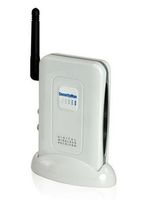
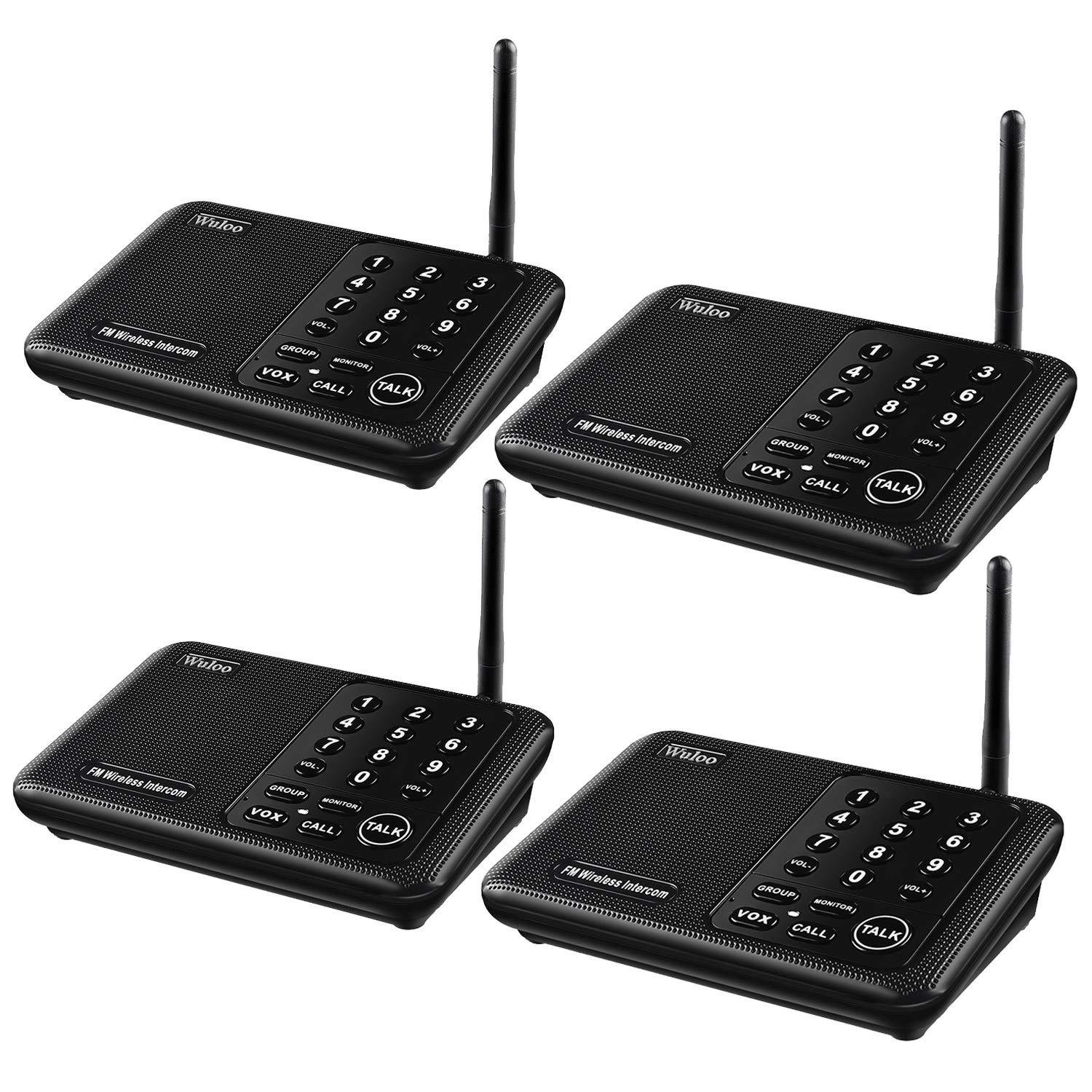
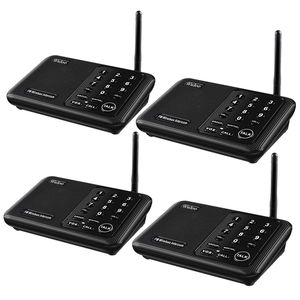
Wireless Intercom System for Home 5280 Feet Range 10 Channel 3 Code, Intercoms Wireless for Home House Business Office, Home Communication System, Room to Room Intercom Wuloo WL666
Specifications
Long Rang: 1/2 Mile (5280 Feet)
Multi-Channel: 10 Channel
Digital Code: A / B / C
Monitor Time: 10 Hours (Reset after 10 hours)
Power Port: AC adapter 5V - 1A
Package Include
4 * Adapter
4 * Cable
4 * Wireless Intercom
1 * User Manual
Troubleshooting
1.Channel key does not light
Check the AC power cord. Is it connected properly? Or change AC adapter to test
2. Cannot receive response
Please make sure the intercom set to designated channel? If not, be sure to release TALK when you are not speaking into the intercom. Also be sure to press TALK or CALL when the intercom is in MONITOR mode.
3. Cannot talk to another intercom
Are both intercoms set to the same channel and code? Please make sure they are properly set up and that you've waited until the other user has finished talking.
4.Strong and continuous "beep" sound, static noise
Move intercoms further apart to eliminate audio feedback. Or, change your intercom to another channel or code.
5. Unit doesn't work
Try the units in a different location. If the units work in a different location but not in your home, there may be a problem with your home concrete wall.
6. Cannot communicate
Confirm both units are set to the same channel and code when you want to communicate. Or, change locations by using Power Bank and moving to other locations for better reception and transmission. Or change the channel code.
Note
We sincerely suggest that you can read User Manual carefully before you use our intercom system. If you have any question in using, please feel free to contact us and we will solved the problem for you within 24 business hours.
Specifications
Long Rang: 1/2 Mile (5280 Feet)
Multi-Channel: 10 Channel
Digital Code: A / B / C
Monitor Time: 10 Hours (Reset after 10 hours)
Power Port: AC adapter 5V - 1A
Package Include
4 * Adapter
4 * Cable
4 * Wireless Intercom
1 * User Manual
Troubleshooting
1.Channel key does not light
Check the AC power cord. Is it connected properly? Or change AC adapter to test
2. Cannot receive response
Please make sure the intercom set to designated channel? If not, be sure to release TALK when you are not speaking into the intercom. Also be sure to press TALK or CALL when the intercom is in MONITOR mode.
3. Cannot talk to another intercom
Are both intercoms set to the same channel and code? Please make sure they are properly set up and that you've waited until the other user has finished talking.
4.Strong and continuous "beep" sound, static noise
Move intercoms further apart to eliminate audio feedback. Or, change your intercom to another channel or code.
5. Unit doesn't work
Try the units in a different location. If the units work in a different location but not in your home, there may be a problem with your home concrete wall.
6. Cannot communicate
Confirm both units are set to the same channel and code when you want to communicate. Or, change locations by using Power Bank and moving to other locations for better reception and transmission. Or change the channel code.
Note
We sincerely suggest that you can read User Manual carefully before you use our intercom system. If you have any question in using, please feel free to contact us and we will solved the problem for you within 24 business hours.
Wireless Intercom System for Home 5280 Feet Range 10 Channel 3 Code, Intercoms Wireless for Home House Business Office, Home Communication System, Room to Room Intercom Wuloo WL666
Price is below average
Current Price
$109.99
Average
$123.39
Min Price
$109.99
Max Price
$134.99
Price dynamics
11%
Description
Wireless Intercom System for Home 5280 Feet Range 10 Channel 3 Code, Intercoms Wireless for Home House Business Office, Home Communication System, Room to Room Intercom Wuloo WL666
Specifications
Long Rang: 1/2 Mile (5280 Feet)
Multi-Channel: 10 Channel
Digital Code: A / B / C
Monitor Time: 10 Hours (Reset after 10 hours)
Power Port: AC adapter 5V - 1A
Package Include
4 * Adapter
4 * Cable
4 * Wireless Intercom
1 * User Manual
Troubleshooting
1.Channel key does not light
Check the AC power cord. Is it connected properly? Or change AC adapter to test
2. Cannot receive response
Please make sure the intercom set to designated channel? If not, be sure to release TALK when you are not speaking into the intercom. Also be sure to press TALK or CALL when the intercom is in MONITOR mode.
3. Cannot talk to another intercom
Are both intercoms set to the same channel and code? Please make sure they are properly set up and that you've waited until the other user has finished talking.
4.Strong and continuous "beep" sound, static noise
Move intercoms further apart to eliminate audio feedback. Or, change your intercom to another channel or code.
5. Unit doesn't work
Try the units in a different location. If the units work in a different location but not in your home, there may be a problem with your home concrete wall.
6. Cannot communicate
Confirm both units are set to the same channel and code when you want to communicate. Or, change locations by using Power Bank and moving to other locations for better reception and transmission. Or change the channel code.
Note
We sincerely suggest that you can read User Manual carefully before you use our intercom system. If you have any question in using, please feel free to contact us and we will solved the problem for you within 24 business hours.
Specifications
Long Rang: 1/2 Mile (5280 Feet)
Multi-Channel: 10 Channel
Digital Code: A / B / C
Monitor Time: 10 Hours (Reset after 10 hours)
Power Port: AC adapter 5V - 1A
Package Include
4 * Adapter
4 * Cable
4 * Wireless Intercom
1 * User Manual
Troubleshooting
1.Channel key does not light
Check the AC power cord. Is it connected properly? Or change AC adapter to test
2. Cannot receive response
Please make sure the intercom set to designated channel? If not, be sure to release TALK when you are not speaking into the intercom. Also be sure to press TALK or CALL when the intercom is in MONITOR mode.
3. Cannot talk to another intercom
Are both intercoms set to the same channel and code? Please make sure they are properly set up and that you've waited until the other user has finished talking.
4.Strong and continuous "beep" sound, static noise
Move intercoms further apart to eliminate audio feedback. Or, change your intercom to another channel or code.
5. Unit doesn't work
Try the units in a different location. If the units work in a different location but not in your home, there may be a problem with your home concrete wall.
6. Cannot communicate
Confirm both units are set to the same channel and code when you want to communicate. Or, change locations by using Power Bank and moving to other locations for better reception and transmission. Or change the channel code.
Note
We sincerely suggest that you can read User Manual carefully before you use our intercom system. If you have any question in using, please feel free to contact us and we will solved the problem for you within 24 business hours.
Price will be lower
in next 2 weeks
in next 2 weeks
According to the data, price will be lower in next two weeks, so not waste your money and track better price!
Product review & video
this is the walu WL 666 intercom this intercom is an FM wireless device so it does not need a Wi-Fi network to function you'll need to set your other devices to the same channel and code to receive communication you'll gain extra privacy from neighbors and others who might also be on the same channel by adding a code only those who have the code will be able to access the channel line the intercom has clear sound quality and long-range an enhanced signal and 5,280 feet of range ensures crisp sound quality with 10 channels and 3 digital codes in the secure wireless intercom system your system is enhanced with anti interference plus it can work with other intercoms with the same digital channel code the main feature of this system includes the monitor Talk Vox group and calling function it's easy to increase and lower the volume too with step-by-step directions this intercom system is use


Similar products