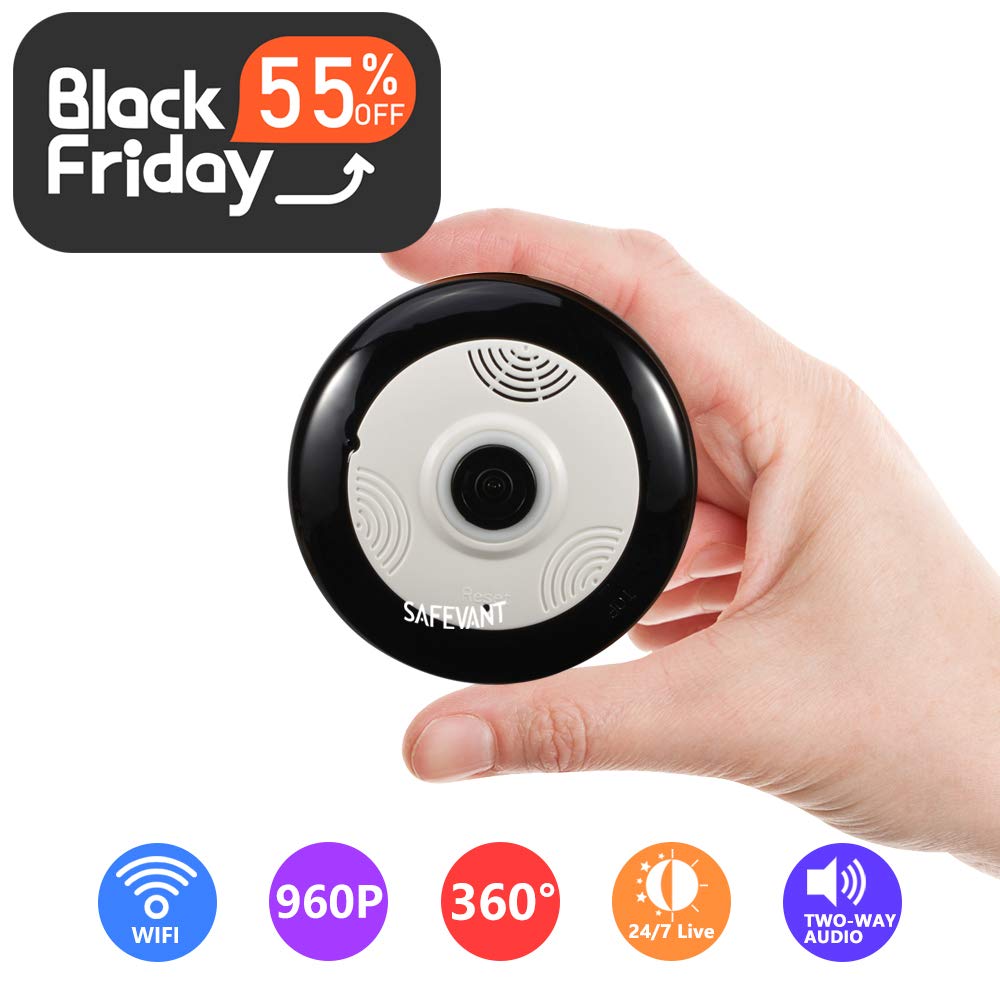
Safevant Camera makes it easy to watch your kids, elderly parents, or pets wirelessly on your smartphone or tablet anytime anywhere.
Simply plug in the power cable, download app and add the device by following on-screen instructions in just minutes. Quick Link Tech introduced and adopted to Safevant camera in order to build a more powerful WIFI signal coverage and make the connection quick and easy.
To be more specific
1. Plug in your camera. Set you network to 2.4ghz channel, and connect your mobile device to wifi.
2. Download the App by scanning the QR code on the box or Download directly from APP Store/ Play Store.
3. Register your account and log in.
4. Add and connect to your camera by following on-screen instructions and start to play.
How to add device user?
Maximum of 6 accounts are supported to view the same camera. After setup, go to Settings and choose 'Share device' to add more device user. Notice: Guest device users are not allowed to change camera settings.
Importance
1) Safevant IP camera is a 2.4ghz supported camera. If you have a dual-band router, be sure to segregate your wireless channels and connect the camera to the 2.4ghz channel.
2) System requirement: support Android 4.0 or iOS 8.0 above phone and tablet.
3) Micro SD card required (up to 128g) to activate motion detection and record, NOT included in the package.


4) Please click 'Allow' when App access to your location for setup.
5) Any concerns, our support team is available at 1-866-380-1888 or at safevantservice@hotmail.com
Wireless Security Camera, SAFEVANT HD Multifunctional Fisheye Panoramic Camera WiFi IP Camera with Two Way Audio Night Vision and 3D View
Safevant Camera makes it easy to watch your kids, elderly parents, or pets wirelessly on your smartphone or tablet anytime anywhere.
Simply plug in the power cable, download app and add the device by following on-screen instructions in just minutes. Quick Link Tech introduced and adopted to Safevant camera in order to build a more powerful WIFI signal coverage and make the connection quick and easy.
To be more specific
1. Plug in your camera. Set you network to 2.4ghz channel, and connect your mobile device to wifi.
2. Download the App by scanning the QR code on the box or Download directly from APP Store/ Play Store.
3. Register your account and log in.
4. Add and connect to your camera by following on-screen instructions and start to play.
How to add device user?
Maximum of 6 accounts are supported to view the same camera. After setup, go to Settings and choose 'Share device' to add more device user. Notice: Guest device users are not allowed to change camera settings.
Importance
1) Safevant IP camera is a 2.4ghz supported camera. If you have a dual-band router, be sure to segregate your wireless channels and connect the camera to the 2.4ghz channel.
2) System requirement: support Android 4.0 or iOS 8.0 above phone and tablet.
3) Micro SD card required (up to 128g) to activate motion detection and record, NOT included in the package.
4) Please click 'Allow' when App access to your location for setup.
5) Any concerns, our support team is available at 1-866-380-1888 or at safevantservice@hotmail.com
in next 2 weeks