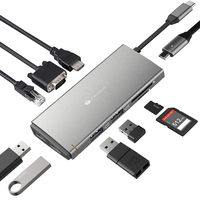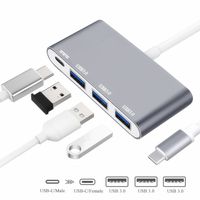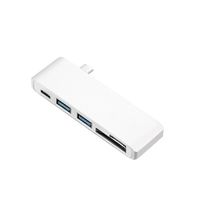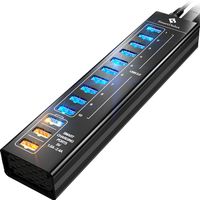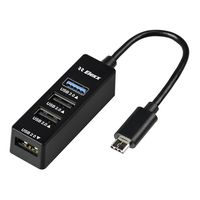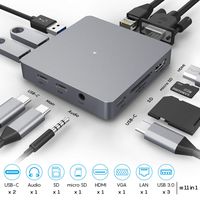
Description
Compatible Devices (Not a full list):
Laptops:
MacBook Pro 2018 2017 2016 / MacBook Air 2018 / MacBook 2018 2017 2016 2015 / New iMac / iMac Pro
Dell XPS13 / XPS15 /Inspiron 15 7000 / Inspiron 13 7000
HP Spectre 13 / Spectre X360 / ENVY 13/ ENVY X360 / HP EliteBook Folio G1
ASUS ZenBook3 / ZenBook Pro/ ZenBook Flip / ZenFone 3 Ultra / Liquid Jade Primo
Chrome / Chrome Pixelbook
Lenovo Yoga 920 / 910 / 720
Huawei Matebook
Supported Systems
Google Chrome OS; MAC OS; Windows7/8/10; Huawei Matebook; Xiaomi Book and other mainstream operating systems
Kindly Note:
Not fit for Thunderbolt 2 Ports;Not compatible with Apple Superdrive
The Max resolutions and refresh rates output of the adapter are entirely dependent on the USB-C host devices, connected cable and the display specifications.
Because the current output of the new Mac book is about 2.0A, when the load exceeds2 A, the computer will start the sell-protection function. It will be prompted that USB consumes a lot of power and is disabled. Pull the converter off (and turn off the disabled icon or restart)and reinsert it again. Priority should be given to inserting the power-consuming device such as the PD power supply(connecting hard disk). When it is not connected properly, please connect it. Electrical appliances are used in the Type-C base of the product to supply power to computers, hard disks and other equipment.
When inserting and unplugging the PD adapter, the connected USB device will be disconnected quickly, and then recovered in a few seconds to prevent data loss or damage. Please avoid disconnecting the connection between the PD adapter and the AC power supply when transmitting data.
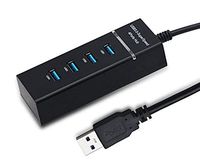
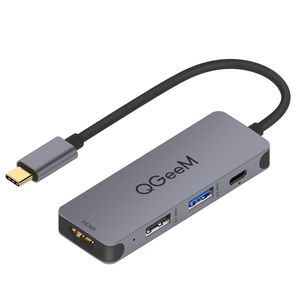
USB C HUB Adapter,QGeeM 4 in 1 USB C to HDMI Adapter with 4K USB-C to USB 3.0,Type C to USB 2.0, 100W PD Charger Compatible with MacBook Pro 2019/2018 IPad Pro,Chromebook,XPS,USB C to USB
Current Price
$18.99
Average
$11
Min Price
$0.11
Max Price
$21.99
Price dynamics
42%
Description
Compatible Devices (Not a full list):
Laptops:
MacBook Pro 2018 2017 2016 / MacBook Air 2018 / MacBook 2018 2017 2016 2015 / New iMac / iMac Pro
Dell XPS13 / XPS15 /Inspiron 15 7000 / Inspiron 13 7000
HP Spectre 13 / Spectre X360 / ENVY 13/ ENVY X360 / HP EliteBook Folio G1
ASUS ZenBook3 / ZenBook Pro/ ZenBook Flip / ZenFone 3 Ultra / Liquid Jade Primo
Chrome / Chrome Pixelbook
Lenovo Yoga 920 / 910 / 720
Huawei Matebook
Supported Systems
Google Chrome OS; MAC OS; Windows7/8/10; Huawei Matebook; Xiaomi Book and other mainstream operating systems
Kindly Note:
Not fit for Thunderbolt 2 Ports;Not compatible with Apple Superdrive
The Max resolutions and refresh rates output of the adapter are entirely dependent on the USB-C host devices, connected cable and the display specifications.
Because the current output of the new Mac book is about 2.0A, when the load exceeds2 A, the computer will start the sell-protection function. It will be prompted that USB consumes a lot of power and is disabled. Pull the converter off (and turn off the disabled icon or restart)and reinsert it again. Priority should be given to inserting the power-consuming device such as the PD power supply(connecting hard disk). When it is not connected properly, please connect it. Electrical appliances are used in the Type-C base of the product to supply power to computers, hard disks and other equipment.
When inserting and unplugging the PD adapter, the connected USB device will be disconnected quickly, and then recovered in a few seconds to prevent data loss or damage. Please avoid disconnecting the connection between the PD adapter and the AC power supply when transmitting data.
Price will be lower
in next 2 weeks
in next 2 weeks
According to the data, price will be lower in next two weeks, so not waste your money and track better price!
Product review & video
- Let's be honest, USB-C
is kind of a nightmare. Sure, one day we might
get to the point where every cable, every gadget, every screen uses the same next generation connector, but we're nowhere near that point today. Which means, if you've
got a new USB-C laptop, like a MacBook Pro, or
Dell's latest XPS 13, and you wanna use those old
ports from your old computer, stuff like regular USB, HDMI, ethernet, display port, SD, micro SD. All those old connectors that
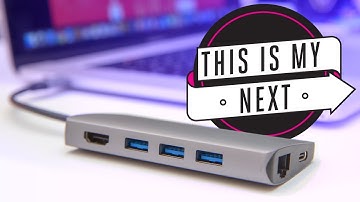
you used to use every day. You're gonna need a USB-C hub. (slow funky music) To be clear, for the
sake of this comparison, we're only looking at a
small subset of USB-C hubs. That means that we're
only talking about ones that offer some sort
of pass through powers, that you can keep charging your computer while you're using other stuff, and ones that don't need their
own integrated power supply. That means unfortunately,
all those

Similar products