Description
This 4-in-1 professional dome security camera built-in 1/2.7" CMOS Image Sensor, with 1.0 Megapixel Resolution and an advanced circuit design, it adopts an advanced image processing technology.
The camera resolution is as high as 720p Full HD, which ensures clear and bright pictures.
This 720P HD camera has a built-in OSD menu that can change the 4 different video outputs HD-TVI, AHD, CVI, and CVBS(960H) and adjust the video settings.
Operation Mode.
Switch from AHD: Press Leftward for 5 Seconds
Switch from TVI: Press Rightward for 5 Seconds
Switch from CVBS: Press Upward for 5 Seconds
Switch from CVI: Press Downward for 5 Seconds
This 4-in1 camera is fully compatible for the following HD DVRS:
Hikvision, Dahua, GW, LTS, Q-see, Swann, Samsung, Night Owl, Best Vision, HD View,
HQ-CAM, Annke, Aposonic, I-DVR Pro, Vonnic, Digital Watchdog, Logisaf, Sannce,
Venetech, Speco, Alibi, KT&C, Cantek, ZOSI and many more.
Troubleshooting
Q: Video Loss appears where the image from my camera should be displaying on my DVR?
A: 1.Check the extension cable (power and video) is securely connected to the camera.
2.Check the video output from the camera is securely connected to a video input channel on the DVR.
3.Check the power from the camera is securely connected to a power supply.
4. The camera mode do not match your DVR.there is 2 ways to setup .
(1) Press OSD Joystick “DOWN” 5 seconds,if still no picture come, try to press “LEFT” “RIGHT””UP” for 5 second, till the signal matching your DVR.
(2) Make sure the signal of your DVR, Use OSD Joystick to change the mode of the camera according to your DVRs video Mode.
Package Contents
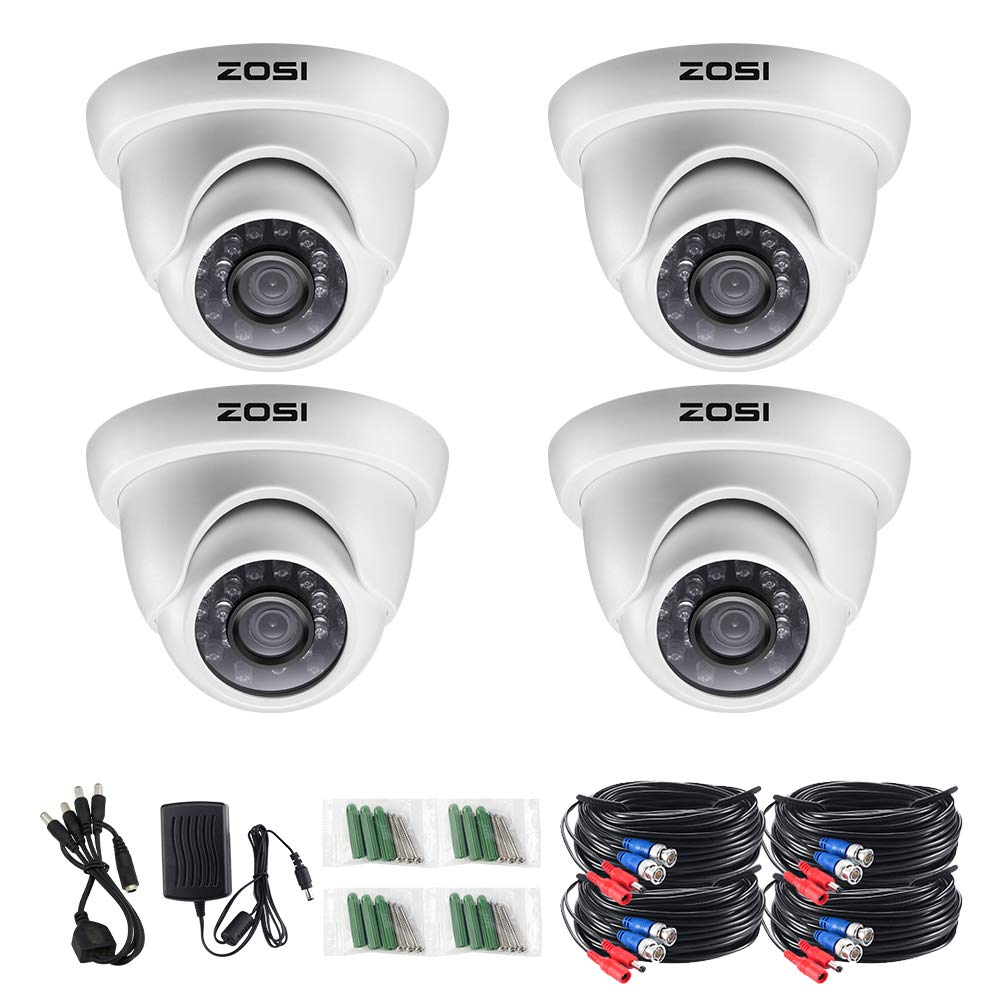
4 x 720p 4 in 1 TVI/CVI/AHD/CVBS Camera
4 x 60FT CCTV Cable
1x 2A Power Adapter
1 x 1 to 4 Power Splitter cable
1 x Instruction manual
The camera resolution is as high as 720p Full HD, which ensures clear and bright pictures.
This 720P HD camera has a built-in OSD menu that can change the 4 different video outputs HD-TVI, AHD, CVI, and CVBS(960H) and adjust the video settings.
Operation Mode.
Switch from AHD: Press Leftward for 5 Seconds
Switch from TVI: Press Rightward for 5 Seconds
Switch from CVBS: Press Upward for 5 Seconds
Switch from CVI: Press Downward for 5 Seconds
This 4-in1 camera is fully compatible for the following HD DVRS:
Hikvision, Dahua, GW, LTS, Q-see, Swann, Samsung, Night Owl, Best Vision, HD View,
HQ-CAM, Annke, Aposonic, I-DVR Pro, Vonnic, Digital Watchdog, Logisaf, Sannce,
Venetech, Speco, Alibi, KT&C, Cantek, ZOSI and many more.
Troubleshooting
Q: Video Loss appears where the image from my camera should be displaying on my DVR?
A: 1.Check the extension cable (power and video) is securely connected to the camera.
2.Check the video output from the camera is securely connected to a video input channel on the DVR.
3.Check the power from the camera is securely connected to a power supply.
4. The camera mode do not match your DVR.there is 2 ways to setup .
(1) Press OSD Joystick “DOWN” 5 seconds,if still no picture come, try to press “LEFT” “RIGHT””UP” for 5 second, till the signal matching your DVR.
(2) Make sure the signal of your DVR, Use OSD Joystick to change the mode of the camera according to your DVRs video Mode.
Package Contents
4 x 720p 4 in 1 TVI/CVI/AHD/CVBS Camera
4 x 60FT CCTV Cable
1x 2A Power Adapter
1 x 1 to 4 Power Splitter cable
1 x Instruction manual
ZOSI 4 Pack 720P 1.0MP 4-in-1 TVI/CVI/AHD/CVBS Outdoor Indoor Surveillance Security Dome Camera Compatible for HD-TVI, AHD, CVI, and CVBS/960H Analog DVR System
Current Price
$75.15
Average
$74.38
Min Price
$67.58
Max Price
$80.04
Price dynamics
1%
Description
This 4-in-1 professional dome security camera built-in 1/2.7" CMOS Image Sensor, with 1.0 Megapixel Resolution and an advanced circuit design, it adopts an advanced image processing technology.
The camera resolution is as high as 720p Full HD, which ensures clear and bright pictures.
This 720P HD camera has a built-in OSD menu that can change the 4 different video outputs HD-TVI, AHD, CVI, and CVBS(960H) and adjust the video settings.
Operation Mode.
Switch from AHD: Press Leftward for 5 Seconds
Switch from TVI: Press Rightward for 5 Seconds
Switch from CVBS: Press Upward for 5 Seconds
Switch from CVI: Press Downward for 5 Seconds
This 4-in1 camera is fully compatible for the following HD DVRS:
Hikvision, Dahua, GW, LTS, Q-see, Swann, Samsung, Night Owl, Best Vision, HD View,
HQ-CAM, Annke, Aposonic, I-DVR Pro, Vonnic, Digital Watchdog, Logisaf, Sannce,
Venetech, Speco, Alibi, KT&C, Cantek, ZOSI and many more.
Troubleshooting
Q: Video Loss appears where the image from my camera should be displaying on my DVR?
A: 1.Check the extension cable (power and video) is securely connected to the camera.
2.Check the video output from the camera is securely connected to a video input channel on the DVR.
3.Check the power from the camera is securely connected to a power supply.
4. The camera mode do not match your DVR.there is 2 ways to setup .
(1) Press OSD Joystick “DOWN” 5 seconds,if still no picture come, try to press “LEFT” “RIGHT””UP” for 5 second, till the signal matching your DVR.
(2) Make sure the signal of your DVR, Use OSD Joystick to change the mode of the camera according to your DVRs video Mode.
Package Contents
4 x 720p 4 in 1 TVI/CVI/AHD/CVBS Camera
4 x 60FT CCTV Cable
1x 2A Power Adapter
1 x 1 to 4 Power Splitter cable
1 x Instruction manual
The camera resolution is as high as 720p Full HD, which ensures clear and bright pictures.
This 720P HD camera has a built-in OSD menu that can change the 4 different video outputs HD-TVI, AHD, CVI, and CVBS(960H) and adjust the video settings.
Operation Mode.
Switch from AHD: Press Leftward for 5 Seconds
Switch from TVI: Press Rightward for 5 Seconds
Switch from CVBS: Press Upward for 5 Seconds
Switch from CVI: Press Downward for 5 Seconds
This 4-in1 camera is fully compatible for the following HD DVRS:
Hikvision, Dahua, GW, LTS, Q-see, Swann, Samsung, Night Owl, Best Vision, HD View,
HQ-CAM, Annke, Aposonic, I-DVR Pro, Vonnic, Digital Watchdog, Logisaf, Sannce,
Venetech, Speco, Alibi, KT&C, Cantek, ZOSI and many more.
Troubleshooting
Q: Video Loss appears where the image from my camera should be displaying on my DVR?
A: 1.Check the extension cable (power and video) is securely connected to the camera.
2.Check the video output from the camera is securely connected to a video input channel on the DVR.
3.Check the power from the camera is securely connected to a power supply.
4. The camera mode do not match your DVR.there is 2 ways to setup .
(1) Press OSD Joystick “DOWN” 5 seconds,if still no picture come, try to press “LEFT” “RIGHT””UP” for 5 second, till the signal matching your DVR.
(2) Make sure the signal of your DVR, Use OSD Joystick to change the mode of the camera according to your DVRs video Mode.
Package Contents
4 x 720p 4 in 1 TVI/CVI/AHD/CVBS Camera
4 x 60FT CCTV Cable
1x 2A Power Adapter
1 x 1 to 4 Power Splitter cable
1 x Instruction manual
Price will be lower
in next 2 weeks
in next 2 weeks
According to the data, price will be lower in next two weeks, so not waste your money and track better price!
Product review & video
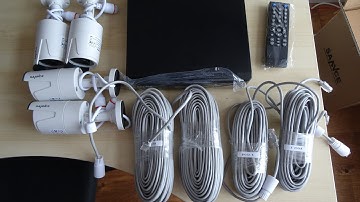
today I'm unboxing and setting up a CCTV system purchase from Amazon I think you can ounce it Aniki it's a 1080p CC system come to four cameras and recorder the hard this has to be purchased separately let's see what's in the packaging first of all so let's take Kate all cameras fly to cables I thought there'd be more cables I did read a few reviews when little bits were missing so Oh some long tables in here hey let's see recorder Quick Start I out the way see what's in here okay oh nice remote control and guess power cable for the actual folder let's check out one of these cameras first of all okay so quite light compact and I was wondering how the cable would go in so this is quite good just do a hole in the area and then put this straight over there I guess you can just tighten up the sides looks like and add on the key okay so good so far see the QuickStart guide so obviously it do


Similar products