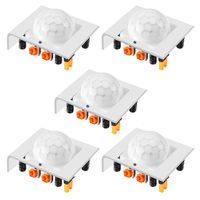
Description
NPL means New Products for Life
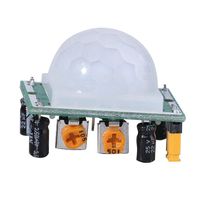
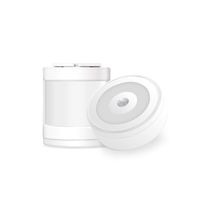
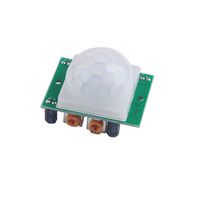
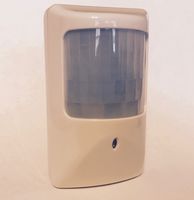
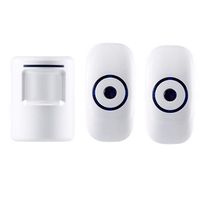
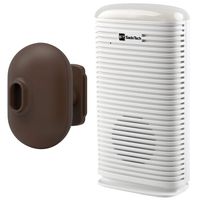
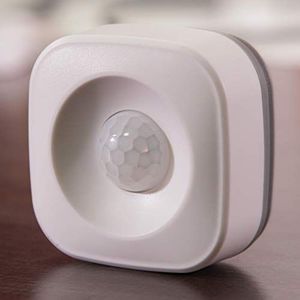
NPL WIFI Pir motion Sensor, provides a simple way to monitor critical points of your house or office. It connect to 2.4G WiFi directly, no HUB requited, easy to set up Your own security System. Get an instance alert when there's unexpected movement by your Android/ Apple phone at anywhere.
How to install the door sensor?
Small in volume with fashionable and wireless design, can be fixed on anywhere by 3M tape or screw easily. Please pay attention:
This sensor should not be mounted directly on or near metal framing or other large metallic object. Only be placed indoor and away from water and other extreme weather conditions.
If you are experiencing a situation where the mobile app cannot receive push notifications, don't worry, it is our system upgrade and maintenance, there will be 12-48 hour push pause. The message record in the mobile app can query the record of the switch. For the sake of server security and stability, we will maintain and update the server from time to time.
Connection
1. Made sure the wifi pir motion sensor & your smart phone are in same 2.4G WiFi environment when first time pairing.
2. Download the APP named as "Smart Life" Connect" from Apple Store or Google Play.
3. Start APP and register an account with your email address. Login APP with your account and press the "+" Upper right corner, then press"ALL",chose the"Pir sensor", (read "how to make indicator rapidly blink").
4.Power on the Sensor and hold the button inback for 5 senonds, then you will find the light rapidly flashing. Next enter the wifi password. The sensor will connect in a while.
5.Enjoy the smart sensor.
NPL WIFI Pir motion Sensor, provides a simple way to monitor critical points of your house or office. It connect to 2.4G WiFi directly, no HUB requited, easy to set up Your own security System. Get an instance alert when there's unexpected movement by your Android/ Apple phone at anywhere.
How to install the door sensor?
Small in volume with fashionable and wireless design, can be fixed on anywhere by 3M tape or screw easily. Please pay attention:
This sensor should not be mounted directly on or near metal framing or other large metallic object. Only be placed indoor and away from water and other extreme weather conditions.
If you are experiencing a situation where the mobile app cannot receive push notifications, don't worry, it is our system upgrade and maintenance, there will be 12-48 hour push pause. The message record in the mobile app can query the record of the switch. For the sake of server security and stability, we will maintain and update the server from time to time.
Connection
1. Made sure the wifi pir motion sensor & your smart phone are in same 2.4G WiFi environment when first time pairing.
2. Download the APP named as "Smart Life" Connect" from Apple Store or Google Play.
3. Start APP and register an account with your email address. Login APP with your account and press the "+" Upper right corner, then press"ALL",chose the"Pir sensor", (read "how to make indicator rapidly blink").
4.Power on the Sensor and hold the button inback for 5 senonds, then you will find the light rapidly flashing. Next enter the wifi password. The sensor will connect in a while.
5.Enjoy the smart sensor.
6 Pcs WiFi PIR Motion Sensor for Home Office Security Alarm Compatible with Alexa Google Home IFttt
Current Price
$150
Average
$125
Min Price
$100
Max Price
$150
Price dynamics
17%
Description
NPL means New Products for Life
NPL WIFI Pir motion Sensor, provides a simple way to monitor critical points of your house or office. It connect to 2.4G WiFi directly, no HUB requited, easy to set up Your own security System. Get an instance alert when there's unexpected movement by your Android/ Apple phone at anywhere.
How to install the door sensor?
Small in volume with fashionable and wireless design, can be fixed on anywhere by 3M tape or screw easily. Please pay attention:
This sensor should not be mounted directly on or near metal framing or other large metallic object. Only be placed indoor and away from water and other extreme weather conditions.
If you are experiencing a situation where the mobile app cannot receive push notifications, don't worry, it is our system upgrade and maintenance, there will be 12-48 hour push pause. The message record in the mobile app can query the record of the switch. For the sake of server security and stability, we will maintain and update the server from time to time.
Connection
1. Made sure the wifi pir motion sensor & your smart phone are in same 2.4G WiFi environment when first time pairing.
2. Download the APP named as "Smart Life" Connect" from Apple Store or Google Play.
3. Start APP and register an account with your email address. Login APP with your account and press the "+" Upper right corner, then press"ALL",chose the"Pir sensor", (read "how to make indicator rapidly blink").
4.Power on the Sensor and hold the button inback for 5 senonds, then you will find the light rapidly flashing. Next enter the wifi password. The sensor will connect in a while.
5.Enjoy the smart sensor.
NPL WIFI Pir motion Sensor, provides a simple way to monitor critical points of your house or office. It connect to 2.4G WiFi directly, no HUB requited, easy to set up Your own security System. Get an instance alert when there's unexpected movement by your Android/ Apple phone at anywhere.
How to install the door sensor?
Small in volume with fashionable and wireless design, can be fixed on anywhere by 3M tape or screw easily. Please pay attention:
This sensor should not be mounted directly on or near metal framing or other large metallic object. Only be placed indoor and away from water and other extreme weather conditions.
If you are experiencing a situation where the mobile app cannot receive push notifications, don't worry, it is our system upgrade and maintenance, there will be 12-48 hour push pause. The message record in the mobile app can query the record of the switch. For the sake of server security and stability, we will maintain and update the server from time to time.
Connection
1. Made sure the wifi pir motion sensor & your smart phone are in same 2.4G WiFi environment when first time pairing.
2. Download the APP named as "Smart Life" Connect" from Apple Store or Google Play.
3. Start APP and register an account with your email address. Login APP with your account and press the "+" Upper right corner, then press"ALL",chose the"Pir sensor", (read "how to make indicator rapidly blink").
4.Power on the Sensor and hold the button inback for 5 senonds, then you will find the light rapidly flashing. Next enter the wifi password. The sensor will connect in a while.
5.Enjoy the smart sensor.
Price will be lower
in next 2 weeks
in next 2 weeks
According to the data, price will be lower in next two weeks, so not waste your money and track better price!
Product review & video
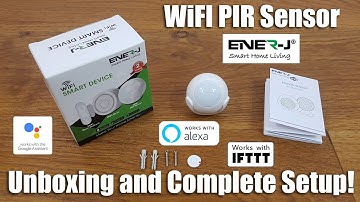
[Music] hi there today we're unboxing a Wi-Fi PIR sensor this particular sensor is by a company called energy details are in the description below for anyone thinking of purchasing so on the actual box itself it shows some other sensors they also have some Wi-Fi once so they've got a door contact they've got a Wi-Fi siren and obviously this PIR sensor so let's have a quick look around the actual packaging so on their indicates it comes with a two-year warranty if I come round obviously indicating what this package is since the PIR sensor has a diagram showing the actual different items and obviously some details about the functionality ok let's open it up and see what we get ok so got some instructions some fixtures and the actual PIR okay so I've laid out everything you get in the packaging so let me quickly go through the items so initially you've got some instructions just briefly sh

Similar products