Description
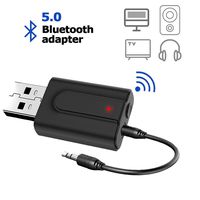
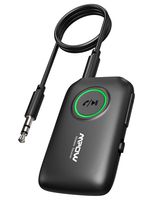
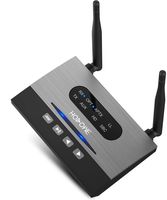
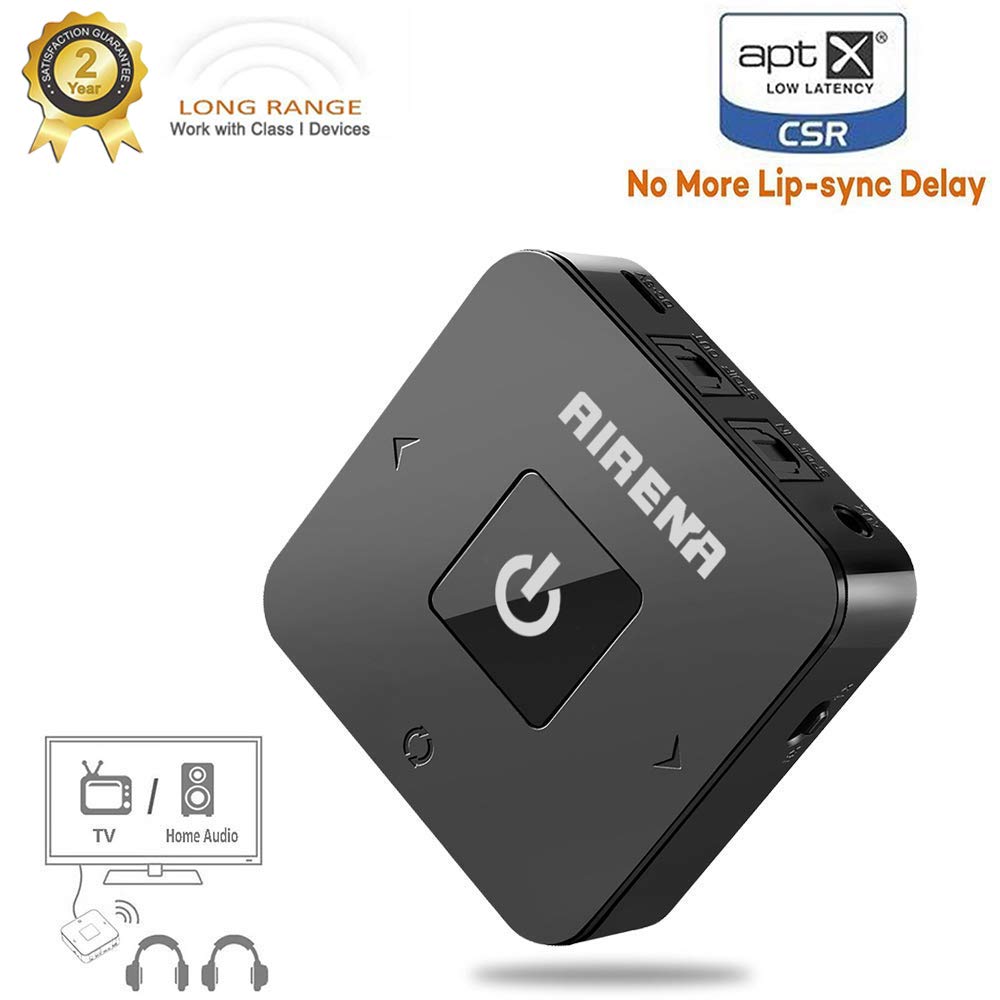
The best choice for bluetooth transmitter/receiver for TV, Home / Car Stereo System
How To Use As a Transmitter:
1, Make sure you have turned the switch to "TX" mode before power BTA 06 on;
2, Insert the 3.5mm audio cable or optical cable from the audio output port of your media play device;
3, After power the device on, short press the pairing button, it will be in pairing state, the green light flashing quickly;
The indicator will stay on green if pair successfully.
How To Use As a Receiver:
1, Make sure you have turned the switch to "RX" mode before power BTA 06 on;
2, Connect the device to your smart phone with 3.5mm audio cable or optical cable;
3, Short press the pairing button after power the device on, it will be in pairing state, the blue light flashing quickly,
then pair the device to your phone, enjoy your smart life.
Multiple Connecting Options (OPTICAL + 3.5mm AUX + RCA):
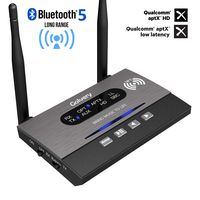
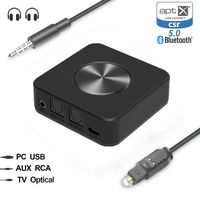
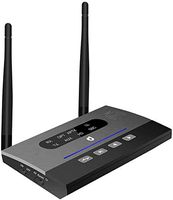
Apart from 3.5mm Aux/RCA connection, the audio Bluetooth adapter also supports optical cable input and output.
With provided optical cable, you can enjoy dedicated sound channel and high-quality digital sound on both transmitter and receiver modes.
SPIDF (Digital audio port): To transfer digital stereo audio.
AUX (Analog audio port): To transfer analog stereo audio.
NOTE: Please make sure you have turned the switch to SPIDF or AUX mode after power BTA 06 off,
then wait for about 5 seconds to turn BTA 06 on again to enjoy smart life.
Low Latency, Instant Sound:
With transmitter mode you can get sound NOW thanks to aptX Low Latency technology which reduces end-to-end lag time to 40 milliseconds.
NOTE: APTX only in RX mode in case of the compatibility for Bluetooth headphones which doesn't have aptx.
How To Use As a Transmitter:
1, Make sure you have turned the switch to "TX" mode before power BTA 06 on;
2, Insert the 3.5mm audio cable or optical cable from the audio output port of your media play device;
3, After power the device on, short press the pairing button, it will be in pairing state, the green light flashing quickly;
The indicator will stay on green if pair successfully.
How To Use As a Receiver:
1, Make sure you have turned the switch to "RX" mode before power BTA 06 on;
2, Connect the device to your smart phone with 3.5mm audio cable or optical cable;
3, Short press the pairing button after power the device on, it will be in pairing state, the blue light flashing quickly,
then pair the device to your phone, enjoy your smart life.
Multiple Connecting Options (OPTICAL + 3.5mm AUX + RCA):
Apart from 3.5mm Aux/RCA connection, the audio Bluetooth adapter also supports optical cable input and output.
With provided optical cable, you can enjoy dedicated sound channel and high-quality digital sound on both transmitter and receiver modes.
SPIDF (Digital audio port): To transfer digital stereo audio.
AUX (Analog audio port): To transfer analog stereo audio.
NOTE: Please make sure you have turned the switch to SPIDF or AUX mode after power BTA 06 off,
then wait for about 5 seconds to turn BTA 06 on again to enjoy smart life.
Low Latency, Instant Sound:
With transmitter mode you can get sound NOW thanks to aptX Low Latency technology which reduces end-to-end lag time to 40 milliseconds.
NOTE: APTX only in RX mode in case of the compatibility for Bluetooth headphones which doesn't have aptx.
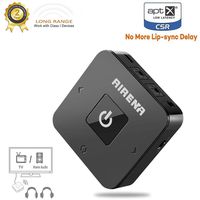
AIRENA Bluetooth Transmitter Receiver, 100ft Long Range Bluetooth Transmitter for TV, Wireless Bluetooth TV Audio Adapter,Support Dual Link with aptX Low Latency, Digital Optical/AUX/RCA
Current Price
$34.99
Average
$33.62
Min Price
$29.99
Max Price
$39.99
Price dynamics
4%
Description
The best choice for bluetooth transmitter/receiver for TV, Home / Car Stereo System
How To Use As a Transmitter:
1, Make sure you have turned the switch to "TX" mode before power BTA 06 on;
2, Insert the 3.5mm audio cable or optical cable from the audio output port of your media play device;
3, After power the device on, short press the pairing button, it will be in pairing state, the green light flashing quickly;
The indicator will stay on green if pair successfully.
How To Use As a Receiver:
1, Make sure you have turned the switch to "RX" mode before power BTA 06 on;
2, Connect the device to your smart phone with 3.5mm audio cable or optical cable;
3, Short press the pairing button after power the device on, it will be in pairing state, the blue light flashing quickly,
then pair the device to your phone, enjoy your smart life.
Multiple Connecting Options (OPTICAL + 3.5mm AUX + RCA):
Apart from 3.5mm Aux/RCA connection, the audio Bluetooth adapter also supports optical cable input and output.
With provided optical cable, you can enjoy dedicated sound channel and high-quality digital sound on both transmitter and receiver modes.
SPIDF (Digital audio port): To transfer digital stereo audio.
AUX (Analog audio port): To transfer analog stereo audio.
NOTE: Please make sure you have turned the switch to SPIDF or AUX mode after power BTA 06 off,
then wait for about 5 seconds to turn BTA 06 on again to enjoy smart life.
Low Latency, Instant Sound:
With transmitter mode you can get sound NOW thanks to aptX Low Latency technology which reduces end-to-end lag time to 40 milliseconds.
NOTE: APTX only in RX mode in case of the compatibility for Bluetooth headphones which doesn't have aptx.
How To Use As a Transmitter:
1, Make sure you have turned the switch to "TX" mode before power BTA 06 on;
2, Insert the 3.5mm audio cable or optical cable from the audio output port of your media play device;
3, After power the device on, short press the pairing button, it will be in pairing state, the green light flashing quickly;
The indicator will stay on green if pair successfully.
How To Use As a Receiver:
1, Make sure you have turned the switch to "RX" mode before power BTA 06 on;
2, Connect the device to your smart phone with 3.5mm audio cable or optical cable;
3, Short press the pairing button after power the device on, it will be in pairing state, the blue light flashing quickly,
then pair the device to your phone, enjoy your smart life.
Multiple Connecting Options (OPTICAL + 3.5mm AUX + RCA):
Apart from 3.5mm Aux/RCA connection, the audio Bluetooth adapter also supports optical cable input and output.
With provided optical cable, you can enjoy dedicated sound channel and high-quality digital sound on both transmitter and receiver modes.
SPIDF (Digital audio port): To transfer digital stereo audio.
AUX (Analog audio port): To transfer analog stereo audio.
NOTE: Please make sure you have turned the switch to SPIDF or AUX mode after power BTA 06 off,
then wait for about 5 seconds to turn BTA 06 on again to enjoy smart life.
Low Latency, Instant Sound:
With transmitter mode you can get sound NOW thanks to aptX Low Latency technology which reduces end-to-end lag time to 40 milliseconds.
NOTE: APTX only in RX mode in case of the compatibility for Bluetooth headphones which doesn't have aptx.
Price will be lower
in next 2 weeks
in next 2 weeks
According to the data, price will be lower in next two weeks, so not waste your money and track better price!
Product review & video
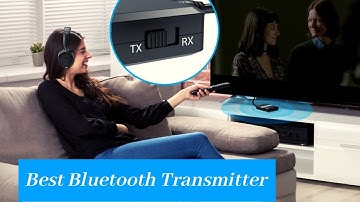
[Music] today's review is about the best Bluetooth transmitter on the market we've researched each product based on customer reviews prices and product features if you want to know which product will be the best for you stay tuned please don't forget to like and share this video you can also subscribe to our channel and press the bell icon to get notifications when we post a new video in the future at number one taotronics bluetooth 5.0 transmitter and receiver this is a 5.0 Bluetooth transmitter that's capable of being paired with two bluetooth enabled devices it can be used in two modes transmitter and receiver modes transmitter mode turns devices without Bluetooth capability into bluetooth transmitters in receiver mode you can easily stream music from your smart phone these sound quality from this device is quite rich as it utilizes aptX audio codec sound technology to give that deep


Similar products