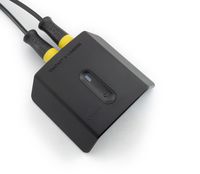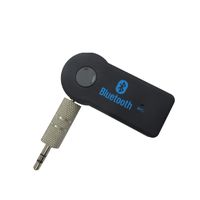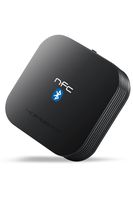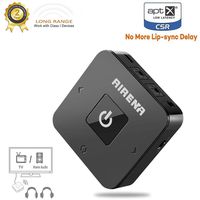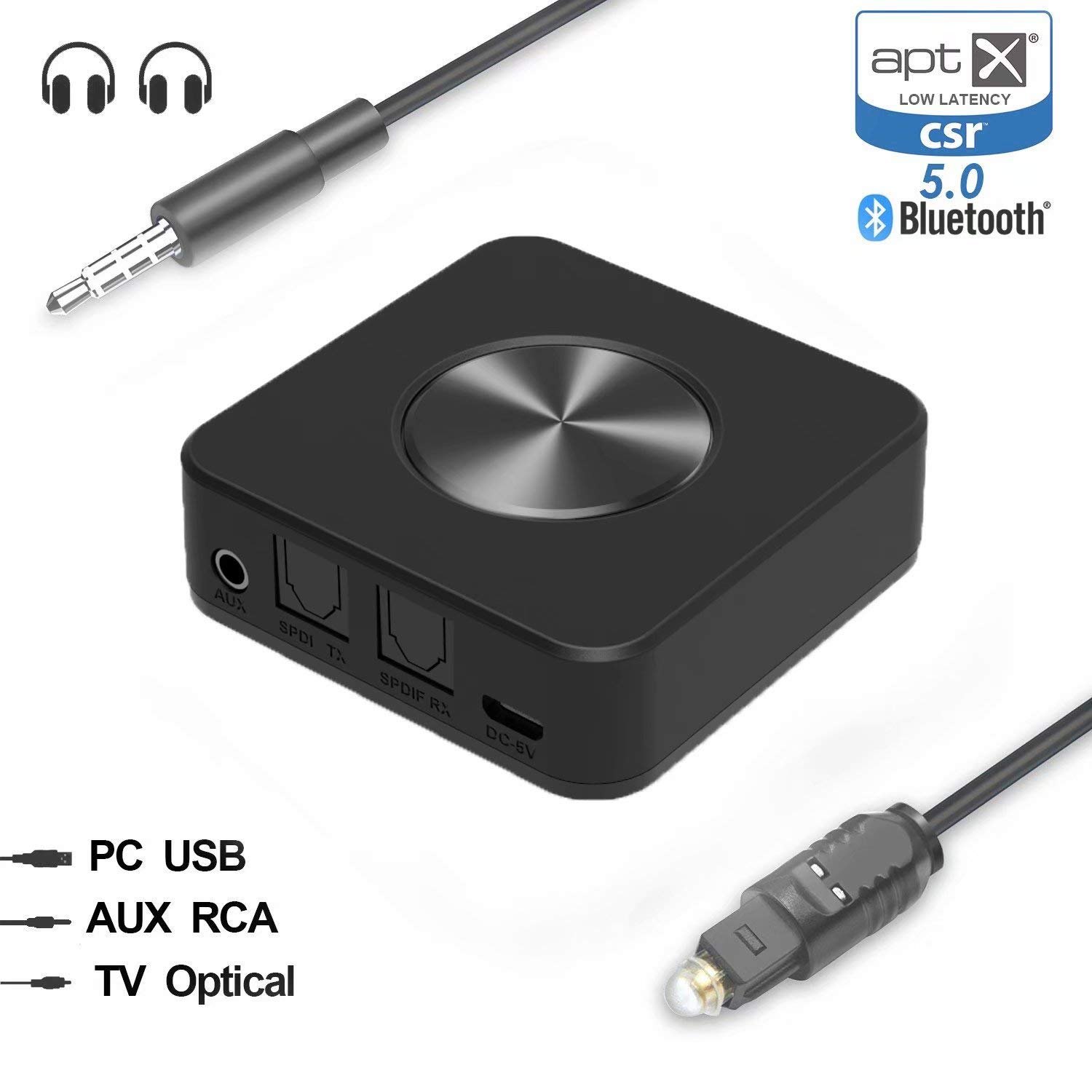
Description
What's useful for this product?
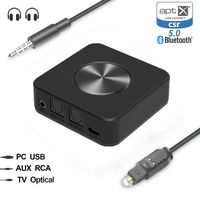
First,as a transmitter,it can transmit stereo Audio wirelessly from your non-Bluetooth Audio sources
such as TV, MP3, CD player, PC or book Reader to your Bluetooth-enabled headphones, speaker or receiver.
This way, you can enjoy high quality music wirelessly or listen to late night shows without disturbing your loved ones while they sleep.
Second, as a receiver, it should be connected to the audio in port of your wired audio device
via 3.5mm cable (wired earbuds, speaker or car stereo), and pair to your Bluetooth-enabled smartphone,
tablet or laptop. This way, you could enjoy high-quality music wirelessly without spending more to order Bluetooth headphones or speaker.
How to use?
Connect to TV via digital optical Audio out
1. Find the digital optical Audio out jack on your TV.
2. Connect the transmitter to your TV via the digital optical Audio out jack using the digital optical cable.
3. Pair the transmitter with your Bluetooth headphones/speakers.
Connect to TV via aux/ RCA audio out once the transmitter is connected to Bluetooth stereos,
the blue LED indicator will remain on. If there's no sound coming out from your stereos,
please kindly have a check see if you have plugged the unit into the audio output jack on your TV.
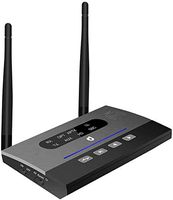
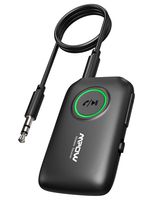
In the TX mode, it features blue LED to show which codec is in place, and green LED
to show whether both BT devices are successfully connected.
In the RX mode, it features red LED to show which codec is in place.
Accessaries:
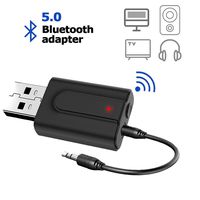
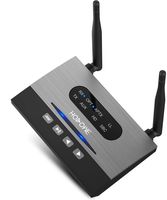
1 x Bluetooth 2-in-1 adapter
1 x 3ft digital optical slink cable/ 50cm audio cable
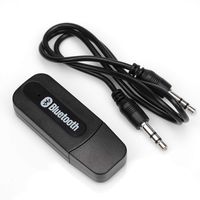
1 x 3. 5mm 1. 64ft/ 50cm audio cable
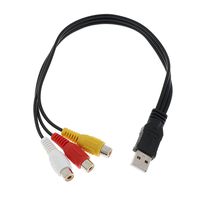
1 x 3. 5mm female to 2 RCA male Cable
1 x USB charging Cable
1 x user guide
First,as a transmitter,it can transmit stereo Audio wirelessly from your non-Bluetooth Audio sources
such as TV, MP3, CD player, PC or book Reader to your Bluetooth-enabled headphones, speaker or receiver.
This way, you can enjoy high quality music wirelessly or listen to late night shows without disturbing your loved ones while they sleep.
Second, as a receiver, it should be connected to the audio in port of your wired audio device
via 3.5mm cable (wired earbuds, speaker or car stereo), and pair to your Bluetooth-enabled smartphone,
tablet or laptop. This way, you could enjoy high-quality music wirelessly without spending more to order Bluetooth headphones or speaker.
How to use?
Connect to TV via digital optical Audio out
1. Find the digital optical Audio out jack on your TV.
2. Connect the transmitter to your TV via the digital optical Audio out jack using the digital optical cable.
3. Pair the transmitter with your Bluetooth headphones/speakers.
Connect to TV via aux/ RCA audio out once the transmitter is connected to Bluetooth stereos,
the blue LED indicator will remain on. If there's no sound coming out from your stereos,
please kindly have a check see if you have plugged the unit into the audio output jack on your TV.
In the TX mode, it features blue LED to show which codec is in place, and green LED
to show whether both BT devices are successfully connected.
In the RX mode, it features red LED to show which codec is in place.
Accessaries:
1 x Bluetooth 2-in-1 adapter
1 x 3ft digital optical slink cable/ 50cm audio cable
1 x 3. 5mm 1. 64ft/ 50cm audio cable
1 x 3. 5mm female to 2 RCA male Cable
1 x USB charging Cable
1 x user guide
YEHUA Bluetooth 5.0 Transmitter and Receiver and 3.5mm Wireless Audio Adapter for TV/Home Stereo System,Pair with 2 Bluetooth Headphones
Price is below average
Current Price
$22.89
Average
$26.99
Min Price
$22.89
Max Price
$29.99
Price dynamics
15%
Description
What's useful for this product?
First,as a transmitter,it can transmit stereo Audio wirelessly from your non-Bluetooth Audio sources
such as TV, MP3, CD player, PC or book Reader to your Bluetooth-enabled headphones, speaker or receiver.
This way, you can enjoy high quality music wirelessly or listen to late night shows without disturbing your loved ones while they sleep.
Second, as a receiver, it should be connected to the audio in port of your wired audio device
via 3.5mm cable (wired earbuds, speaker or car stereo), and pair to your Bluetooth-enabled smartphone,
tablet or laptop. This way, you could enjoy high-quality music wirelessly without spending more to order Bluetooth headphones or speaker.
How to use?
Connect to TV via digital optical Audio out
1. Find the digital optical Audio out jack on your TV.
2. Connect the transmitter to your TV via the digital optical Audio out jack using the digital optical cable.
3. Pair the transmitter with your Bluetooth headphones/speakers.
Connect to TV via aux/ RCA audio out once the transmitter is connected to Bluetooth stereos,
the blue LED indicator will remain on. If there's no sound coming out from your stereos,
please kindly have a check see if you have plugged the unit into the audio output jack on your TV.
In the TX mode, it features blue LED to show which codec is in place, and green LED
to show whether both BT devices are successfully connected.
In the RX mode, it features red LED to show which codec is in place.
Accessaries:
1 x Bluetooth 2-in-1 adapter
1 x 3ft digital optical slink cable/ 50cm audio cable
1 x 3. 5mm 1. 64ft/ 50cm audio cable
1 x 3. 5mm female to 2 RCA male Cable
1 x USB charging Cable
1 x user guide
First,as a transmitter,it can transmit stereo Audio wirelessly from your non-Bluetooth Audio sources
such as TV, MP3, CD player, PC or book Reader to your Bluetooth-enabled headphones, speaker or receiver.
This way, you can enjoy high quality music wirelessly or listen to late night shows without disturbing your loved ones while they sleep.
Second, as a receiver, it should be connected to the audio in port of your wired audio device
via 3.5mm cable (wired earbuds, speaker or car stereo), and pair to your Bluetooth-enabled smartphone,
tablet or laptop. This way, you could enjoy high-quality music wirelessly without spending more to order Bluetooth headphones or speaker.
How to use?
Connect to TV via digital optical Audio out
1. Find the digital optical Audio out jack on your TV.
2. Connect the transmitter to your TV via the digital optical Audio out jack using the digital optical cable.
3. Pair the transmitter with your Bluetooth headphones/speakers.
Connect to TV via aux/ RCA audio out once the transmitter is connected to Bluetooth stereos,
the blue LED indicator will remain on. If there's no sound coming out from your stereos,
please kindly have a check see if you have plugged the unit into the audio output jack on your TV.
In the TX mode, it features blue LED to show which codec is in place, and green LED
to show whether both BT devices are successfully connected.
In the RX mode, it features red LED to show which codec is in place.
Accessaries:
1 x Bluetooth 2-in-1 adapter
1 x 3ft digital optical slink cable/ 50cm audio cable
1 x 3. 5mm 1. 64ft/ 50cm audio cable
1 x 3. 5mm female to 2 RCA male Cable
1 x USB charging Cable
1 x user guide
Price will be lower
in next 2 weeks
in next 2 weeks
According to the data, price will be lower in next two weeks, so not waste your money and track better price!
Product review & video
hey guys Samir from Canada tech TV today we're going over an easy tip to improve your projector sound so best part is that this works for cheap projectors mid-level projectors expensive projectors regardless of what type you've got this is an easy way to produce better sound quality using your projector so guys the problems that you typically run into especially on the lower end and budget projector range is that you're gonna have very loud fans on some of those type of projectors even on better projectors and you start paying a little bit more that's what you're gonna run into the sound quality coming out of the actual projector and the speakers inside isn't going to be the best you're gonna be competing against that sound from the fan so what you can really do to bump up your sound quality is hook up an aux cable so a lot of these projectors even the budget kinds have a little microph


Similar products