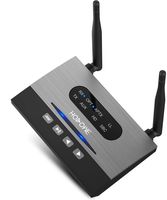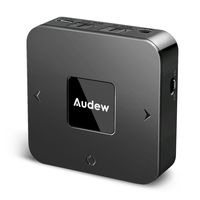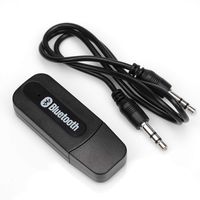
Description
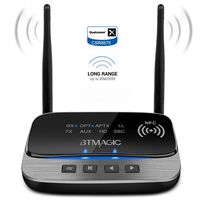
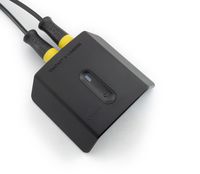
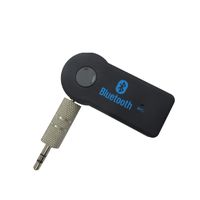
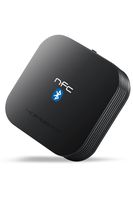
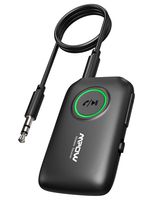
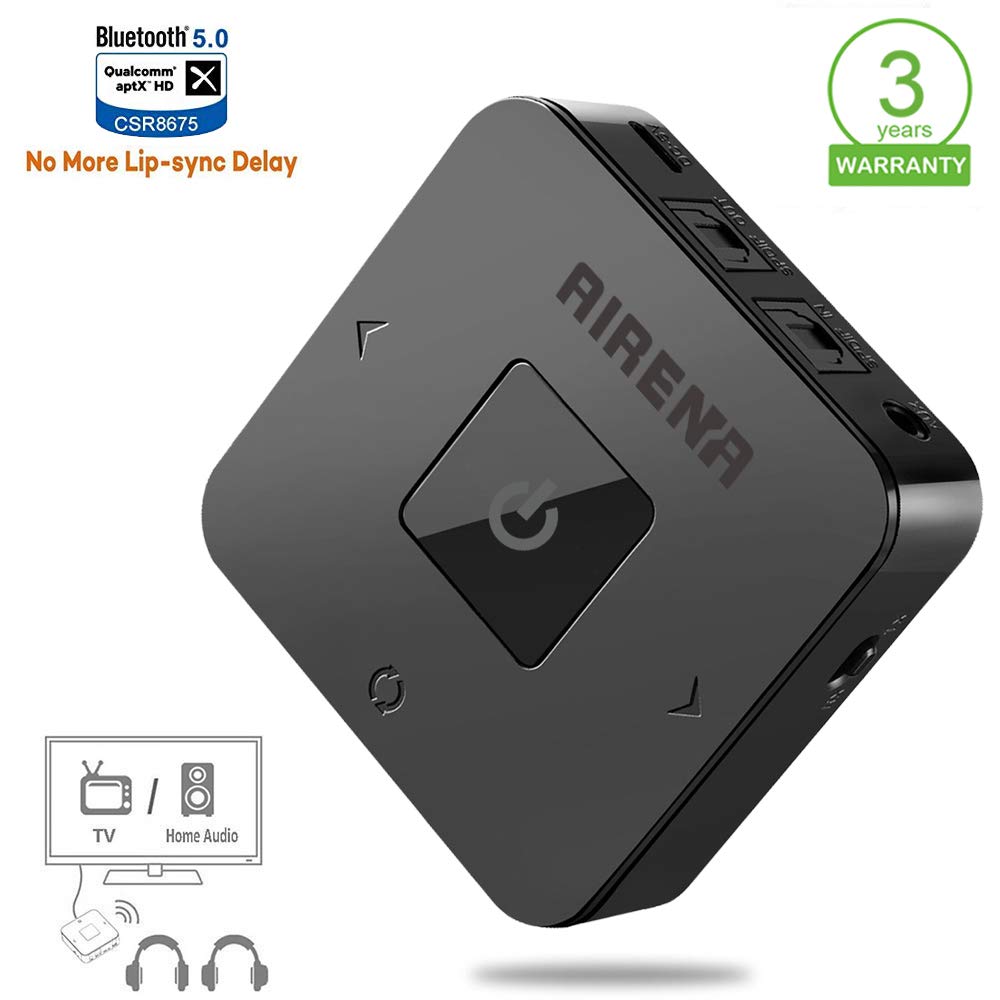
The best choice for bluetooth transmitter/receiver for TV, Home Stereo System
How To Use As a Transmitter:
1, Make sure you have turned the switch to "TX" mode before power BTA 06 Lite on;
2, Insert the 3.5mm audio cable or optical cable from the audio output port of your media play device;
3, After power the device on, short press the pairing button, it will be in pairing state, the green light flashing quickly;
The indicator will stay on green if pair successfully.
How To Use As a Receiver:
1, Make sure you have turned the switch to "RX" mode before power BTA 06 Lite on;
2, Connect the device to your smart phone with 3.5mm audio cable or optical cable;
3, Short press the pairing button after power the device on, it will be in pairing state, the blue light flashing quickly,
then pair the device to your phone, enjoy your smart life.
Multiple Connecting Options (OPTICAL + 3.5mm AUX + RCA):
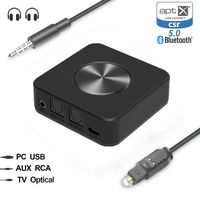
Apart from 3.5mm Aux/RCA connection, the audio Bluetooth adapter also supports optical cable input and output. With provided optical cable,
you can enjoy dedicated sound channel and high-quality digital sound on both transmitter and receiver modes.
SPIDF (Digital audio port): To transfer digital stereo audio.
AUX (Analog audio port): To transfer analog stereo audio.
NOTE: Please make sure you have turned the switch to SPIDF or AUX mode after power BTA 06 Lite off,
then wait for about 5 seconds to turn BTA 06 Lite on again to enjoy smart life.
Low Latency, Instant Sound:
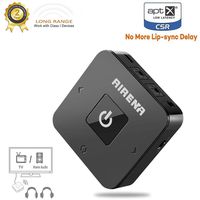
With transmitter mode you can get sound NOW thanks to aptX Low Latency technology which reduces end-to-end lag time to 40 milliseconds.
NOTE: APTX only in RX mode in case of the compatibility for Bluetooth headphones which doesn't have aptx.
How To Use As a Transmitter:
1, Make sure you have turned the switch to "TX" mode before power BTA 06 Lite on;
2, Insert the 3.5mm audio cable or optical cable from the audio output port of your media play device;
3, After power the device on, short press the pairing button, it will be in pairing state, the green light flashing quickly;
The indicator will stay on green if pair successfully.
How To Use As a Receiver:
1, Make sure you have turned the switch to "RX" mode before power BTA 06 Lite on;
2, Connect the device to your smart phone with 3.5mm audio cable or optical cable;
3, Short press the pairing button after power the device on, it will be in pairing state, the blue light flashing quickly,
then pair the device to your phone, enjoy your smart life.
Multiple Connecting Options (OPTICAL + 3.5mm AUX + RCA):
Apart from 3.5mm Aux/RCA connection, the audio Bluetooth adapter also supports optical cable input and output. With provided optical cable,
you can enjoy dedicated sound channel and high-quality digital sound on both transmitter and receiver modes.
SPIDF (Digital audio port): To transfer digital stereo audio.
AUX (Analog audio port): To transfer analog stereo audio.
NOTE: Please make sure you have turned the switch to SPIDF or AUX mode after power BTA 06 Lite off,
then wait for about 5 seconds to turn BTA 06 Lite on again to enjoy smart life.
Low Latency, Instant Sound:
With transmitter mode you can get sound NOW thanks to aptX Low Latency technology which reduces end-to-end lag time to 40 milliseconds.
NOTE: APTX only in RX mode in case of the compatibility for Bluetooth headphones which doesn't have aptx.
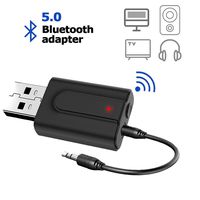
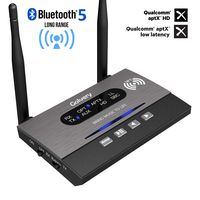
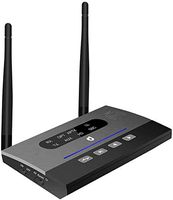
Bluetooth 5.0 Transmitter for TV, Long Range Bluetooth Receiver Transmitter, AIRENA Optical Bluetooth Audio Adapter for TV PC Home Stereo,Support aptX HD & Low Latency, Optical/RCA/AUX
Current Price
$39.99
Average
$39.99
Min Price
$39.99
Max Price
$39.99
Description
The best choice for bluetooth transmitter/receiver for TV, Home Stereo System
How To Use As a Transmitter:
1, Make sure you have turned the switch to "TX" mode before power BTA 06 Lite on;
2, Insert the 3.5mm audio cable or optical cable from the audio output port of your media play device;
3, After power the device on, short press the pairing button, it will be in pairing state, the green light flashing quickly;
The indicator will stay on green if pair successfully.
How To Use As a Receiver:
1, Make sure you have turned the switch to "RX" mode before power BTA 06 Lite on;
2, Connect the device to your smart phone with 3.5mm audio cable or optical cable;
3, Short press the pairing button after power the device on, it will be in pairing state, the blue light flashing quickly,
then pair the device to your phone, enjoy your smart life.
Multiple Connecting Options (OPTICAL + 3.5mm AUX + RCA):
Apart from 3.5mm Aux/RCA connection, the audio Bluetooth adapter also supports optical cable input and output. With provided optical cable,
you can enjoy dedicated sound channel and high-quality digital sound on both transmitter and receiver modes.
SPIDF (Digital audio port): To transfer digital stereo audio.
AUX (Analog audio port): To transfer analog stereo audio.
NOTE: Please make sure you have turned the switch to SPIDF or AUX mode after power BTA 06 Lite off,
then wait for about 5 seconds to turn BTA 06 Lite on again to enjoy smart life.
Low Latency, Instant Sound:
With transmitter mode you can get sound NOW thanks to aptX Low Latency technology which reduces end-to-end lag time to 40 milliseconds.
NOTE: APTX only in RX mode in case of the compatibility for Bluetooth headphones which doesn't have aptx.
How To Use As a Transmitter:
1, Make sure you have turned the switch to "TX" mode before power BTA 06 Lite on;
2, Insert the 3.5mm audio cable or optical cable from the audio output port of your media play device;
3, After power the device on, short press the pairing button, it will be in pairing state, the green light flashing quickly;
The indicator will stay on green if pair successfully.
How To Use As a Receiver:
1, Make sure you have turned the switch to "RX" mode before power BTA 06 Lite on;
2, Connect the device to your smart phone with 3.5mm audio cable or optical cable;
3, Short press the pairing button after power the device on, it will be in pairing state, the blue light flashing quickly,
then pair the device to your phone, enjoy your smart life.
Multiple Connecting Options (OPTICAL + 3.5mm AUX + RCA):
Apart from 3.5mm Aux/RCA connection, the audio Bluetooth adapter also supports optical cable input and output. With provided optical cable,
you can enjoy dedicated sound channel and high-quality digital sound on both transmitter and receiver modes.
SPIDF (Digital audio port): To transfer digital stereo audio.
AUX (Analog audio port): To transfer analog stereo audio.
NOTE: Please make sure you have turned the switch to SPIDF or AUX mode after power BTA 06 Lite off,
then wait for about 5 seconds to turn BTA 06 Lite on again to enjoy smart life.
Low Latency, Instant Sound:
With transmitter mode you can get sound NOW thanks to aptX Low Latency technology which reduces end-to-end lag time to 40 milliseconds.
NOTE: APTX only in RX mode in case of the compatibility for Bluetooth headphones which doesn't have aptx.
Price will be lower
in next 2 weeks
in next 2 weeks
According to the data, price will be lower in next two weeks, so not waste your money and track better price!
Product review & video
this thing transmits to two bluetooth speakers simultaneously two [Music] hey guys this is joe tech from joe tech tips we're on facebook twitter and instagram as always honest reviews if you want to become a patron please become a patron it'd be much appreciated let's get to the review okay guys i have a wireless bluetooth transmitter version 5.0 this thing is freaking amazing i'm so happy or excited about this product i'm stumbling over my own words it's optical you have analog out of your tv to input three and a half millimeter okay has optical in so from your tv optical to your to this device which i'm going to show you this is the little this is it this is the freaking thing okay has two antennas on it this is the usb all right this thing is freaking amazing it you just heard some stuff talking because i disconnected it and the thing and the and and it's because i already paired it



Similar products