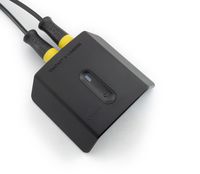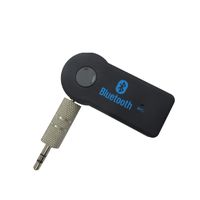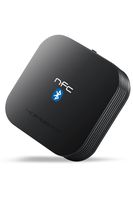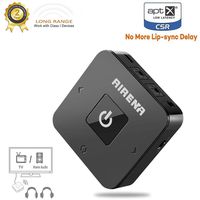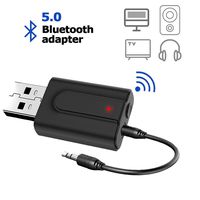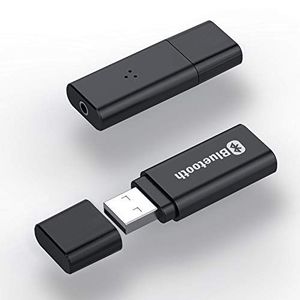
Description
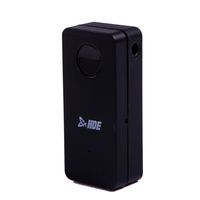
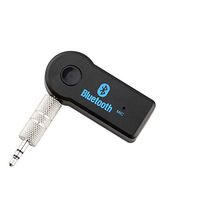
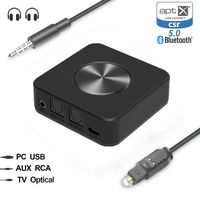
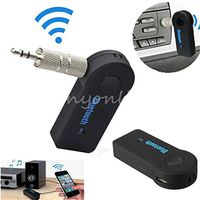
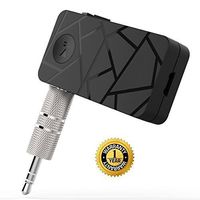
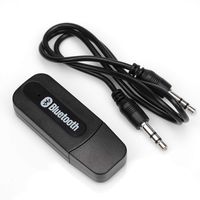
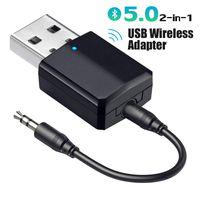
GET Juya Bluetooth Transmitter and freely enjoy the late night TV program without disturbing your family members.
Pairing:
1. Plug this product into your PC/TV or laptop's USB port or power bank to provide power for it
2. Connect the product to the TV or laptop with audio cable ( Note: our product is only can connert to 3.5MM audio output port. )
3. Turn on your Bluetooth headset or speaker and make sure it enter the pairing mode ( Note: Pls turn off your phone's Bluetooth function first )
4. It will automatically search nearby bluetooth receiver to pair
5. Wait a minute after the completion of the pairing, play the music or video on computer. Sound will be transmitted to your Bluetooth headset or speakers ( if the pairing is unsuccessful, you can try it again )
Kindly notes:
1. If you use the product on TV, please confirm which RCA interface is the audio output port. The device needs to connect the audio output port instead of audio input port.
2.If you wanna use it on TV plaese confirm wheater the TV has 3.5mm AUX output port or not.
3. If it is used on a computer, it does not need to be inserted audio cable, plug directly into USB.
Specifications:
Range:10M
Input:3.5mm audio port
Powered By USB port
Package List:
1 x Bluetooth transmitter
1 x 3.5mm AUX Cable
Pairing:
1. Plug this product into your PC/TV or laptop's USB port or power bank to provide power for it
2. Connect the product to the TV or laptop with audio cable ( Note: our product is only can connert to 3.5MM audio output port. )
3. Turn on your Bluetooth headset or speaker and make sure it enter the pairing mode ( Note: Pls turn off your phone's Bluetooth function first )
4. It will automatically search nearby bluetooth receiver to pair
5. Wait a minute after the completion of the pairing, play the music or video on computer. Sound will be transmitted to your Bluetooth headset or speakers ( if the pairing is unsuccessful, you can try it again )
Kindly notes:
1. If you use the product on TV, please confirm which RCA interface is the audio output port. The device needs to connect the audio output port instead of audio input port.
2.If you wanna use it on TV plaese confirm wheater the TV has 3.5mm AUX output port or not.
3. If it is used on a computer, it does not need to be inserted audio cable, plug directly into USB.
Specifications:
Range:10M
Input:3.5mm audio port
Powered By USB port
Package List:
1 x Bluetooth transmitter
1 x 3.5mm AUX Cable
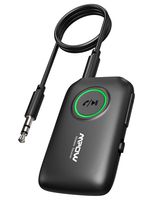
Bluetooth Transmitter Receiver 2-in-1 V5.0, Juya Wireless Audio Adapter with 3.5mm AUX for Car Headphones PC TV Home Stereo, USB Power Supply, Black
Price is below average
Current Price
$9.99
Average
$10.73
Min Price
$9.99
Max Price
$11.58
Price dynamics
7%
Description
GET Juya Bluetooth Transmitter and freely enjoy the late night TV program without disturbing your family members.
Pairing:
1. Plug this product into your PC/TV or laptop's USB port or power bank to provide power for it
2. Connect the product to the TV or laptop with audio cable ( Note: our product is only can connert to 3.5MM audio output port. )
3. Turn on your Bluetooth headset or speaker and make sure it enter the pairing mode ( Note: Pls turn off your phone's Bluetooth function first )
4. It will automatically search nearby bluetooth receiver to pair
5. Wait a minute after the completion of the pairing, play the music or video on computer. Sound will be transmitted to your Bluetooth headset or speakers ( if the pairing is unsuccessful, you can try it again )
Kindly notes:
1. If you use the product on TV, please confirm which RCA interface is the audio output port. The device needs to connect the audio output port instead of audio input port.
2.If you wanna use it on TV plaese confirm wheater the TV has 3.5mm AUX output port or not.
3. If it is used on a computer, it does not need to be inserted audio cable, plug directly into USB.
Specifications:
Range:10M
Input:3.5mm audio port
Powered By USB port
Package List:
1 x Bluetooth transmitter
1 x 3.5mm AUX Cable
Pairing:
1. Plug this product into your PC/TV or laptop's USB port or power bank to provide power for it
2. Connect the product to the TV or laptop with audio cable ( Note: our product is only can connert to 3.5MM audio output port. )
3. Turn on your Bluetooth headset or speaker and make sure it enter the pairing mode ( Note: Pls turn off your phone's Bluetooth function first )
4. It will automatically search nearby bluetooth receiver to pair
5. Wait a minute after the completion of the pairing, play the music or video on computer. Sound will be transmitted to your Bluetooth headset or speakers ( if the pairing is unsuccessful, you can try it again )
Kindly notes:
1. If you use the product on TV, please confirm which RCA interface is the audio output port. The device needs to connect the audio output port instead of audio input port.
2.If you wanna use it on TV plaese confirm wheater the TV has 3.5mm AUX output port or not.
3. If it is used on a computer, it does not need to be inserted audio cable, plug directly into USB.
Specifications:
Range:10M
Input:3.5mm audio port
Powered By USB port
Package List:
1 x Bluetooth transmitter
1 x 3.5mm AUX Cable
Price will be lower
in next 2 weeks
in next 2 weeks
According to the data, price will be lower in next two weeks, so not waste your money and track better price!
Product review & video
hey everybody hope you having a great day and in my hand I've got a really cool device by a year go it is a receiver and transmitter for which I use with my laptop and bluetooth headphones and it's a great way if you want to listen to music or audio whether you're using your laptop your through your phone and your Bluetooth speaker this device can do all both transmitting and receiving I use this every day in my office and I love it and I'll demonstrate to you now how it works and what is included so let's go ahead and get started okay so as you can see this is everything that is included this is the packaging your go wireless transmitter and receiver then you've got the device which I just showed you you've got your rx mode and your TX mode you've got your power button right here and this is also where you would press and hold for it turn on the Bluetooth and then you've got the audio



Similar products