- HomeTools & Home ImprovementLighting & Ceiling FansCeiling Fans & AccessoriesAccessoriesRemote Controls
Description
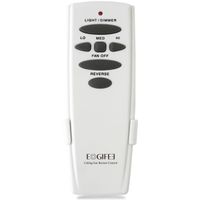
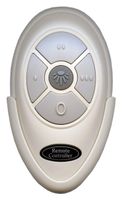
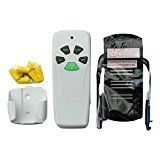
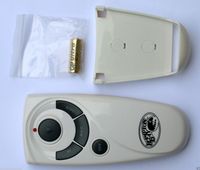
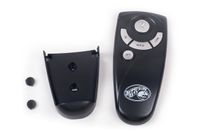
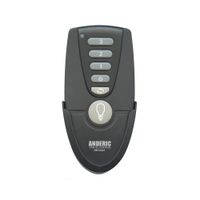
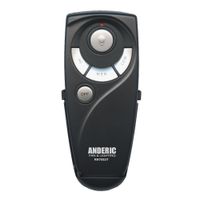
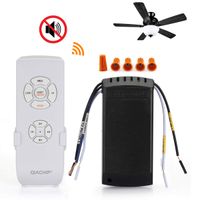
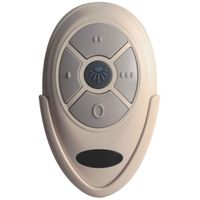
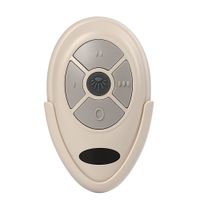
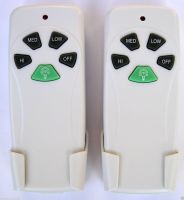
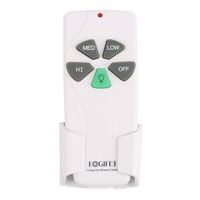
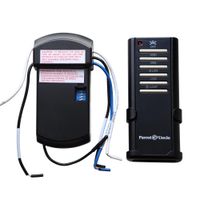
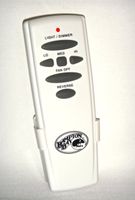
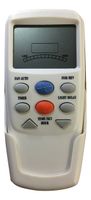
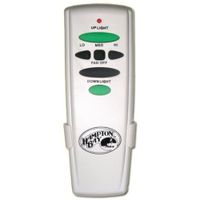
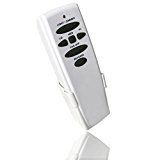
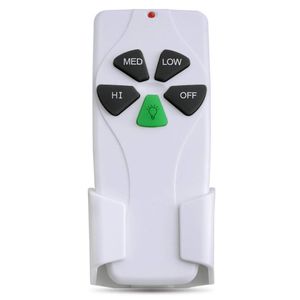
Original manufacturer for Harbor Breeze Hamton Bay Hunter Ceiling Fan Remote Control FCC approved
Specification
Material: ABS
Voltage: 110V-130V (50H~60Hz)
Required Distance: 50M(pass through barriers)
Speed Regulation: 3 gears to change
Package Includes(9V battery is not included)
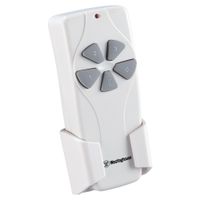
1* Remote Control
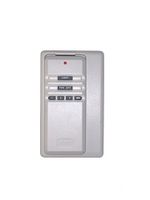
1* Wall mount
2* Screw
1* Paper description
HOW TO USE
-- This is the remote control for the ceiling fan. They should match the switches on the transmitter inside the ceiling fan.
-- Just remember to set the 4 dip switches inside the battery compartment(they are kinda hidden behind the slot for the battery itself).
-- Look inside the old remote with the battery cover off, there is a series of "DIP" switches(4) . -- Slide the switches in the new remote to match the same pattern as the old remote. Replace the battery in the new remote and things should work.
-- ASSOCIATED NUMBERS: Harbor Breeze Hunter KUJCE9103 FAN-11T FAN-53T 2AAZPFAN-53T
-- There are 16 different frequencies for the Harbor Breeze'S fans, so you would have to play with the combinations.
-- Here are the frequency list:(0 is down and 1 is up) 0000, 0001, 0010, 0100, 0110, 0101, 0011, 0111, 1111, 1110, 1101, 1011, 1001, 1010, 1100, 1000
Ceiling Fan Remote Control Original Replacement of Harbor Breeze Fan Remote Hunter KUJCE9103 FAN-11T FAN-53T 2AAZPFAN-53T (Remote Only)
Current Price
$16.99
Average
$16.97
Min Price
$11.5
Max Price
$23.4
Price dynamics
0%
Description
Original manufacturer for Harbor Breeze Hamton Bay Hunter Ceiling Fan Remote Control FCC approved
Specification
Material: ABS
Voltage: 110V-130V (50H~60Hz)
Required Distance: 50M(pass through barriers)
Speed Regulation: 3 gears to change
Package Includes(9V battery is not included)
1* Remote Control
1* Wall mount
2* Screw
1* Paper description
HOW TO USE
-- This is the remote control for the ceiling fan. They should match the switches on the transmitter inside the ceiling fan.
-- Just remember to set the 4 dip switches inside the battery compartment(they are kinda hidden behind the slot for the battery itself).
-- Look inside the old remote with the battery cover off, there is a series of "DIP" switches(4) . -- Slide the switches in the new remote to match the same pattern as the old remote. Replace the battery in the new remote and things should work.
-- ASSOCIATED NUMBERS: Harbor Breeze Hunter KUJCE9103 FAN-11T FAN-53T 2AAZPFAN-53T
-- There are 16 different frequencies for the Harbor Breeze'S fans, so you would have to play with the combinations.
-- Here are the frequency list:(0 is down and 1 is up) 0000, 0001, 0010, 0100, 0110, 0101, 0011, 0111, 1111, 1110, 1101, 1011, 1001, 1010, 1100, 1000
Price will be lower
in next 2 weeks
in next 2 weeks
According to the data, price will be lower in next two weeks, so not waste your money and track better price!
Similar products