- HomeTools & Home ImprovementLighting & Ceiling FansCeiling Fans & AccessoriesAccessoriesRemote Controls
Description
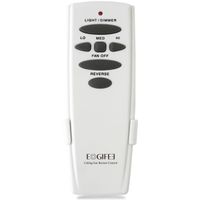
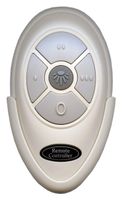
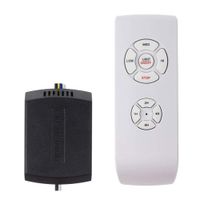
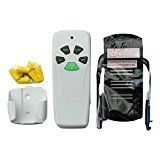
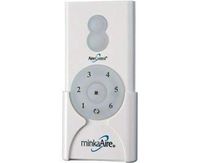
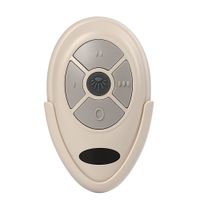
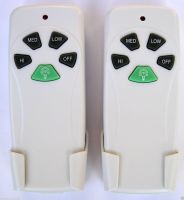
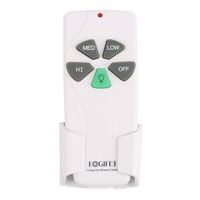
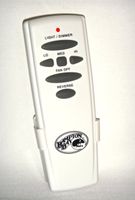
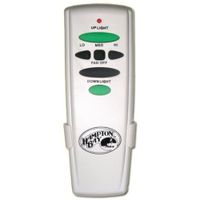
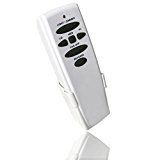
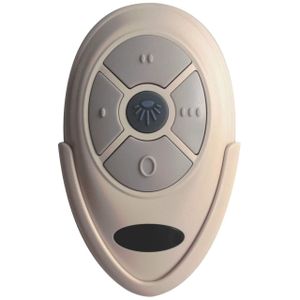
About our Ecoobay 35t ceiling fan remote control
Ecoobay Remote Control with Original OEM, FCC approved The products of our company are regular original OEM products, reliable quality,complete certification, and PLEASE certify Ecoobay Brand.
Specification
Material: ABS
Voltage: 110V-130V (50Hz~60Hz)
Required Distance: 50M(pass through barriers)
Speed Regulation: 3 gears to change
Package Includes(9V battery is not included)
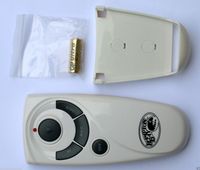
1* Remote Control
1* Wall mount
2* Screw
1* Paper description
HOW TO USE
★This is the remote control for the ceiling fan. They should match the switches on the transmitter inside the ceiling fan.
★Just remember to set the 4 dip switches inside the battery compartment(they are kinda hidden behind the slot for the battery itself).
★Look inside the old remote with the battery cover off, there is a series of "DIP" switches(4) .
★Slide the switches in the new remote to match the same pattern as the old remote. Replace the battery in the new remote and things should work.
★ASSOCIATED NUMBERS: KUJCE9603, L3HFAN35T for Harbor Breeze
★There are 16 different frequencies for the Harbor Breeze fans, so you would have to play with the combinations.
★Here are the frequency list:(0 is down and 1 is up) 0000, 0001, 0010, 0100, 0110, 0101, 0011, 0111, 1111, 1110, 1101, 1011, 1001, 1010, 1100, 1000
★If above doesn't work, try pressing and holding the OFF and LIGHT keys simultaneously for up to 10 seconds, lights should blink to confirm pairing.
Ecoobay Remote Control with Original OEM, FCC approved The products of our company are regular original OEM products, reliable quality,complete certification, and PLEASE certify Ecoobay Brand.
Specification
Material: ABS
Voltage: 110V-130V (50Hz~60Hz)
Required Distance: 50M(pass through barriers)
Speed Regulation: 3 gears to change
Package Includes(9V battery is not included)
1* Remote Control
1* Wall mount
2* Screw
1* Paper description
HOW TO USE
★This is the remote control for the ceiling fan. They should match the switches on the transmitter inside the ceiling fan.
★Just remember to set the 4 dip switches inside the battery compartment(they are kinda hidden behind the slot for the battery itself).
★Look inside the old remote with the battery cover off, there is a series of "DIP" switches(4) .
★Slide the switches in the new remote to match the same pattern as the old remote. Replace the battery in the new remote and things should work.
★ASSOCIATED NUMBERS: KUJCE9603, L3HFAN35T for Harbor Breeze
★There are 16 different frequencies for the Harbor Breeze fans, so you would have to play with the combinations.
★Here are the frequency list:(0 is down and 1 is up) 0000, 0001, 0010, 0100, 0110, 0101, 0011, 0111, 1111, 1110, 1101, 1011, 1001, 1010, 1100, 1000
★If above doesn't work, try pressing and holding the OFF and LIGHT keys simultaneously for up to 10 seconds, lights should blink to confirm pairing.
Ceiling Fan Remote Control Replace for Original FAN35T Harbor Breeze KUJCE9603, FCC ID: L3HFAN35T1
Price is below average
Current Price
$18.56
Average
$19.46
Min Price
$18
Max Price
$19.95
Price dynamics
5%
Description
About our Ecoobay 35t ceiling fan remote control
Ecoobay Remote Control with Original OEM, FCC approved The products of our company are regular original OEM products, reliable quality,complete certification, and PLEASE certify Ecoobay Brand.
Specification
Material: ABS
Voltage: 110V-130V (50Hz~60Hz)
Required Distance: 50M(pass through barriers)
Speed Regulation: 3 gears to change
Package Includes(9V battery is not included)
1* Remote Control
1* Wall mount
2* Screw
1* Paper description
HOW TO USE
★This is the remote control for the ceiling fan. They should match the switches on the transmitter inside the ceiling fan.
★Just remember to set the 4 dip switches inside the battery compartment(they are kinda hidden behind the slot for the battery itself).
★Look inside the old remote with the battery cover off, there is a series of "DIP" switches(4) .
★Slide the switches in the new remote to match the same pattern as the old remote. Replace the battery in the new remote and things should work.
★ASSOCIATED NUMBERS: KUJCE9603, L3HFAN35T for Harbor Breeze
★There are 16 different frequencies for the Harbor Breeze fans, so you would have to play with the combinations.
★Here are the frequency list:(0 is down and 1 is up) 0000, 0001, 0010, 0100, 0110, 0101, 0011, 0111, 1111, 1110, 1101, 1011, 1001, 1010, 1100, 1000
★If above doesn't work, try pressing and holding the OFF and LIGHT keys simultaneously for up to 10 seconds, lights should blink to confirm pairing.
Ecoobay Remote Control with Original OEM, FCC approved The products of our company are regular original OEM products, reliable quality,complete certification, and PLEASE certify Ecoobay Brand.
Specification
Material: ABS
Voltage: 110V-130V (50Hz~60Hz)
Required Distance: 50M(pass through barriers)
Speed Regulation: 3 gears to change
Package Includes(9V battery is not included)
1* Remote Control
1* Wall mount
2* Screw
1* Paper description
HOW TO USE
★This is the remote control for the ceiling fan. They should match the switches on the transmitter inside the ceiling fan.
★Just remember to set the 4 dip switches inside the battery compartment(they are kinda hidden behind the slot for the battery itself).
★Look inside the old remote with the battery cover off, there is a series of "DIP" switches(4) .
★Slide the switches in the new remote to match the same pattern as the old remote. Replace the battery in the new remote and things should work.
★ASSOCIATED NUMBERS: KUJCE9603, L3HFAN35T for Harbor Breeze
★There are 16 different frequencies for the Harbor Breeze fans, so you would have to play with the combinations.
★Here are the frequency list:(0 is down and 1 is up) 0000, 0001, 0010, 0100, 0110, 0101, 0011, 0111, 1111, 1110, 1101, 1011, 1001, 1010, 1100, 1000
★If above doesn't work, try pressing and holding the OFF and LIGHT keys simultaneously for up to 10 seconds, lights should blink to confirm pairing.
Price will be lower
in next 2 weeks
in next 2 weeks
According to the data, price will be lower in next two weeks, so not waste your money and track better price!
Similar products