Description
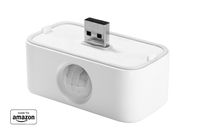
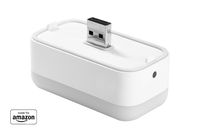
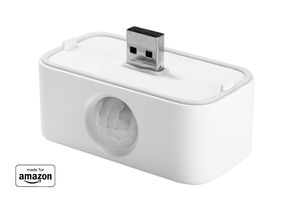
Third Reality’s Motion Sensor for Echo Flex is a PIR (Passive Infra-Red) sensor capable of detecting motion up to 20 feet away with a 120° viewing angle. Simply plug the Motion Sensor into Echo Flex’s USB port and Alexa will automatically discover it. Using the Alexa app, you can then create Routines which are triggered when (i) motion is detected or (ii) motion is not detected for a period of time. When creating a new routine using the Alexa app, under Routines, tap “When this happens”, select “Device”, select your motion sensor then decide what type of action to take when motion is either detected or not detected. For more information on how to create routines and routine options, go to the Alexa app. Try creating a routine that plays a News Briefing when motion is detected in the morning and a custom greeting that Alexa will say when you come home at night. Create a routine that will send an Alexa app notification when motion is detected. If you have a Smart Light or Smart Switch, use a Routine to automatically turn the light or switch on when you walk into a room and turn it off if there’s been no motion for a while. Expert Tip – you can adjust the Motion Sensor’s sensitivity by unplugging and plugging it back in 4 times. The blue LED will flash slowly while it’s starting up, indicating that sensitivity is set to low. Try it again, and it will flash rapidly, meaning sensitivity is set to high.
"Made for Amazon" THIRDREALITY Motion Sensor for Echo Flex
Price is below average
Current Price
$14.99
Average
$57.49
Min Price
$14.99
Max Price
$99.99
Price dynamics
74%
Description
Third Reality’s Motion Sensor for Echo Flex is a PIR (Passive Infra-Red) sensor capable of detecting motion up to 20 feet away with a 120° viewing angle. Simply plug the Motion Sensor into Echo Flex’s USB port and Alexa will automatically discover it. Using the Alexa app, you can then create Routines which are triggered when (i) motion is detected or (ii) motion is not detected for a period of time. When creating a new routine using the Alexa app, under Routines, tap “When this happens”, select “Device”, select your motion sensor then decide what type of action to take when motion is either detected or not detected. For more information on how to create routines and routine options, go to the Alexa app. Try creating a routine that plays a News Briefing when motion is detected in the morning and a custom greeting that Alexa will say when you come home at night. Create a routine that will send an Alexa app notification when motion is detected. If you have a Smart Light or Smart Switch, use a Routine to automatically turn the light or switch on when you walk into a room and turn it off if there’s been no motion for a while. Expert Tip – you can adjust the Motion Sensor’s sensitivity by unplugging and plugging it back in 4 times. The blue LED will flash slowly while it’s starting up, indicating that sensitivity is set to low. Try it again, and it will flash rapidly, meaning sensitivity is set to high.
Price will be lower
in next 2 weeks
in next 2 weeks
According to the data, price will be lower in next two weeks, so not waste your money and track better price!

Similar products