Description
A good stud finder can be the difference between a successful DIY home project and disaster. When hammering or screwing things into walls, ceilings, and floors, you need to know what is on the other side. Otherwise, you might damage drywall or flooring with unsupported items you are trying to install. That is why a stud finder is important.
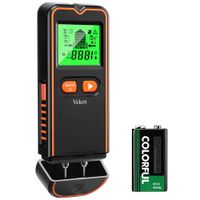
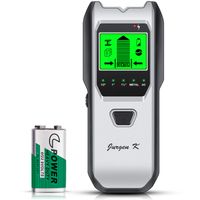
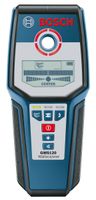
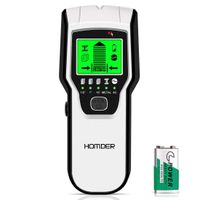
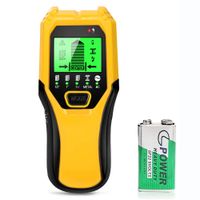
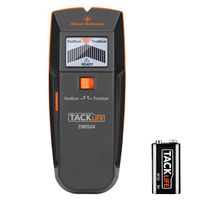
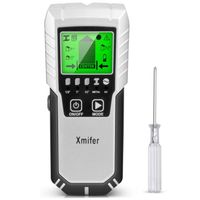
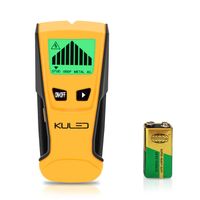
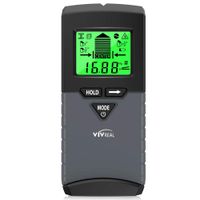
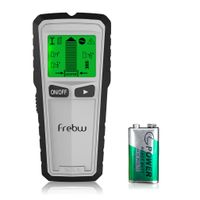
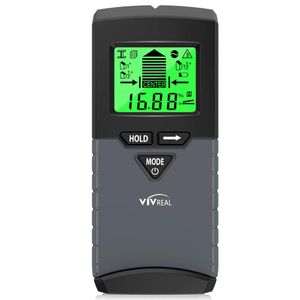
This VIVREAL stud sensor wall scanner includes a backlit LCD graphic screen for low-light conditions and auto-calibration that makes setup a whole lot easier. Electronic Wall Scanner has 5 modes to choose, including a built-in digital level.
Stud scan: Locates the center and edges of wood and metal studs up to 3⁄4 in. (19 mm) deep.
Deep mode: Locates the center and edges of wood and metal studs up to 11⁄2 in. (38 mm) deep.
Metal scan: Detects metal (such as 1⁄2 inch rebar) up to 2.36 in. (60 mm) deep.
AC scan: Detects live unshielded AC wires up to 2 in. (51 mm) deep.
How to use VIVREAL stud finder?
Step 1: Press the button at the left side of device to power it.
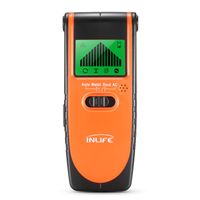
Step 2: Slide the button on the middle of device to select one scanning mode.
Step 3: Place the device flat on the scanning surface. Then press and move it in a stable way. (Note: if you cannot scan the object from left to right, please try to scan up and down.)
Step 4: When the objected is found, the device will beep continually and a peck type will appear on the LCD display. Mark it with a pencil.
VIVREAL stud sensor has a beep alarm sound to tell you the "center states". The directional indicators and the "center" signal keep users identifying the exact center of the stud, like arrow and edge on Electronic Wall Scanner LCD screen.
If you are a DIY home projector or professional contractor, VIVREAL stud finder is what you are looking for.
This VIVREAL stud sensor wall scanner includes a backlit LCD graphic screen for low-light conditions and auto-calibration that makes setup a whole lot easier. Electronic Wall Scanner has 5 modes to choose, including a built-in digital level.
Stud scan: Locates the center and edges of wood and metal studs up to 3⁄4 in. (19 mm) deep.
Deep mode: Locates the center and edges of wood and metal studs up to 11⁄2 in. (38 mm) deep.
Metal scan: Detects metal (such as 1⁄2 inch rebar) up to 2.36 in. (60 mm) deep.
AC scan: Detects live unshielded AC wires up to 2 in. (51 mm) deep.
How to use VIVREAL stud finder?
Step 1: Press the button at the left side of device to power it.
Step 2: Slide the button on the middle of device to select one scanning mode.
Step 3: Place the device flat on the scanning surface. Then press and move it in a stable way. (Note: if you cannot scan the object from left to right, please try to scan up and down.)
Step 4: When the objected is found, the device will beep continually and a peck type will appear on the LCD display. Mark it with a pencil.
VIVREAL stud sensor has a beep alarm sound to tell you the "center states". The directional indicators and the "center" signal keep users identifying the exact center of the stud, like arrow and edge on Electronic Wall Scanner LCD screen.
If you are a DIY home projector or professional contractor, VIVREAL stud finder is what you are looking for.
Stud Finder with Digital Level, 5 in 1 Wood Stud Finder Wall Scanner with Sound Warning, Digital LCD Display, Stud Finder, Magnetic Stud Finder and Center Stud Finder
Price is below average
Current Price
$28.99
Average
$30.38
Min Price
$27.99
Max Price
$46.99
Price dynamics
5%
Description
A good stud finder can be the difference between a successful DIY home project and disaster. When hammering or screwing things into walls, ceilings, and floors, you need to know what is on the other side. Otherwise, you might damage drywall or flooring with unsupported items you are trying to install. That is why a stud finder is important.
This VIVREAL stud sensor wall scanner includes a backlit LCD graphic screen for low-light conditions and auto-calibration that makes setup a whole lot easier. Electronic Wall Scanner has 5 modes to choose, including a built-in digital level.
Stud scan: Locates the center and edges of wood and metal studs up to 3⁄4 in. (19 mm) deep.
Deep mode: Locates the center and edges of wood and metal studs up to 11⁄2 in. (38 mm) deep.
Metal scan: Detects metal (such as 1⁄2 inch rebar) up to 2.36 in. (60 mm) deep.
AC scan: Detects live unshielded AC wires up to 2 in. (51 mm) deep.
How to use VIVREAL stud finder?
Step 1: Press the button at the left side of device to power it.
Step 2: Slide the button on the middle of device to select one scanning mode.
Step 3: Place the device flat on the scanning surface. Then press and move it in a stable way. (Note: if you cannot scan the object from left to right, please try to scan up and down.)
Step 4: When the objected is found, the device will beep continually and a peck type will appear on the LCD display. Mark it with a pencil.
VIVREAL stud sensor has a beep alarm sound to tell you the "center states". The directional indicators and the "center" signal keep users identifying the exact center of the stud, like arrow and edge on Electronic Wall Scanner LCD screen.
If you are a DIY home projector or professional contractor, VIVREAL stud finder is what you are looking for.
This VIVREAL stud sensor wall scanner includes a backlit LCD graphic screen for low-light conditions and auto-calibration that makes setup a whole lot easier. Electronic Wall Scanner has 5 modes to choose, including a built-in digital level.
Stud scan: Locates the center and edges of wood and metal studs up to 3⁄4 in. (19 mm) deep.
Deep mode: Locates the center and edges of wood and metal studs up to 11⁄2 in. (38 mm) deep.
Metal scan: Detects metal (such as 1⁄2 inch rebar) up to 2.36 in. (60 mm) deep.
AC scan: Detects live unshielded AC wires up to 2 in. (51 mm) deep.
How to use VIVREAL stud finder?
Step 1: Press the button at the left side of device to power it.
Step 2: Slide the button on the middle of device to select one scanning mode.
Step 3: Place the device flat on the scanning surface. Then press and move it in a stable way. (Note: if you cannot scan the object from left to right, please try to scan up and down.)
Step 4: When the objected is found, the device will beep continually and a peck type will appear on the LCD display. Mark it with a pencil.
VIVREAL stud sensor has a beep alarm sound to tell you the "center states". The directional indicators and the "center" signal keep users identifying the exact center of the stud, like arrow and edge on Electronic Wall Scanner LCD screen.
If you are a DIY home projector or professional contractor, VIVREAL stud finder is what you are looking for.
Price will be lower
in next 2 weeks
in next 2 weeks
According to the data, price will be lower in next two weeks, so not waste your money and track better price!
Similar products