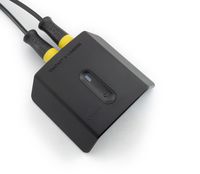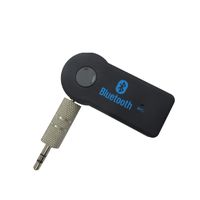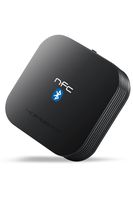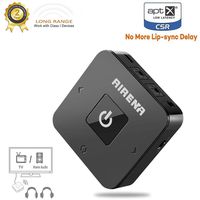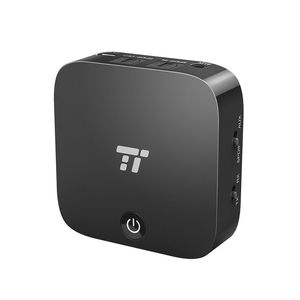
Description
Connect to TV via Digital Optical Audio Out
1. Find the Digital Optical Audio Out jack on your TV.
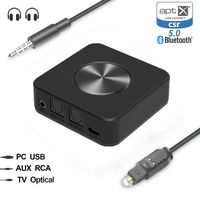
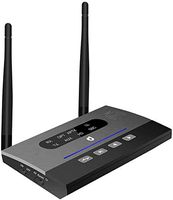
2. Connect the transmitter TT-BA09 to your TV via the Digital Optical Audio Out jack using the digital optical cable.
3. Pair the transmitter TT-BA09 with your Bluetooth Headphones/Speakers.
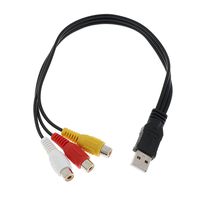
Connect to TV via AUX / RCA Audio Out
Once the transmitter is connected to Bluetooth stereos, the blue LED indicator will remain on. If there's no sound coming out from your stereos, please kindly have a check see if you have plugged the unit into the Audio Output jack on your TV
Pair with two Bluetooth headphones / speakers simultaneously
1. Turn on your speaker/headphones A and the transmitter, place them into pairing mode (tap the power button twice to set the transmitter into pairing mode, LED flashes blue and red). Make sure they pair with each other successfully.
2. Turn off the Bluetooth of the speaker/headphones A and turn on speaker/headphones B. Then tap the Power Button twice of the transmitter to pair and connect to your speaker/headphones B. Also make sure they pair with each other successfully.
3. Turn on the Bluetooth of speaker/headphones A. In approximately 30 seconds, it will automatically connect in. And now the audio will be transmitted to both speakers/headphones.
Note
1. If the transmitter could not pair with the headphones/speakers successfully, please kindly reset both the transmitter and the headphones/speaker.
2. The transmitter is supported to aptX Low Latency codec, aptX Low Latency supported headphones/speakers are also required for the audio to be encoded via this codec.
1. Find the Digital Optical Audio Out jack on your TV.
2. Connect the transmitter TT-BA09 to your TV via the Digital Optical Audio Out jack using the digital optical cable.
3. Pair the transmitter TT-BA09 with your Bluetooth Headphones/Speakers.
Connect to TV via AUX / RCA Audio Out
Once the transmitter is connected to Bluetooth stereos, the blue LED indicator will remain on. If there's no sound coming out from your stereos, please kindly have a check see if you have plugged the unit into the Audio Output jack on your TV
Pair with two Bluetooth headphones / speakers simultaneously
1. Turn on your speaker/headphones A and the transmitter, place them into pairing mode (tap the power button twice to set the transmitter into pairing mode, LED flashes blue and red). Make sure they pair with each other successfully.
2. Turn off the Bluetooth of the speaker/headphones A and turn on speaker/headphones B. Then tap the Power Button twice of the transmitter to pair and connect to your speaker/headphones B. Also make sure they pair with each other successfully.
3. Turn on the Bluetooth of speaker/headphones A. In approximately 30 seconds, it will automatically connect in. And now the audio will be transmitted to both speakers/headphones.
Note
1. If the transmitter could not pair with the headphones/speakers successfully, please kindly reset both the transmitter and the headphones/speaker.
2. The transmitter is supported to aptX Low Latency codec, aptX Low Latency supported headphones/speakers are also required for the audio to be encoded via this codec.
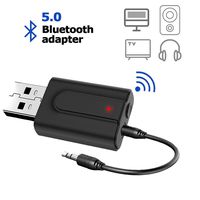
TaoTronics Bluetooth Transmitter and Receiver, Digital Optical TOSLINK and 3.5mm Wireless Audio Adapter for TV/Home Stereo System - aptX Low Latency (Renewed)
Current Price
$24.99
Average
$22.79
Min Price
$17.99
Max Price
$29.99
Price dynamics
9%
Description
Connect to TV via Digital Optical Audio Out
1. Find the Digital Optical Audio Out jack on your TV.
2. Connect the transmitter TT-BA09 to your TV via the Digital Optical Audio Out jack using the digital optical cable.
3. Pair the transmitter TT-BA09 with your Bluetooth Headphones/Speakers.
Connect to TV via AUX / RCA Audio Out
Once the transmitter is connected to Bluetooth stereos, the blue LED indicator will remain on. If there's no sound coming out from your stereos, please kindly have a check see if you have plugged the unit into the Audio Output jack on your TV
Pair with two Bluetooth headphones / speakers simultaneously
1. Turn on your speaker/headphones A and the transmitter, place them into pairing mode (tap the power button twice to set the transmitter into pairing mode, LED flashes blue and red). Make sure they pair with each other successfully.
2. Turn off the Bluetooth of the speaker/headphones A and turn on speaker/headphones B. Then tap the Power Button twice of the transmitter to pair and connect to your speaker/headphones B. Also make sure they pair with each other successfully.
3. Turn on the Bluetooth of speaker/headphones A. In approximately 30 seconds, it will automatically connect in. And now the audio will be transmitted to both speakers/headphones.
Note
1. If the transmitter could not pair with the headphones/speakers successfully, please kindly reset both the transmitter and the headphones/speaker.
2. The transmitter is supported to aptX Low Latency codec, aptX Low Latency supported headphones/speakers are also required for the audio to be encoded via this codec.
1. Find the Digital Optical Audio Out jack on your TV.
2. Connect the transmitter TT-BA09 to your TV via the Digital Optical Audio Out jack using the digital optical cable.
3. Pair the transmitter TT-BA09 with your Bluetooth Headphones/Speakers.
Connect to TV via AUX / RCA Audio Out
Once the transmitter is connected to Bluetooth stereos, the blue LED indicator will remain on. If there's no sound coming out from your stereos, please kindly have a check see if you have plugged the unit into the Audio Output jack on your TV
Pair with two Bluetooth headphones / speakers simultaneously
1. Turn on your speaker/headphones A and the transmitter, place them into pairing mode (tap the power button twice to set the transmitter into pairing mode, LED flashes blue and red). Make sure they pair with each other successfully.
2. Turn off the Bluetooth of the speaker/headphones A and turn on speaker/headphones B. Then tap the Power Button twice of the transmitter to pair and connect to your speaker/headphones B. Also make sure they pair with each other successfully.
3. Turn on the Bluetooth of speaker/headphones A. In approximately 30 seconds, it will automatically connect in. And now the audio will be transmitted to both speakers/headphones.
Note
1. If the transmitter could not pair with the headphones/speakers successfully, please kindly reset both the transmitter and the headphones/speaker.
2. The transmitter is supported to aptX Low Latency codec, aptX Low Latency supported headphones/speakers are also required for the audio to be encoded via this codec.
Price will be lower
in next 2 weeks
in next 2 weeks
According to the data, price will be lower in next two weeks, so not waste your money and track better price!
Product review & video
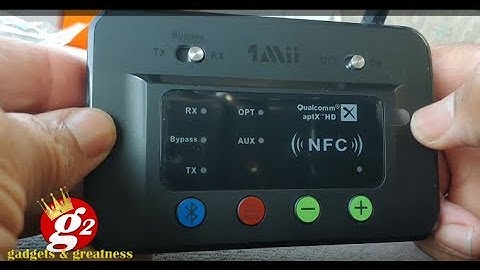
[Music] hello again and welcome to another video thank you so much for joining thanks for stopping by thanks for hanging out today I'm so excited this just came and I could not wait to get home to open it up so I'm opening up right now with you guys this is the one meat b03 Bluetooth transmitter and receiver I hear that it's a phenomenal device I'm going to be using it at home for my TV and stereo system but let's look and see what's in the box and then when I get home I'll set it up I just couldn't wait to get this thing open let's see what's inside before I do that I need you to subscribe get that notification valve so you know the new videos are coming out like share the video leave some comments let me know you're there I love talking to you guys okay let's take a look at the famous one mean b03 Bluetooth transmitter and receiver alright right inside the box you got instructions for


Similar products