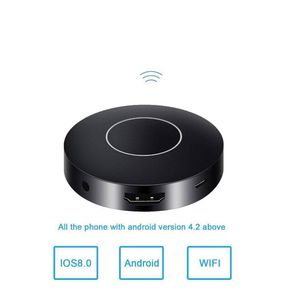
Description
How to Use:
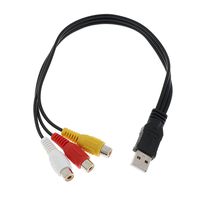
Use 5V/1A charging adapter to power on the dongle, then use the HDMI cable to connect the dongle to the TV or projectors. If your TV does not have HDMI port, you can
use the AV adapter cable to make it work.The dongle does NOT support any Apps about Miracat or Airplay. Your smartphones must possess function of Miracast, also
called screen-sharing or screen-mirroring (Android devices) or Airplay (iOS device).
Different Pairing Method
Press the top button of the dongle to switch the mode.
For iOS devices.
Before using Airplay function, please connect the dongle to home WiFi first. Turn on the WiFi of your smartphones or other devices and search the WiFi of the dongle
SSID:MONTOVIEW-XXXX, password: 12345678). Open web browser> Visit 192.168.49.1 > Choose WiFi setup> Select your WiFi router> Input password>
Connect. The dongle will show the SSID of your router and subordinate IP when it is connected to the router successfully. After the dongle connects to WiFi, then turn on the
Airplay of your device. Connect and enjoying mirroring.
For Android devices:
First please make sure whether your Android phone possesses Miracast function (also called screen-sharing or screen-mirroring) or not. If yes, turn on it and find the
dongle (SSID:MONTOVIEW-XXXX). Select and connect. Compared to iOS devices, connecting is much easier.
Specification
CPU: RK3036 Dual Core ARM Cortex-A7 1.2GHz
Storage: 16MByte SPI FLASH
Memory: 128MByte DDR3
Wi-Fi: 802.11 b/g/n 150Mbps 2.4GHz
OS: Linux
Decoder: H.264/H.265 1080p
Packing List:
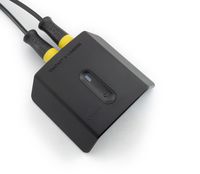
1 x Mirroring Dongle
1 x Micro USB Charging Cable
1 x AV Adapter Cable
1 x HDMI Cable
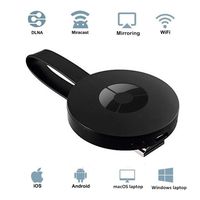
WIFI Display Dongle, WiFi Wireless 1080P Mini Display Receiver HDMI TV/AV Miracast DLNA Airplay for IOS/Android/Windows/Mac
Current Price
$26.98
Average
$26.98
Min Price
$26.98
Max Price
$26.98
Price dynamics
0%
Description
How to Use:
Use 5V/1A charging adapter to power on the dongle, then use the HDMI cable to connect the dongle to the TV or projectors. If your TV does not have HDMI port, you can
use the AV adapter cable to make it work.The dongle does NOT support any Apps about Miracat or Airplay. Your smartphones must possess function of Miracast, also
called screen-sharing or screen-mirroring (Android devices) or Airplay (iOS device).
Different Pairing Method
Press the top button of the dongle to switch the mode.
For iOS devices.
Before using Airplay function, please connect the dongle to home WiFi first. Turn on the WiFi of your smartphones or other devices and search the WiFi of the dongle
SSID:MONTOVIEW-XXXX, password: 12345678). Open web browser> Visit 192.168.49.1 > Choose WiFi setup> Select your WiFi router> Input password>
Connect. The dongle will show the SSID of your router and subordinate IP when it is connected to the router successfully. After the dongle connects to WiFi, then turn on the
Airplay of your device. Connect and enjoying mirroring.
For Android devices:
First please make sure whether your Android phone possesses Miracast function (also called screen-sharing or screen-mirroring) or not. If yes, turn on it and find the
dongle (SSID:MONTOVIEW-XXXX). Select and connect. Compared to iOS devices, connecting is much easier.
Specification
CPU: RK3036 Dual Core ARM Cortex-A7 1.2GHz
Storage: 16MByte SPI FLASH
Memory: 128MByte DDR3
Wi-Fi: 802.11 b/g/n 150Mbps 2.4GHz
OS: Linux
Decoder: H.264/H.265 1080p
Packing List:
1 x Mirroring Dongle
1 x Micro USB Charging Cable
1 x AV Adapter Cable
1 x HDMI Cable
Price will be lower
in next 2 weeks
in next 2 weeks
According to the data, price will be lower in next two weeks, so not waste your money and track better price!
Product review & video
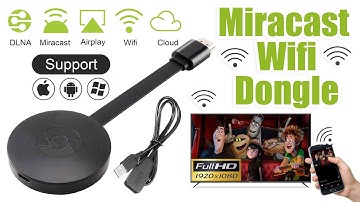
[Music] hello guys uh we are back with one of our new product and today we are going to check this ez chromecast it's a mirror cast device you can easily mirror with your phone to your tv wireless so let's see what we get inside first of all user manual we have main device it's uh actually my phone over here here you can see there is a power port and a reset button and here we can get one wireless receiver power adapter micro usb and usb port you can plug back to your tv or you can use uh adapter 5 volt adapter so it will be easy to get constant 5 for 5.0 volt power you can use this kind of adapter over here just plug it this way it's easy and connect this device to your easier cast and this one goes back to your tv and you can mirror from your phone directly to your tv okay guys so here we have a hdmi cable from back to our tv okay so what we're going to do we just connect it this devi


Similar products