- HomeElectronicsComputers & AccessoriesComputer Accessories & PeripheralsCables & InterconnectsThunderbolt Cables
Description
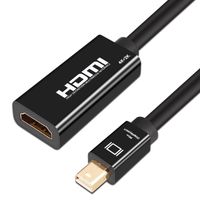
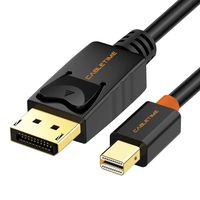
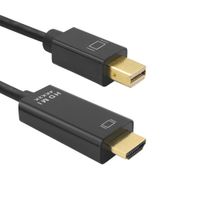
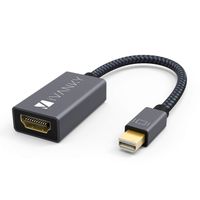
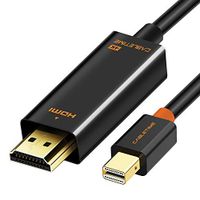
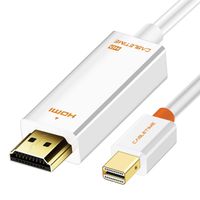
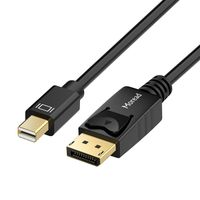
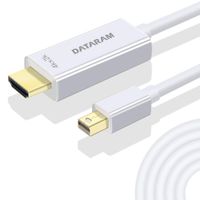
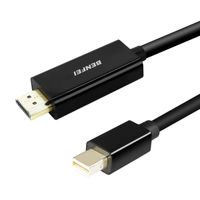
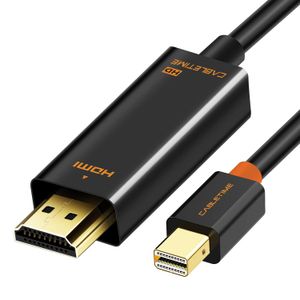
CABLETIME Mini Displayport to HDMI Cable, Connecting Mini DP Port Compatible PCs to an HDTV, Monitor, Projector or LCD with HDMI port. (Also work on Thunderbolt Port/Thunderbolt 2 Port)
Mini DisplayPort 1.2 connector (Thunderbolt Port compatible)
COMPATIBLE DEVICE
MacBook, MacBook Pro, MacBook Air, iMac, Mac mini,
Mac Pro
Microsoft Surface Pro 3/Pro 4 (NOT Surface for Windows RT)
Dell XPS 13/14/15/17, Latitude E7240/E7440,
Precision M3800
Alienware 14/17/18
Acer Aspire R7/S7/V5/V7
Intel NUC; Asus Zenbook
HP Envy 14/17
Google Chromebook Pixel
Cyberpower Zeusbook Edge X6
Lenovo ThinkPad X1 Carbon,
X230/X240s,L430/L440/L530/L540,T430/T440/T440s/T440p/T530/540p, W530/W540, Helix
Note
Apple devices released before April 2010 do not support audio out and will not transmit sound from Mini DisplayPort. Mini DisplayPort that supports both audio and video is only available on Apple devices that are released after April 2010. Please make sure your device is compatible before purchasing this product.
Specification
1. Support transmits both audio and video from Mini DisplayPort to HDMI;
2. Ideal for connecting Macbook,laptops or tablets to HDTV, Displays, Projectors;
3. Supports high definition resolution up to 1080P;
4. Plug and Play, no driver needed;
5. Support uncompressed audio such as LPCM and compressed audio such as DTS Digital, Dolby Digital, include DTS-HD and Dolby True HD
6. Convert only from Mini Displayport to HDMI, it is not a bi-directional.
Mini DisplayPort 1.2 connector (Thunderbolt Port compatible)
COMPATIBLE DEVICE
MacBook, MacBook Pro, MacBook Air, iMac, Mac mini,
Mac Pro
Microsoft Surface Pro 3/Pro 4 (NOT Surface for Windows RT)
Dell XPS 13/14/15/17, Latitude E7240/E7440,
Precision M3800
Alienware 14/17/18
Acer Aspire R7/S7/V5/V7
Intel NUC; Asus Zenbook
HP Envy 14/17
Google Chromebook Pixel
Cyberpower Zeusbook Edge X6
Lenovo ThinkPad X1 Carbon,
X230/X240s,L430/L440/L530/L540,T430/T440/T440s/T440p/T530/540p, W530/W540, Helix
Note
Apple devices released before April 2010 do not support audio out and will not transmit sound from Mini DisplayPort. Mini DisplayPort that supports both audio and video is only available on Apple devices that are released after April 2010. Please make sure your device is compatible before purchasing this product.
Specification
1. Support transmits both audio and video from Mini DisplayPort to HDMI;
2. Ideal for connecting Macbook,laptops or tablets to HDTV, Displays, Projectors;
3. Supports high definition resolution up to 1080P;
4. Plug and Play, no driver needed;
5. Support uncompressed audio such as LPCM and compressed audio such as DTS Digital, Dolby Digital, include DTS-HD and Dolby True HD
6. Convert only from Mini Displayport to HDMI, it is not a bi-directional.
Mini Displayport to HDMI 1080P (Thunderbolt to HDMI Compatible), CABLETIME Mini DP to HDMI Adapter for MacBook Pro,MacBook Air, iMac, Mac Mini (6 Feet/2m, Black)
Current Price
$9.99
Average
$9.12
Min Price
$5.77
Max Price
$14.85
Price dynamics
9%
Description
CABLETIME Mini Displayport to HDMI Cable, Connecting Mini DP Port Compatible PCs to an HDTV, Monitor, Projector or LCD with HDMI port. (Also work on Thunderbolt Port/Thunderbolt 2 Port)
Mini DisplayPort 1.2 connector (Thunderbolt Port compatible)
COMPATIBLE DEVICE
MacBook, MacBook Pro, MacBook Air, iMac, Mac mini,
Mac Pro
Microsoft Surface Pro 3/Pro 4 (NOT Surface for Windows RT)
Dell XPS 13/14/15/17, Latitude E7240/E7440,
Precision M3800
Alienware 14/17/18
Acer Aspire R7/S7/V5/V7
Intel NUC; Asus Zenbook
HP Envy 14/17
Google Chromebook Pixel
Cyberpower Zeusbook Edge X6
Lenovo ThinkPad X1 Carbon,
X230/X240s,L430/L440/L530/L540,T430/T440/T440s/T440p/T530/540p, W530/W540, Helix
Note
Apple devices released before April 2010 do not support audio out and will not transmit sound from Mini DisplayPort. Mini DisplayPort that supports both audio and video is only available on Apple devices that are released after April 2010. Please make sure your device is compatible before purchasing this product.
Specification
1. Support transmits both audio and video from Mini DisplayPort to HDMI;
2. Ideal for connecting Macbook,laptops or tablets to HDTV, Displays, Projectors;
3. Supports high definition resolution up to 1080P;
4. Plug and Play, no driver needed;
5. Support uncompressed audio such as LPCM and compressed audio such as DTS Digital, Dolby Digital, include DTS-HD and Dolby True HD
6. Convert only from Mini Displayport to HDMI, it is not a bi-directional.
Mini DisplayPort 1.2 connector (Thunderbolt Port compatible)
COMPATIBLE DEVICE
MacBook, MacBook Pro, MacBook Air, iMac, Mac mini,
Mac Pro
Microsoft Surface Pro 3/Pro 4 (NOT Surface for Windows RT)
Dell XPS 13/14/15/17, Latitude E7240/E7440,
Precision M3800
Alienware 14/17/18
Acer Aspire R7/S7/V5/V7
Intel NUC; Asus Zenbook
HP Envy 14/17
Google Chromebook Pixel
Cyberpower Zeusbook Edge X6
Lenovo ThinkPad X1 Carbon,
X230/X240s,L430/L440/L530/L540,T430/T440/T440s/T440p/T530/540p, W530/W540, Helix
Note
Apple devices released before April 2010 do not support audio out and will not transmit sound from Mini DisplayPort. Mini DisplayPort that supports both audio and video is only available on Apple devices that are released after April 2010. Please make sure your device is compatible before purchasing this product.
Specification
1. Support transmits both audio and video from Mini DisplayPort to HDMI;
2. Ideal for connecting Macbook,laptops or tablets to HDTV, Displays, Projectors;
3. Supports high definition resolution up to 1080P;
4. Plug and Play, no driver needed;
5. Support uncompressed audio such as LPCM and compressed audio such as DTS Digital, Dolby Digital, include DTS-HD and Dolby True HD
6. Convert only from Mini Displayport to HDMI, it is not a bi-directional.
Price will be lower
in next 2 weeks
in next 2 weeks
According to the data, price will be lower in next two weeks, so not waste your money and track better price!
Product review & video
[Music] hey guys welcome back to my channel here we have just come with the new product and the product name is mini display port to hdmi adapter 4k so in the adapter we have one hdmi out it's a female port and another side it's a displayport mini displayport so now we are just going to test the product and we'll show you how to use this product as well so here we have hdmi main to mail cable where one hdmi port will goes into your display it's the hdmi display and another in this 4k adapter this mini displayport will connect to your macbook here you can see mini displayport so we have just set up with the mini displayport to hdmi adapter now vs is going to turn on this display so now you can see this is the display but you can see it is not similar to your macbook for that what you need to do you have to just go to the settings of your macbook now just click on display so here you will


Similar products