- HomeElectronicsComputers & AccessoriesComputer Accessories & PeripheralsCables & InterconnectsThunderbolt Cables
Description
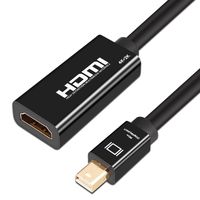
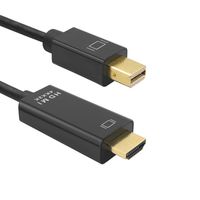
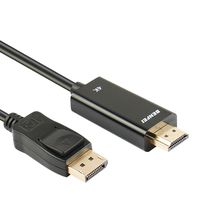
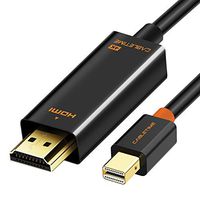
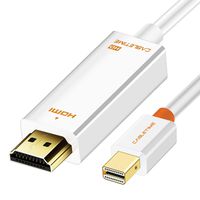
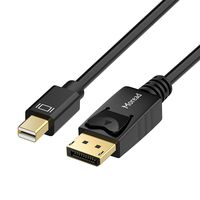
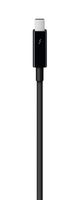
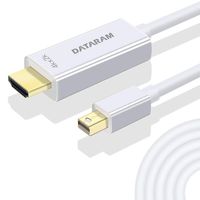
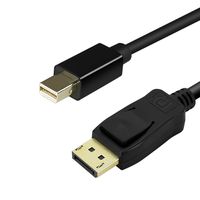
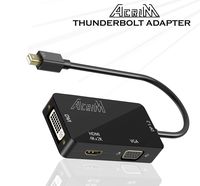
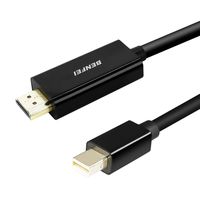
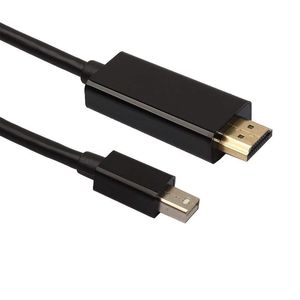
6FT Thunderbolt Mini DisplayPort to HDMI Cable Adapter for Macbook Pro Air iMac Make direct Thunderbolt/ Mini DisplayPort to HDMI connections without the hassle of using an additional HDMI cable. The new MacBook, MacBook Pro, and MacBook Air each have a Thunderbolt/ Mini DisplayPort that allows you to connect an external display or projector using an adapter. You can use an external display as your main workspace or to extend your desktop, or you can work in mirrored mode with a projector so you can view what your audience sees. PRODUCT DESCRIPTION: The mini DisplayPort to HDMI Adapter lets you connect a high definition monitor, projector, or LCD that uses a HDMI connector or cable to a MacBook, MacBook Pro, Macbook Air, Windows Surface Tablet, or any device with a mini DisplayPort. It offers solutions for digital entertainment center, HDTV retail and show site, HDTV, STB, DVD and Projector factory, noise space and security concerns, data center control, information distribution, conference room presentation, school and corporate training environments. The Mini DisplayPort to HDMI signal format converter seamlessly connect next generation DisplayPort based MacBook, MacBook Pro, or MacBook Air with a Mini DisplayPort to high definition displays. Mini DisplayPort offers a unified, scalable, and cost effective interface for embedded and external display applications. It not only has an elegant appearance with the black color but also brings much convenience with its small size
SimYoung Thunderbolt Mini Display Port to HDMI Cable for Apple iMac MacBook Air Pro 6FT Black
Price is below average
Current Price
$4.99
Average
$5.99
Min Price
$4.99
Max Price
$6.99
Price dynamics
17%
Description
6FT Thunderbolt Mini DisplayPort to HDMI Cable Adapter for Macbook Pro Air iMac Make direct Thunderbolt/ Mini DisplayPort to HDMI connections without the hassle of using an additional HDMI cable. The new MacBook, MacBook Pro, and MacBook Air each have a Thunderbolt/ Mini DisplayPort that allows you to connect an external display or projector using an adapter. You can use an external display as your main workspace or to extend your desktop, or you can work in mirrored mode with a projector so you can view what your audience sees. PRODUCT DESCRIPTION: The mini DisplayPort to HDMI Adapter lets you connect a high definition monitor, projector, or LCD that uses a HDMI connector or cable to a MacBook, MacBook Pro, Macbook Air, Windows Surface Tablet, or any device with a mini DisplayPort. It offers solutions for digital entertainment center, HDTV retail and show site, HDTV, STB, DVD and Projector factory, noise space and security concerns, data center control, information distribution, conference room presentation, school and corporate training environments. The Mini DisplayPort to HDMI signal format converter seamlessly connect next generation DisplayPort based MacBook, MacBook Pro, or MacBook Air with a Mini DisplayPort to high definition displays. Mini DisplayPort offers a unified, scalable, and cost effective interface for embedded and external display applications. It not only has an elegant appearance with the black color but also brings much convenience with its small size
Price will be lower
in next 2 weeks
in next 2 weeks
According to the data, price will be lower in next two weeks, so not waste your money and track better price!
Product review & video
[Music] hey guys as promised here's a quick setup video so as you guys know this part will go to your HDMI cable so you guys just plug that in and obviously that's the HDMI cable was connected to your monitor this part ok just get a close-up this will go right here so this is the back of my iMac on your macbook you guys should see the same thing when you guys can plug it into either one of these ports so just plug it into one of these ports and then from your Mac I just go into system preferences and don't have your monitor turned on by the way when you're making these connections just have it off for now and then once it's connected you guys can go to System Preferences alright let me just so you can see you guys can actually see this thing and then on this place you guys will see your monitor so at this time it's good to turn on your monitor so I have my monitor right here I'm gonna t


Similar products