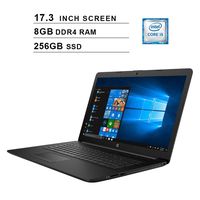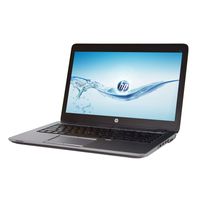
Description
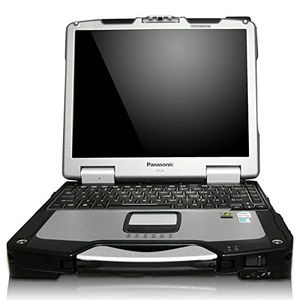
Panasonic's ToughBook line is well known as the most resiliant laptops around. The lineage and pedigree of the rugged Panasonic brand elevates it head and shoulders above other laptops. Among the Toughbook clan, the CF-30's line is the undisputed royal family. This model line holds a special place as perhaps the most popular rugged notebook ever made. The CF-30 (4th gen of flagship line) did not need a redesign, being nearly perfect as it was. It's basic shape and styling remain as attractive and functional as they have been since its inception. However, time has not stood still, and under the hood the CF-30 has undergone a massive technology update (see technical specs below). The CF-30's engineers were remarkable at anticipating every extreme situation that users might find themselves in. For example, to make the display easily readable in bright or direct sunlight, the screen has 20 brightness settings, with a maximum setting of 1000 nits (standard laptops usually have display settings of less than 250 nits). If you're out in the elements and need a notebook that can take the heat (and dust and moisture), survive multiple drops, and get you through most of your workday on one charge, the Toughbook CF-30 is as good as they come.
Panasonic Toughbook CF-30 MK3,320GB HDD, 4GB RAM, Win 10, GOBI, GPS
Price is below average
Current Price
$290
Average
$324.39
Min Price
$149.95
Max Price
$399
Price dynamics
11%
Description
Panasonic's ToughBook line is well known as the most resiliant laptops around. The lineage and pedigree of the rugged Panasonic brand elevates it head and shoulders above other laptops. Among the Toughbook clan, the CF-30's line is the undisputed royal family. This model line holds a special place as perhaps the most popular rugged notebook ever made. The CF-30 (4th gen of flagship line) did not need a redesign, being nearly perfect as it was. It's basic shape and styling remain as attractive and functional as they have been since its inception. However, time has not stood still, and under the hood the CF-30 has undergone a massive technology update (see technical specs below). The CF-30's engineers were remarkable at anticipating every extreme situation that users might find themselves in. For example, to make the display easily readable in bright or direct sunlight, the screen has 20 brightness settings, with a maximum setting of 1000 nits (standard laptops usually have display settings of less than 250 nits). If you're out in the elements and need a notebook that can take the heat (and dust and moisture), survive multiple drops, and get you through most of your workday on one charge, the Toughbook CF-30 is as good as they come.
Price will be lower
in next 2 weeks
in next 2 weeks
According to the data, price will be lower in next two weeks, so not waste your money and track better price!
Product review & video
Today we are going to install a GPS on a Panasonic Toughbook CF-30 these are the parts we are going to need. If you purchase separately, make sure you receive all the parts in. Your GPS card, your GPS cover that you're going to need, the antenna- the accessories is to install and of course the screws. If you don't
have the screws you are going to need two little screws, and three bigger screws. I use a Phillips
head screwdriver small one, and a large one to remove and install the bigger screws. We are going to start by removing the part where
the GPS will go. Always make sure that your battery is off
on your computer. So let's remove the battery. We are going to start by removing the outer cover screws. We are going to remove the screw from the hinge. OK, after we done with this you're going to open the computer because we are going to have to remove the keyboard cover. Now comes the


Similar products