- HomeIndustrial & ScientificAdditive Manufacturing Products3D Printer Parts & Accessories3D Printer Controllers
Description
Input voltage: 12V-24V
Support Print format: G-code
MPU: Cortex-M3 100MHZ
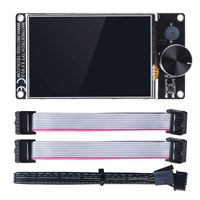
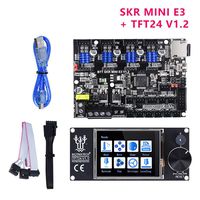
Support Display:MKS TFT24/28/32/35 ect
Support machine:XYZ、 delta、 kossel、 Ultimaker、 corey
★Packing List:
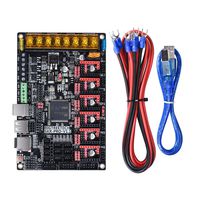
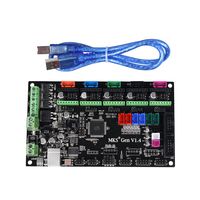
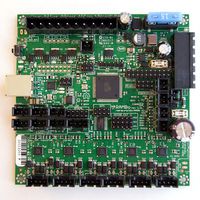
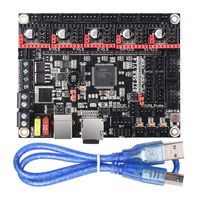
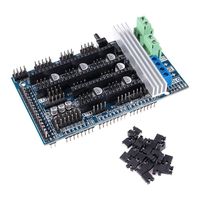
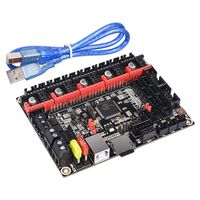
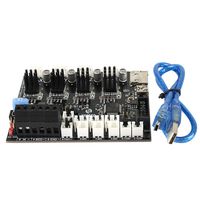
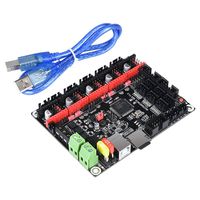
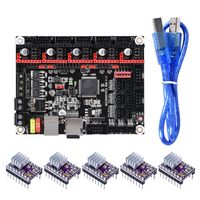
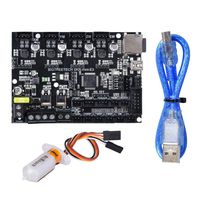
1* MKS SGEN L V1.0 +1*USB Cable+10*Jumper caps
★Drive mode setting
There are three drive mode settings: normal mode, UART mode and SPI mode.
Note: The following drive settings are based on the mks series drive, and different brand drive setup methods may be set differently.
1.Normal mode (step/dir mode)
In the case of normal mode, basically all drivers are available.
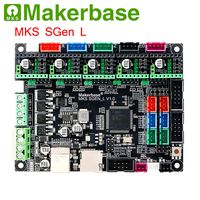
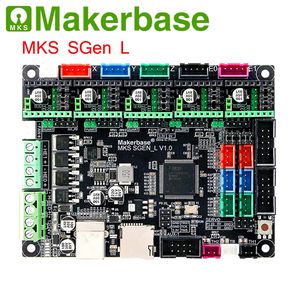
Adjust the driven subdivision by the jumper cap. According to your own needs, the jumper cap can be inserted into the M0, M1, M2 of the two rows of black pin headers on the right side to realize the adjustment of the subdivision.
Note: In the normal mode, the fourth pin is recommended without a jumper cap. However, wearing a jumper cap may affect the use of some drives.
2.TMC2130 SPI Mode
Due to too much content, please contact me if needed.
3.TMC2208 UART Mode
Due to too much content, please contact me if needed.
★Printing connection and driver installation
If it needs to connect computer to print, the computer needs to be installed a USB driver to recognized the COM port.
Note: only update the motherboard firmware, can motherboard COM port be recognized by computer.
The USB driver of Smoothieware can be download and install via official website, or get zipped files from customer service staffs and technicians.
★MARLIN2.0 firmware
If the marlin firmware is updated, but the computer recognizes it as an unknown device, you can right-click to select the update driver and select the path to update the driver.
★If you need more detailed information on changing the firmware, how to use the board and MKS series drivers and displays, please contact me.
Support Print format: G-code
MPU: Cortex-M3 100MHZ
Support Display:MKS TFT24/28/32/35 ect
Support machine:XYZ、 delta、 kossel、 Ultimaker、 corey
★Packing List:
1* MKS SGEN L V1.0 +1*USB Cable+10*Jumper caps
★Drive mode setting
There are three drive mode settings: normal mode, UART mode and SPI mode.
Note: The following drive settings are based on the mks series drive, and different brand drive setup methods may be set differently.
1.Normal mode (step/dir mode)
In the case of normal mode, basically all drivers are available.
Adjust the driven subdivision by the jumper cap. According to your own needs, the jumper cap can be inserted into the M0, M1, M2 of the two rows of black pin headers on the right side to realize the adjustment of the subdivision.
Note: In the normal mode, the fourth pin is recommended without a jumper cap. However, wearing a jumper cap may affect the use of some drives.
2.TMC2130 SPI Mode
Due to too much content, please contact me if needed.
3.TMC2208 UART Mode
Due to too much content, please contact me if needed.
★Printing connection and driver installation
If it needs to connect computer to print, the computer needs to be installed a USB driver to recognized the COM port.
Note: only update the motherboard firmware, can motherboard COM port be recognized by computer.
The USB driver of Smoothieware can be download and install via official website, or get zipped files from customer service staffs and technicians.
★MARLIN2.0 firmware
If the marlin firmware is updated, but the computer recognizes it as an unknown device, you can right-click to select the update driver and select the path to update the driver.
★If you need more detailed information on changing the firmware, how to use the board and MKS series drivers and displays, please contact me.
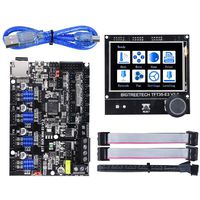
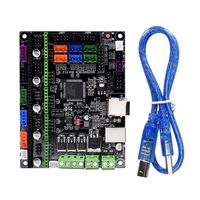
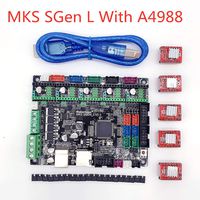
BZ 3D Controller Board New MKS SGen L V1.0 32Bit Motherboard Compatible Uart/SPI Open Source Marlin2.0/Smoothieware Support TMC2208/2130 TFT32/35 for 3D Printer Parts VS SKR V1.3
Current Price
$23.98
Average
$21.4
Min Price
$19.99
Max Price
$23.98
Price dynamics
11%
Description
Input voltage: 12V-24V
Support Print format: G-code
MPU: Cortex-M3 100MHZ
Support Display:MKS TFT24/28/32/35 ect
Support machine:XYZ、 delta、 kossel、 Ultimaker、 corey
★Packing List:
1* MKS SGEN L V1.0 +1*USB Cable+10*Jumper caps
★Drive mode setting
There are three drive mode settings: normal mode, UART mode and SPI mode.
Note: The following drive settings are based on the mks series drive, and different brand drive setup methods may be set differently.
1.Normal mode (step/dir mode)
In the case of normal mode, basically all drivers are available.
Adjust the driven subdivision by the jumper cap. According to your own needs, the jumper cap can be inserted into the M0, M1, M2 of the two rows of black pin headers on the right side to realize the adjustment of the subdivision.
Note: In the normal mode, the fourth pin is recommended without a jumper cap. However, wearing a jumper cap may affect the use of some drives.
2.TMC2130 SPI Mode
Due to too much content, please contact me if needed.
3.TMC2208 UART Mode
Due to too much content, please contact me if needed.
★Printing connection and driver installation
If it needs to connect computer to print, the computer needs to be installed a USB driver to recognized the COM port.
Note: only update the motherboard firmware, can motherboard COM port be recognized by computer.
The USB driver of Smoothieware can be download and install via official website, or get zipped files from customer service staffs and technicians.
★MARLIN2.0 firmware
If the marlin firmware is updated, but the computer recognizes it as an unknown device, you can right-click to select the update driver and select the path to update the driver.
★If you need more detailed information on changing the firmware, how to use the board and MKS series drivers and displays, please contact me.
Support Print format: G-code
MPU: Cortex-M3 100MHZ
Support Display:MKS TFT24/28/32/35 ect
Support machine:XYZ、 delta、 kossel、 Ultimaker、 corey
★Packing List:
1* MKS SGEN L V1.0 +1*USB Cable+10*Jumper caps
★Drive mode setting
There are three drive mode settings: normal mode, UART mode and SPI mode.
Note: The following drive settings are based on the mks series drive, and different brand drive setup methods may be set differently.
1.Normal mode (step/dir mode)
In the case of normal mode, basically all drivers are available.
Adjust the driven subdivision by the jumper cap. According to your own needs, the jumper cap can be inserted into the M0, M1, M2 of the two rows of black pin headers on the right side to realize the adjustment of the subdivision.
Note: In the normal mode, the fourth pin is recommended without a jumper cap. However, wearing a jumper cap may affect the use of some drives.
2.TMC2130 SPI Mode
Due to too much content, please contact me if needed.
3.TMC2208 UART Mode
Due to too much content, please contact me if needed.
★Printing connection and driver installation
If it needs to connect computer to print, the computer needs to be installed a USB driver to recognized the COM port.
Note: only update the motherboard firmware, can motherboard COM port be recognized by computer.
The USB driver of Smoothieware can be download and install via official website, or get zipped files from customer service staffs and technicians.
★MARLIN2.0 firmware
If the marlin firmware is updated, but the computer recognizes it as an unknown device, you can right-click to select the update driver and select the path to update the driver.
★If you need more detailed information on changing the firmware, how to use the board and MKS series drivers and displays, please contact me.
Price will be lower
in next 2 weeks
in next 2 weeks
According to the data, price will be lower in next two weeks, so not waste your money and track better price!
Similar products