- HomeIndustrial & ScientificAdditive Manufacturing Products3D Printer Parts & Accessories3D Printer Controllers
Description
Potentiometer Setting Instructions:
Turn Potentiometer Clockwise - Reduce Vref to Reduce Drive Current
Turn Potentiometer Counterclockwise - Increase Vref to increase drive current
If the motherboard provides 12V or 24V, the exact voltage of Vref can be measured.
Range of Vref values: Default value: 1V (± 0.2); MAX: 2V; MIN: 0 V;
Do not apply excessive force when turning the potentiometer to prevent irreversible damage to the potentiometer. When the potentiometer rotates counterclockwise to its maximum value, it becomes the minimum as it continues to rotate as it is turned clockwise to the minimum. If you keep turning, the maximum value will be displayed.
Turn Potentiometer Clockwise - Reduce Vref to Reduce Drive Current
Turn Potentiometer Counterclockwise - Increase Vref to increase drive current
If the motherboard provides 12V or 24V, the exact voltage of Vref can be measured.
Range of Vref values: Default value: 1V (± 0.2); MAX: 2V; MIN: 0 V;
Do not apply excessive force when turning the potentiometer to prevent irreversible damage to the potentiometer. When the potentiometer rotates counterclockwise to its maximum value, it becomes the minimum as it continues to rotate as it is turned clockwise to the minimum. If you keep turning, the maximum value will be displayed.
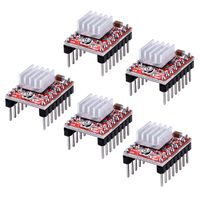
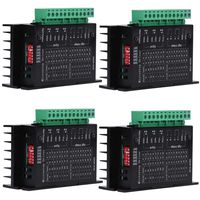
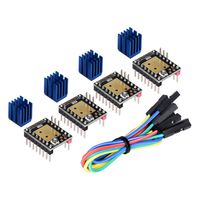
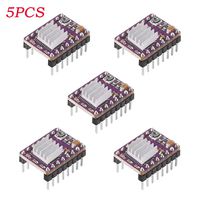
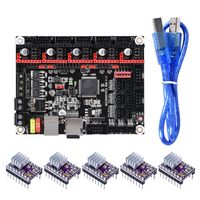
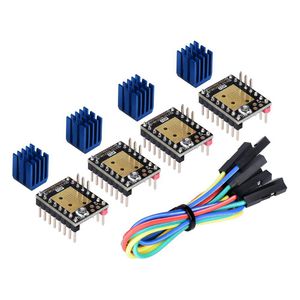
Kingprint TMC2208 V3.0 UART Stepper Damper with Heat Sink Driver, Replacement Damper for A4988 DRV8825 for 3D Printer (4 Pieces)
Price is below average
Current Price
$24.99
Average
$25.49
Min Price
$24.99
Max Price
$25.99
Price dynamics
2%
Description
Potentiometer Setting Instructions:
Turn Potentiometer Clockwise - Reduce Vref to Reduce Drive Current
Turn Potentiometer Counterclockwise - Increase Vref to increase drive current
If the motherboard provides 12V or 24V, the exact voltage of Vref can be measured.
Range of Vref values: Default value: 1V (± 0.2); MAX: 2V; MIN: 0 V;
Do not apply excessive force when turning the potentiometer to prevent irreversible damage to the potentiometer. When the potentiometer rotates counterclockwise to its maximum value, it becomes the minimum as it continues to rotate as it is turned clockwise to the minimum. If you keep turning, the maximum value will be displayed.
Turn Potentiometer Clockwise - Reduce Vref to Reduce Drive Current
Turn Potentiometer Counterclockwise - Increase Vref to increase drive current
If the motherboard provides 12V or 24V, the exact voltage of Vref can be measured.
Range of Vref values: Default value: 1V (± 0.2); MAX: 2V; MIN: 0 V;
Do not apply excessive force when turning the potentiometer to prevent irreversible damage to the potentiometer. When the potentiometer rotates counterclockwise to its maximum value, it becomes the minimum as it continues to rotate as it is turned clockwise to the minimum. If you keep turning, the maximum value will be displayed.
Price will be lower
in next 2 weeks
in next 2 weeks
According to the data, price will be lower in next two weeks, so not waste your money and track better price!
Similar products