- HomeIndustrial & ScientificAdditive Manufacturing Products3D Printer Parts & Accessories3D Printer Interface & Driver Modules
Description
Parameter Description:
Highest Resolution 256 microsteps per full step
Step/DIY Interface with microstep interpolation microPlyer SPI Interface
stealthChop for extremely quiet operation and smooth motion spreadCycle highly dynamic motor control chopper
coolStep current control for energy savings up to 75%
Voltage Range 12V/24VDC
Passive Braking and freewheeling mode
Full Protection & Diagnostics
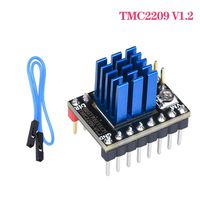
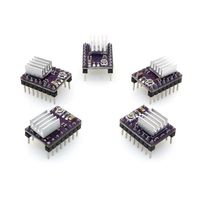
Potentiometer adjustment instructions:Rotate the potentiometer clockwise: lower Vref to reduce the drive current;
Turn the potentiometer counterclockwise: increase Vref to increase the drive current.
When the motherboard provides 12V or 24V voltage, the accurate voltage of Vref can be measured;
Vref value range: default value: 1V (±0.2); maximum value: 2.4V; MIN: 0V;
Do not use too much force when rotating the potentiometer to avoid irreversible damage to the potentiometer; when it is rotated counterclockwise to the maximum value, if it continues to rotate, it will become the minimum value; likewise, when it rotates clockwise to the minimum value, If you continue to rotate, it will become the maximum value;
note :1.Must do the heat dissipation work (heat sink + cooling fan) before driving work, prevent driving Not working properly;Pay attention to the line sequence and IO port when wiring. Connecting the wrong line will directly cause the driver to not work.
2. When inserting the drive into the motherboard, please pay attention to the direction of the drive, do not insert the drive incorrectly, and prevent the drive from burning out.
Highest Resolution 256 microsteps per full step
Step/DIY Interface with microstep interpolation microPlyer SPI Interface
stealthChop for extremely quiet operation and smooth motion spreadCycle highly dynamic motor control chopper
coolStep current control for energy savings up to 75%
Voltage Range 12V/24VDC
Passive Braking and freewheeling mode
Full Protection & Diagnostics
Potentiometer adjustment instructions:Rotate the potentiometer clockwise: lower Vref to reduce the drive current;
Turn the potentiometer counterclockwise: increase Vref to increase the drive current.
When the motherboard provides 12V or 24V voltage, the accurate voltage of Vref can be measured;
Vref value range: default value: 1V (±0.2); maximum value: 2.4V; MIN: 0V;
Do not use too much force when rotating the potentiometer to avoid irreversible damage to the potentiometer; when it is rotated counterclockwise to the maximum value, if it continues to rotate, it will become the minimum value; likewise, when it rotates clockwise to the minimum value, If you continue to rotate, it will become the maximum value;
note :1.Must do the heat dissipation work (heat sink + cooling fan) before driving work, prevent driving Not working properly;Pay attention to the line sequence and IO port when wiring. Connecting the wrong line will directly cause the driver to not work.
2. When inserting the drive into the motherboard, please pay attention to the direction of the drive, do not insert the drive incorrectly, and prevent the drive from burning out.
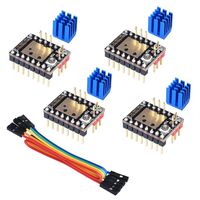
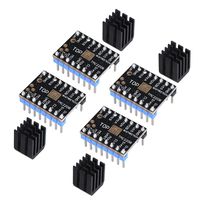
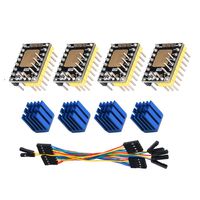
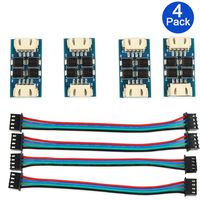
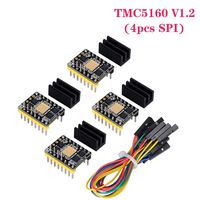
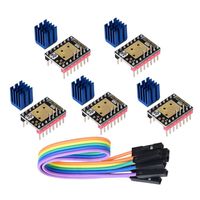
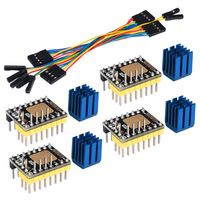
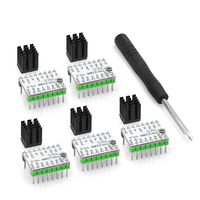
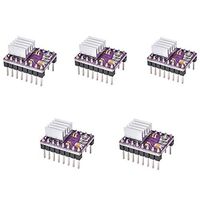
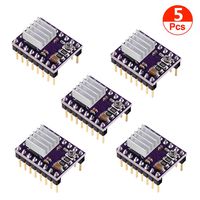
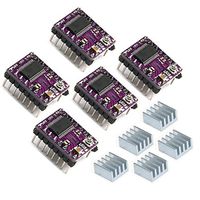
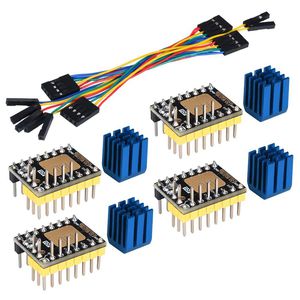
KINGPRINT TMC2130 V3.0 Stepper Motor StepStick Mute Silent Driver with Heatsink for 3D Printer Control Board 4 Packs(SPI)
Current Price
$33.99
Average
$32.66
Min Price
$29.99
Max Price
$33.99
Price dynamics
4%
Description
Parameter Description:
Highest Resolution 256 microsteps per full step
Step/DIY Interface with microstep interpolation microPlyer SPI Interface
stealthChop for extremely quiet operation and smooth motion spreadCycle highly dynamic motor control chopper
coolStep current control for energy savings up to 75%
Voltage Range 12V/24VDC
Passive Braking and freewheeling mode
Full Protection & Diagnostics
Potentiometer adjustment instructions:Rotate the potentiometer clockwise: lower Vref to reduce the drive current;
Turn the potentiometer counterclockwise: increase Vref to increase the drive current.
When the motherboard provides 12V or 24V voltage, the accurate voltage of Vref can be measured;
Vref value range: default value: 1V (±0.2); maximum value: 2.4V; MIN: 0V;
Do not use too much force when rotating the potentiometer to avoid irreversible damage to the potentiometer; when it is rotated counterclockwise to the maximum value, if it continues to rotate, it will become the minimum value; likewise, when it rotates clockwise to the minimum value, If you continue to rotate, it will become the maximum value;
note :1.Must do the heat dissipation work (heat sink + cooling fan) before driving work, prevent driving Not working properly;Pay attention to the line sequence and IO port when wiring. Connecting the wrong line will directly cause the driver to not work.
2. When inserting the drive into the motherboard, please pay attention to the direction of the drive, do not insert the drive incorrectly, and prevent the drive from burning out.
Highest Resolution 256 microsteps per full step
Step/DIY Interface with microstep interpolation microPlyer SPI Interface
stealthChop for extremely quiet operation and smooth motion spreadCycle highly dynamic motor control chopper
coolStep current control for energy savings up to 75%
Voltage Range 12V/24VDC
Passive Braking and freewheeling mode
Full Protection & Diagnostics
Potentiometer adjustment instructions:Rotate the potentiometer clockwise: lower Vref to reduce the drive current;
Turn the potentiometer counterclockwise: increase Vref to increase the drive current.
When the motherboard provides 12V or 24V voltage, the accurate voltage of Vref can be measured;
Vref value range: default value: 1V (±0.2); maximum value: 2.4V; MIN: 0V;
Do not use too much force when rotating the potentiometer to avoid irreversible damage to the potentiometer; when it is rotated counterclockwise to the maximum value, if it continues to rotate, it will become the minimum value; likewise, when it rotates clockwise to the minimum value, If you continue to rotate, it will become the maximum value;
note :1.Must do the heat dissipation work (heat sink + cooling fan) before driving work, prevent driving Not working properly;Pay attention to the line sequence and IO port when wiring. Connecting the wrong line will directly cause the driver to not work.
2. When inserting the drive into the motherboard, please pay attention to the direction of the drive, do not insert the drive incorrectly, and prevent the drive from burning out.
Price will be lower
in next 2 weeks
in next 2 weeks
According to the data, price will be lower in next two weeks, so not waste your money and track better price!