- HomeIndustrial & ScientificAdditive Manufacturing Products3D Printer Parts & Accessories3D Printer Interface & Driver Modules
Description
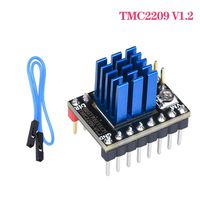
1.Parameter Description:
256 microsteps per full step.
interpolation from lower input resolutions.
stealthChop2 - for quiet positioning.
spreadCycle - for high speed and high dynamics.
Low RDSon LS 280mΩ & HS 290mΩ (typ. at 25°C).
Voltage Range 12V/24VDC.
Single Wire UART for advanced configuration options.
Integrated Pulse Generator for standalone motion.
2.Potentiometer adjustment Description:
Rotate the potentiometer clockwise - reduce Vref to reduce drive current;
Turn the potentiometer counterclockwise - increase Vref to increase the drive current.
3.NOTE:
1. Hardware selection When using the UART working mode, carefully use the soldering iron to prevent burns, handle after observing, carefully observe whether the module has residual tin slag. It must be cleaned to prevent it.Cause the module to be short-circuited and burned;
2. Pay attention to the line sequence and IO port when wiring. Connecting the wrong line will directly cause the driver to not work. Corresponding to the above diagram carefully connected;
3. When plugging the driver into the motherboard, pay attention to see the driving direction, never insert it, and prevent the drive.The fire was burned;
4. Must do the heat dissipation work (heat sink + cooling fan) before driving work, prevent driving not working properly;
4.Tips:
If you encounter any problems during use, please contact us, we will be willing to help you;at the same time,If you have any good comments or suggestions about our products, welcome to give us feedback. We will also carefully consider your comments or suggestions, thank you for choosing BIGTREETECH products.
256 microsteps per full step.
interpolation from lower input resolutions.
stealthChop2 - for quiet positioning.
spreadCycle - for high speed and high dynamics.
Low RDSon LS 280mΩ & HS 290mΩ (typ. at 25°C).
Voltage Range 12V/24VDC.
Single Wire UART for advanced configuration options.
Integrated Pulse Generator for standalone motion.
2.Potentiometer adjustment Description:
Rotate the potentiometer clockwise - reduce Vref to reduce drive current;
Turn the potentiometer counterclockwise - increase Vref to increase the drive current.
3.NOTE:
1. Hardware selection When using the UART working mode, carefully use the soldering iron to prevent burns, handle after observing, carefully observe whether the module has residual tin slag. It must be cleaned to prevent it.Cause the module to be short-circuited and burned;
2. Pay attention to the line sequence and IO port when wiring. Connecting the wrong line will directly cause the driver to not work. Corresponding to the above diagram carefully connected;
3. When plugging the driver into the motherboard, pay attention to see the driving direction, never insert it, and prevent the drive.The fire was burned;
4. Must do the heat dissipation work (heat sink + cooling fan) before driving work, prevent driving not working properly;
4.Tips:
If you encounter any problems during use, please contact us, we will be willing to help you;at the same time,If you have any good comments or suggestions about our products, welcome to give us feedback. We will also carefully consider your comments or suggestions, thank you for choosing BIGTREETECH products.
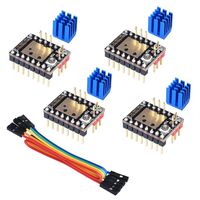
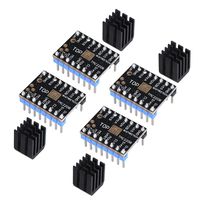
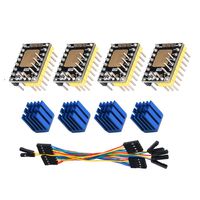
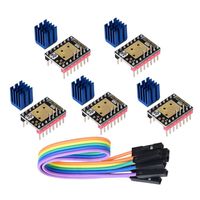
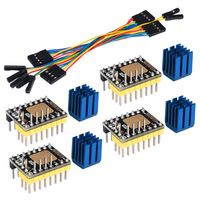
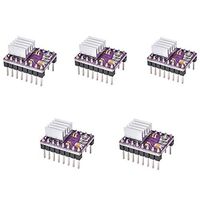
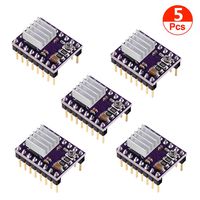
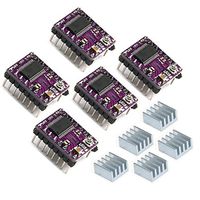
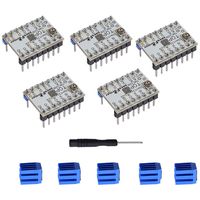
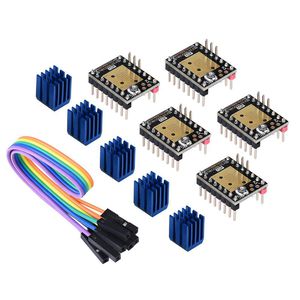
WitBot TMC2208 V3.0 Stepper Motor Driver Module with Heat Sink Have UART Mode Compatible with Ramps1.4 or MKS Board SKR V1.3 for 3D Printers(Pack of 5pcs) (UART)
Price is below average
Current Price
$29.98
Average
$30.59
Min Price
$29.98
Max Price
$30.99
Price dynamics
2%
Description
1.Parameter Description:
256 microsteps per full step.
interpolation from lower input resolutions.
stealthChop2 - for quiet positioning.
spreadCycle - for high speed and high dynamics.
Low RDSon LS 280mΩ & HS 290mΩ (typ. at 25°C).
Voltage Range 12V/24VDC.
Single Wire UART for advanced configuration options.
Integrated Pulse Generator for standalone motion.
2.Potentiometer adjustment Description:
Rotate the potentiometer clockwise - reduce Vref to reduce drive current;
Turn the potentiometer counterclockwise - increase Vref to increase the drive current.
3.NOTE:
1. Hardware selection When using the UART working mode, carefully use the soldering iron to prevent burns, handle after observing, carefully observe whether the module has residual tin slag. It must be cleaned to prevent it.Cause the module to be short-circuited and burned;
2. Pay attention to the line sequence and IO port when wiring. Connecting the wrong line will directly cause the driver to not work. Corresponding to the above diagram carefully connected;
3. When plugging the driver into the motherboard, pay attention to see the driving direction, never insert it, and prevent the drive.The fire was burned;
4. Must do the heat dissipation work (heat sink + cooling fan) before driving work, prevent driving not working properly;
4.Tips:
If you encounter any problems during use, please contact us, we will be willing to help you;at the same time,If you have any good comments or suggestions about our products, welcome to give us feedback. We will also carefully consider your comments or suggestions, thank you for choosing BIGTREETECH products.
256 microsteps per full step.
interpolation from lower input resolutions.
stealthChop2 - for quiet positioning.
spreadCycle - for high speed and high dynamics.
Low RDSon LS 280mΩ & HS 290mΩ (typ. at 25°C).
Voltage Range 12V/24VDC.
Single Wire UART for advanced configuration options.
Integrated Pulse Generator for standalone motion.
2.Potentiometer adjustment Description:
Rotate the potentiometer clockwise - reduce Vref to reduce drive current;
Turn the potentiometer counterclockwise - increase Vref to increase the drive current.
3.NOTE:
1. Hardware selection When using the UART working mode, carefully use the soldering iron to prevent burns, handle after observing, carefully observe whether the module has residual tin slag. It must be cleaned to prevent it.Cause the module to be short-circuited and burned;
2. Pay attention to the line sequence and IO port when wiring. Connecting the wrong line will directly cause the driver to not work. Corresponding to the above diagram carefully connected;
3. When plugging the driver into the motherboard, pay attention to see the driving direction, never insert it, and prevent the drive.The fire was burned;
4. Must do the heat dissipation work (heat sink + cooling fan) before driving work, prevent driving not working properly;
4.Tips:
If you encounter any problems during use, please contact us, we will be willing to help you;at the same time,If you have any good comments or suggestions about our products, welcome to give us feedback. We will also carefully consider your comments or suggestions, thank you for choosing BIGTREETECH products.
Price will be lower
in next 2 weeks
in next 2 weeks
According to the data, price will be lower in next two weeks, so not waste your money and track better price!